VCF on VxRail: Upgrade or Node Add operation fails after adding a VUM cluster into the VLCM environment
Summary: In a vLCM enabled VCF on VxRail environment, adding a VUM cluster (vLCM feature disabled) may result in the loss of certain permissions from the HCIA role in vCenter, and cause upgrade or node add operation fails. ...
This article applies to
This article does not apply to
This article is not tied to any specific product.
Not all product versions are identified in this article.
Symptoms
In a vLCM (vSphere Lifecycle Manager) enabled VCF on VxRail environment, after adding a VUM (vSphere Update Manager) cluster, the HCIA role permissions are overwritten by the VUM cluster. If you attempt to add a node to the vLCM cluster or upgrade the vLCM cluster, the operation will fail.
Scenario 1: Add host on vCenter success, however when triggering Add VxRail Hosts on SDDC it failed at host remediation task.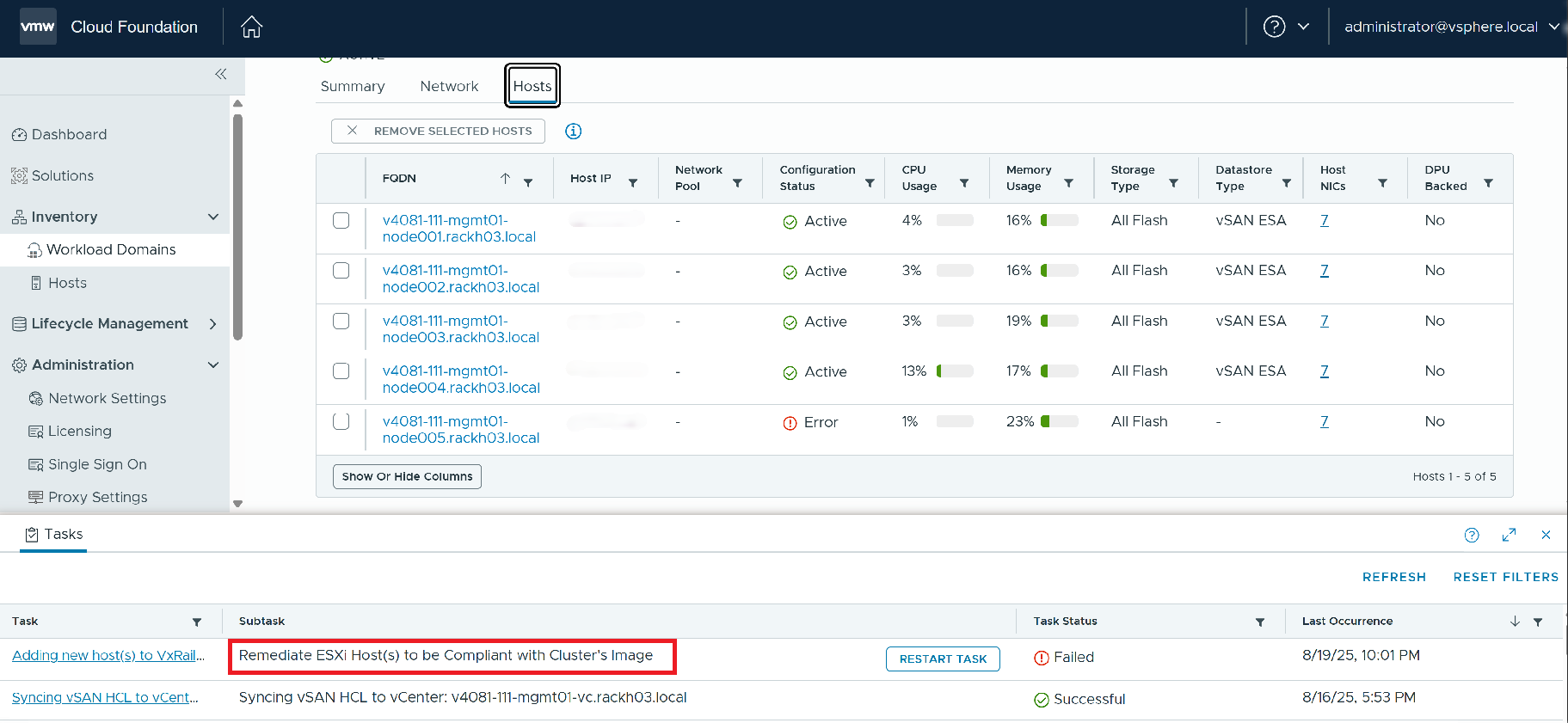
Check from the vCenter UI, Remediation of cluster failed.
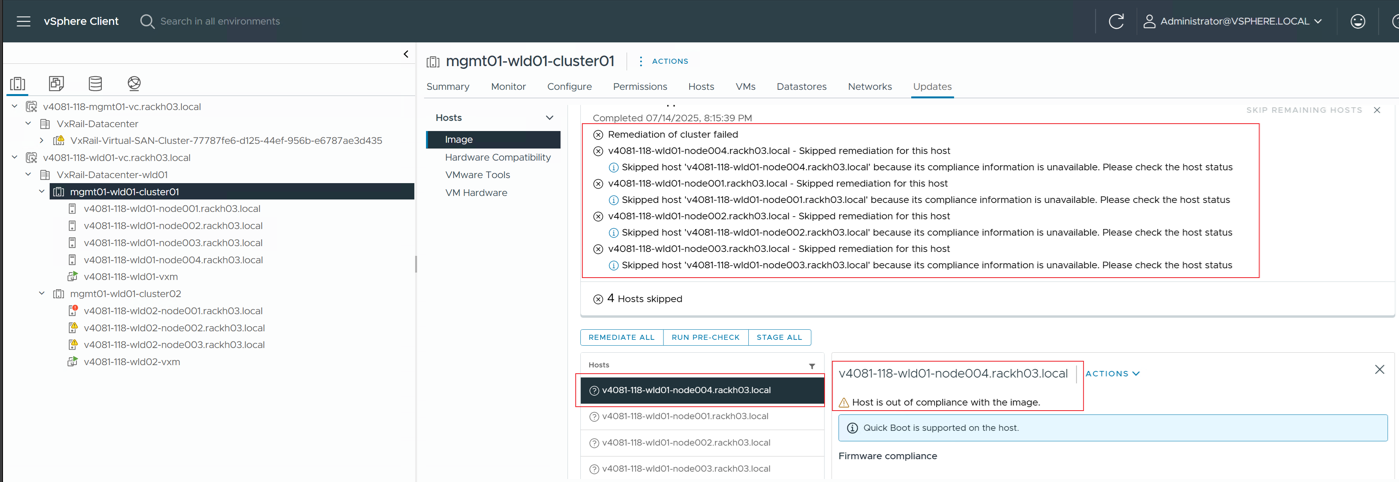
Scenario 2: Upgrade fails with the following error message: Trigger set customized depot meets exception, detail: Meet error in vlcm service request exchange.
Note: The upgrade failed issue has been fixed in 8.0.361, if the upgrade target version is equal or higher than 8.0.361, you will not hit this issue.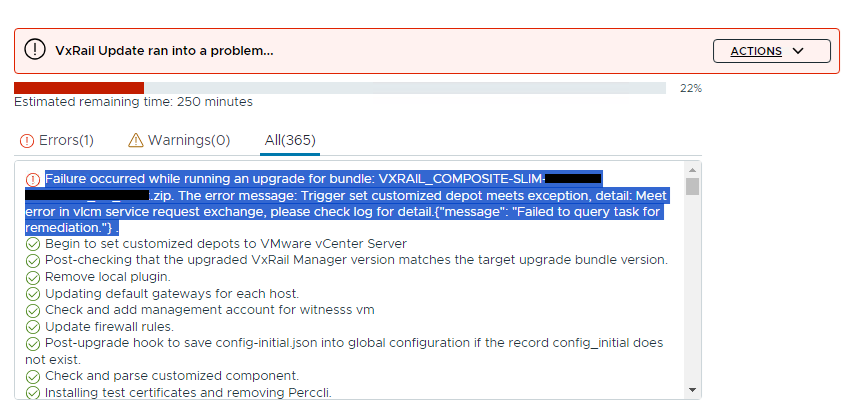
Cause
When the VMware Cloud Foundation (VCF) brings up the management (MGMT) domain with the vSphere Lifecycle Manager (vLCM) feature activated, the vCenter of the MGMT domain is automatically granted the Sessions and VMware vSphere Lifecycle Manager privileges within the VMware HCIA Management Role by the MGMT domain VxRail Manager. However, these privileges are revoked from the vCenter of the MGMT domain when adding a new VUM cluster (vLCM feature disabled). These privileges are essential for the vLCM functionality, vLCM cannot operate properly without them. Consequently, any operation using vLCM will fail, e.g. node add (vlcm compliance scan), vlcm upgrade.
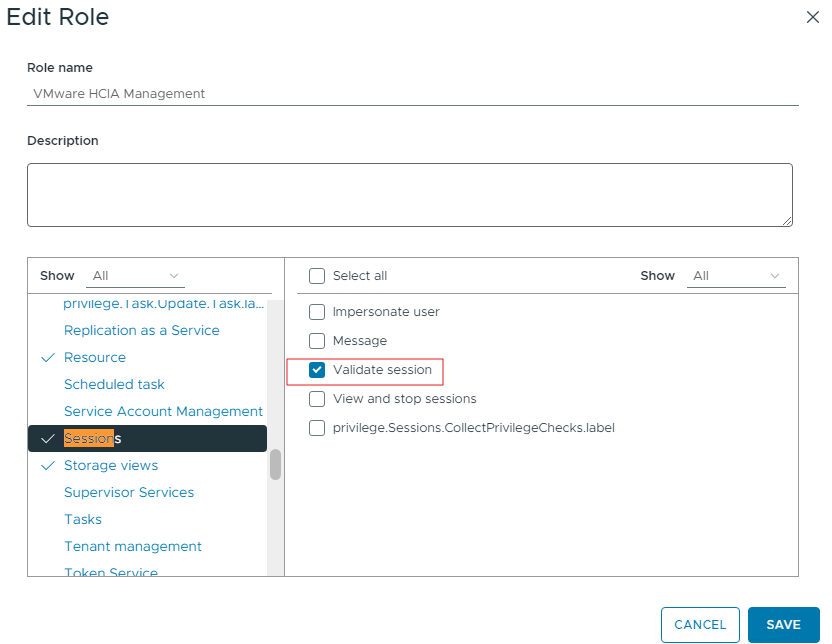
Before adding the cluster with vLCM disabled, you will notice that within the VMware HCIA Management role, it has the 'Sessions' privilege, which includes the ability to validate sessions.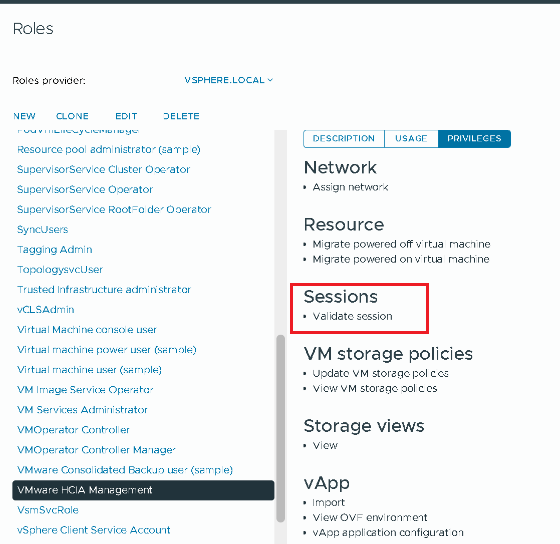
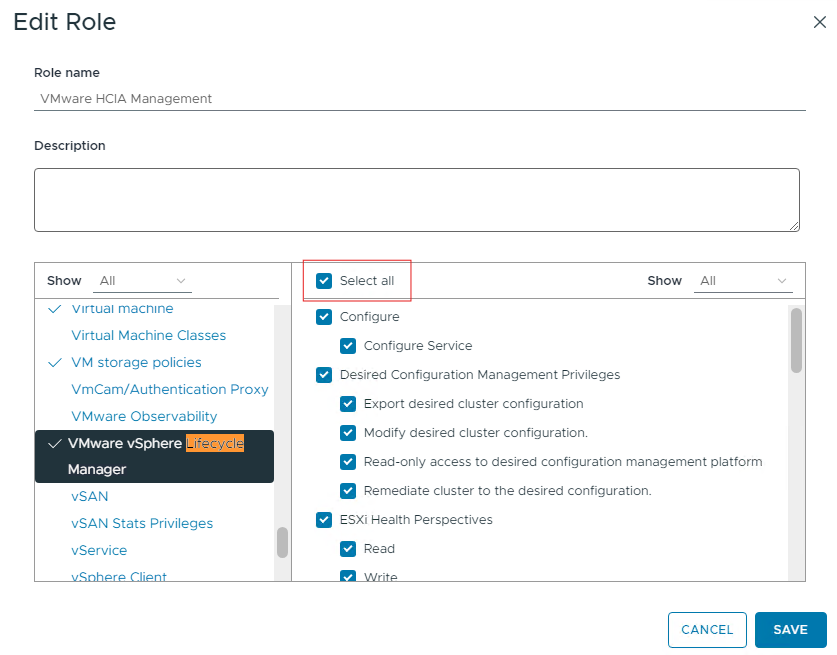
It also has the full capabilities of the 'VMware vSphere Lifecycle Manager' privileges.
After adding the cluster with vLCM disabled, the 'Sessions' privilege is removed from the VMware HCIA Management role, and the 'VMware vSphere Lifecycle Manager' retains only the "Lifecycle Manager: Settings Privileges"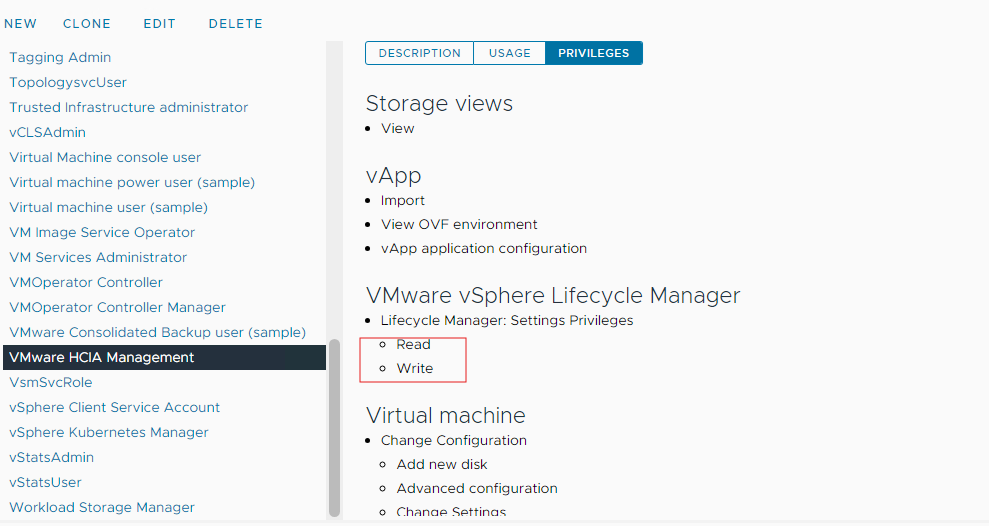
Resolution
To restore the missing privileges to the vCenter of the MGMT domain, follow these steps using the vCenter UI
1. Log in to the vCenter and go to 'Administrator' > 'Access Control' > 'Roles'.
2. Look for the 'VMware HCIA Management' role, and then click 'EDIT'.
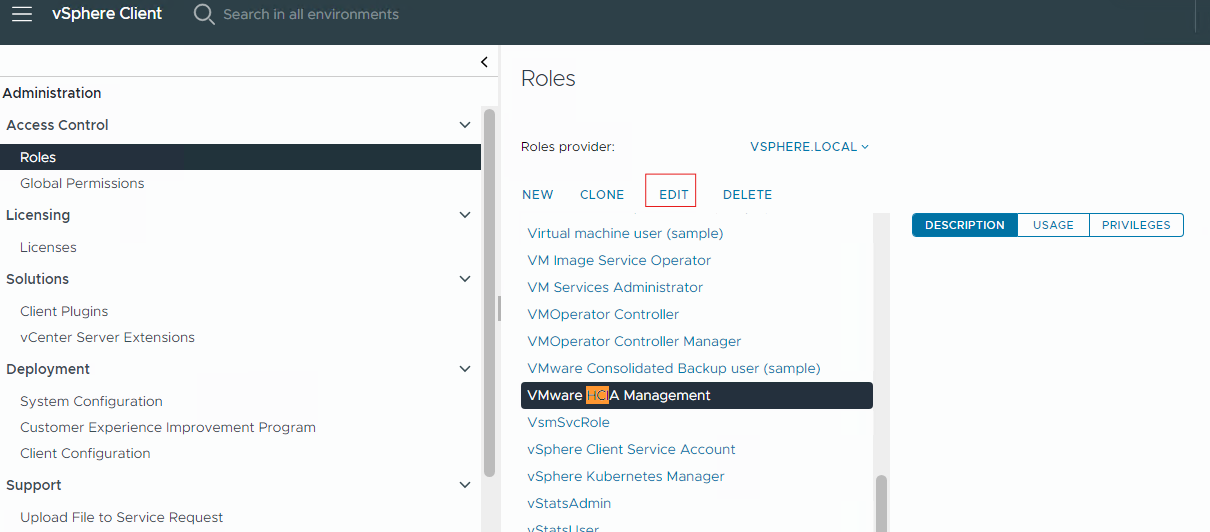
3. Use the search function with the keyword 'Sessions', select 'Validate session', and then save the changes.
4. Search for 'VMware vSphere Lifecycle Manager', opt for 'Select all', and then save the changes.
To proceed host add operation, restart the failed task on SDDC manager
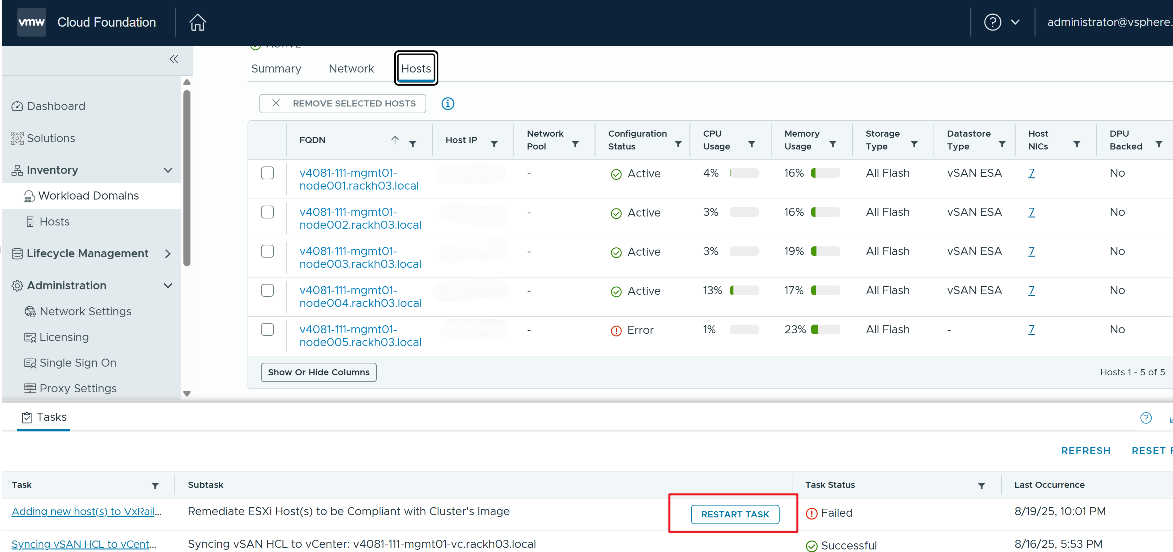
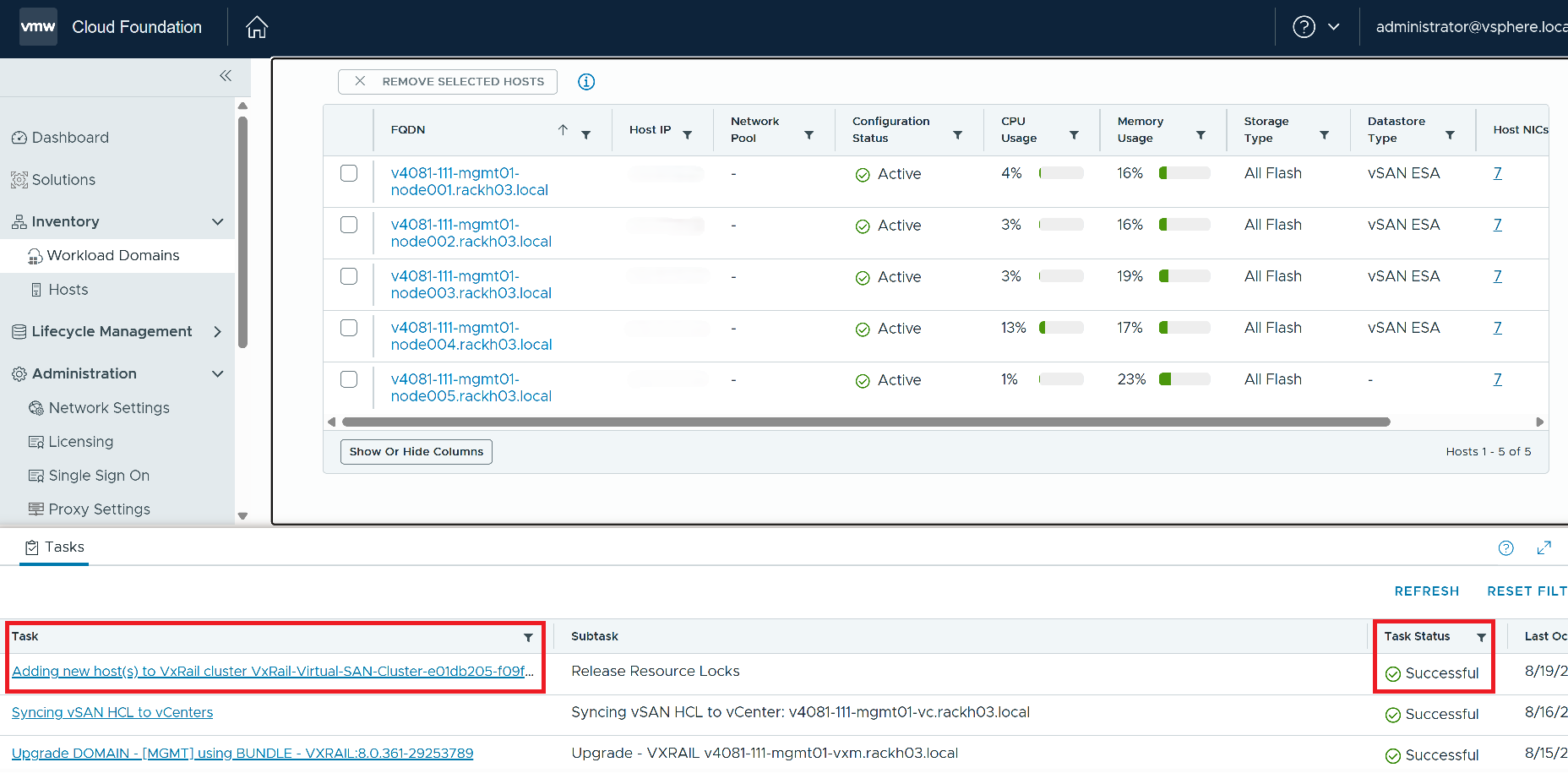
Monitor the task status until Add VxRail Host successful.
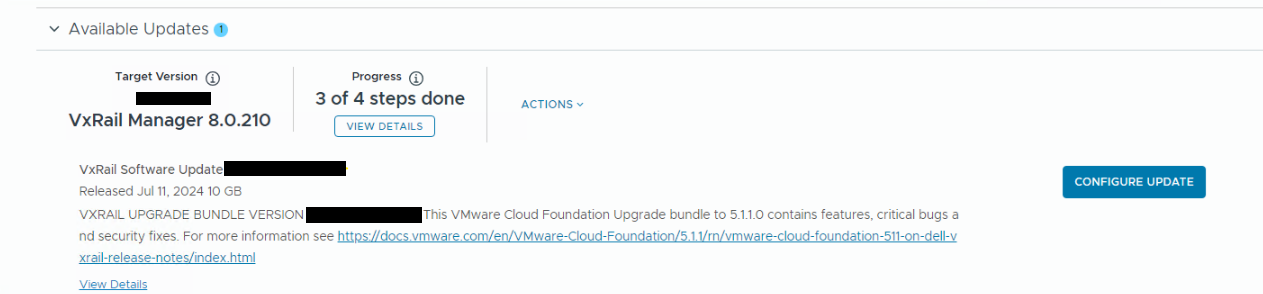
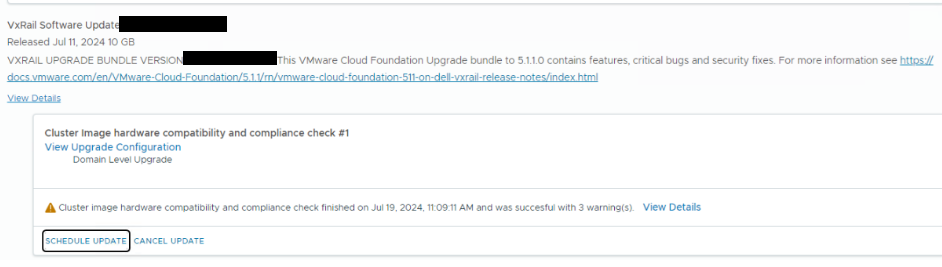
To proceed with the upgrade, return to the SDDC UI, configure the update settings, and then schedule the update
Additional Information
Note: This issue also impacts standard VxRail clusters. In an external vCenter environment, when the first vLCM-enabled cluster was added to the vCenter, the vLCM-related privileges were assigned to the VMware HCIA Management Role, but when the second vLCM disabled cluster was added to the vCenter, these privileges were revoked from the vCenter. You can follow the steps in this KB Resolution section to restore the missing privileges to the vCenter and retry the VxRail update.
Affected Products
VxRail E560 VCF, VxRail E560F VCF, VxRail E560N VCF, VxRail G560 VCF, VxRail G560F VCF, VxRail P570 VCF, VxRail P570F VCF, VxRail P580N VCF, VxRail S570 VCF, VxRail Software, VxRail V570 VCF, VxRail V570F VCFArticle Properties
Article Number: 000227289
Article Type: Solution
Last Modified: 25 Sep 2025
Version: 3
Find answers to your questions from other Dell users
Support Services
Check if your device is covered by Support Services.