NMDA: Unable to create a new Oracle client in NMC
Summary: Unable to create a new NMDA Oracle client in NMC.
This article applies to
This article does not apply to
This article is not tied to any specific product.
Not all product versions are identified in this article.
Symptoms
Unable to create a new NMDA Oracle client in NetWorker Management Console (NMC) when using the client wizard. It fails with the following error: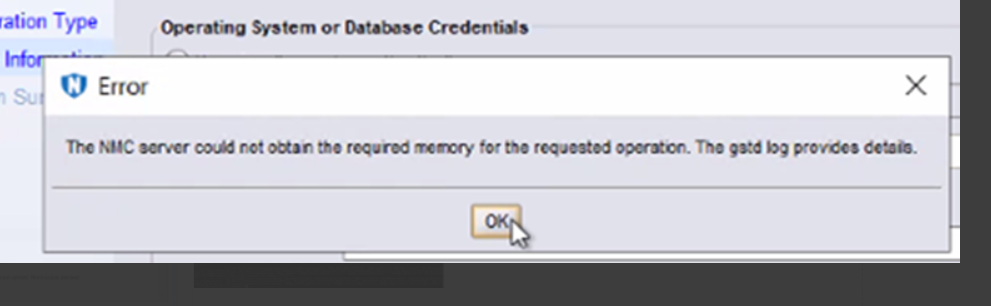
The NMC server could not obtain the required memory for the requested operation. The gstd log provides details.
The executable nsrorara.bin does not exist on the client.
Cause
Two NSR remote agent resources are registered on the client's nsrladb, one with executable nsrorara.bin and the other with nsrorara.
The client wizard from NMC connects to the nsrorara.bin agent first causing the wizard to stop responding.
Resolution
- Check if 'nsrorara' is registered.
nsradmin -p nsrexec
print type : nsr remote agent ; backup type : oracle
NOTE: This should only give one entry for "remote agent executable" with 'nsrorara' as its value.
- Delete any unnecessary nsrorara resource, for example, one that has an executable called nsrorara.bin.
nsradmin -p nsrexec
print type: NSR remote agent;remote agent executable: nsrorara.bin
delete
Delete? Y
nsradmin>
Article Properties
Article Number: 000269639
Article Type: Solution
Last Modified: 14 Feb 2025
Version: 1
Find answers to your questions from other Dell users
Support Services
Check if your device is covered by Support Services.