How to Obtain the CrowdStrike Customer Identification
Sommaire: Learn how to find your CrowdStrike Customer Identification (CID) by following these instructions. These instructions support Windows, Mac, and Linux.
Cet article s’applique à
Cet article ne s’applique pas à
Cet article n’est lié à aucun produit spécifique.
Toutes les versions de produits ne sont pas identifiées dans cet article.
Instructions
The CrowdStrike Customer Identification (CID) is used to:
- Activate the CrowdStrike Falcon Sensor
- Troubleshoot the CrowdStrike Falcon Console
Affected Products:
- CrowdStrike
Affected Operating Systems:
- Windows
- Mac
- Linux
Locate your customer ID (CID) in the CrowdStrike Falcon Console by following these instructions.
- In a Google Chrome or Microsoft Edge browser, go to your Falcon Console login URL.
- Falcon US-1: https://falcon.crowdstrike.com/login/
- Falcon US-2: https://falcon.us-2.crowdstrike.com/login/
- Falcon EU-1: https://falcon.eu-1.crowdstrike.com/login/
- Falcon US-GOV-1: https://falcon.laggar.gcw.crowdstrike.com/login/
- Falcon US-1: https://falcon.crowdstrike.com/login/
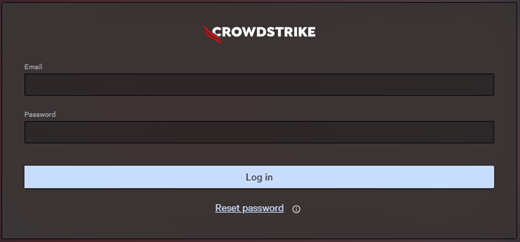
- Populate the CrowdStrike account holder’s credentials, and then click Log In.
- In the left menu pane, select the Host setup and management app icon and then select Sensor downloads.
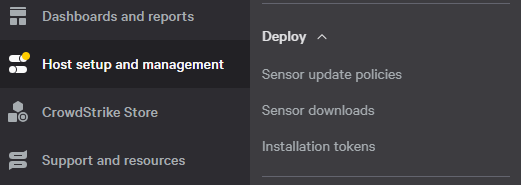 Note: The layout in the example may differ slightly from your environment.
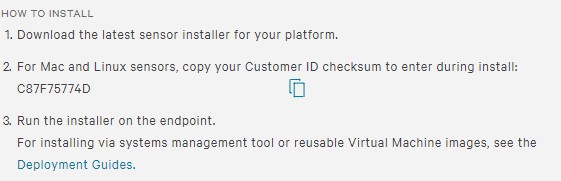
 - Under HOW TO INSTALL, document the Customer ID.
 Note:
Note:- The Customer ID differs in your environment.
- In the example, C87F75774D is the Customer ID.

Produits touchés
CrowdStrikePropriétés de l’article
Numéro d’article: 000129349
Type d’article: How To
Dernière modification: 23 juill. 2026
Version: 19
Obtenez des réponses à vos questions auprès d’autre utilisateurs de Dell
Services de soutien
Vérifiez si votre appareil est couvert par les services de soutien.