VPLEX: How to Change IP addresses
Sommaire: This article details the steps to generate a SolVe Desktop procedure to Change IP addresses of a VPlex cluster.
Cet article s’applique à
Cet article ne s’applique pas à
Cet article n’est lié à aucun produit spécifique.
Toutes les versions de produits ne sont pas identifiées dans cet article.
Instructions
This procedure to change VPlex cluster IP address can be found in Solve Desktop Procedure Generator at the following location:
VPlex -> Admin -> Admin Procedures -> Manage -> Change IP addresses.
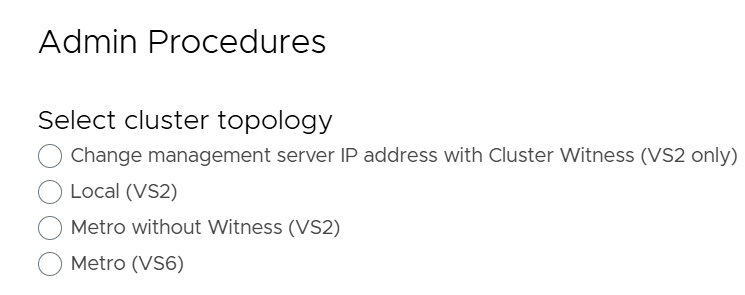
A procedure is generated based on the type of VPlex cluster chosen from the following four options:
-
- Change management server IP address with Cluster Witness (VS2 only)
- Local (VS2)
- Metro without Witness (VS2)
- Metro (VS6)
Below is a screenshot reference from the SolVe Desktop Procedure generator showing the four available options to Change IP addresses of a VPlex cluster:
Renseignements supplémentaires
NOTE: Customer login required to view SolVe Deskop Knowledge Article
If SolVe Desktop is required, use How to Download and Install SolVe Desktop for installation.
Produits touchés
VPLEX, VPLEX VS2, VPLEX VS6Produits
VPLEX GeoSynchronyPropriétés de l’article
Numéro d’article: 000158332
Type d’article: How To
Dernière modification: 04 mai 2026
Version: 4
Obtenez des réponses à vos questions auprès d’autre utilisateurs de Dell
Services de soutien
Vérifiez si votre appareil est couvert par les services de soutien.