「VPLEX:IPアドレスを変更する方法
Sommaire: この記事では、VPlexクラスターのIPアドレスを変更するSolVe Desktop手順を生成する手順について説明します。
Cet article s’applique à
Cet article ne s’applique pas à
Cet article n’est lié à aucun produit spécifique.
Toutes les versions de produits ne sont pas identifiées dans cet article.
Instructions
VPlexクラスターのIPアドレスを変更するこの手順については、次の場所にあるSolve Desktop Procedure Generatorを参照してください。
VPlex -> Admin -> Admin Procedures -> Manage -> IPアドレスを変更します。
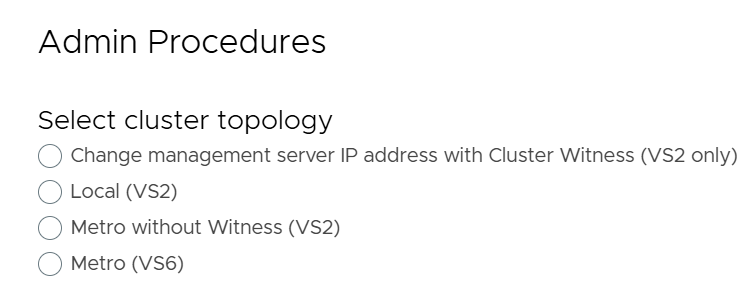
次の4つのオプションから選択したVPLEXクラスターのタイプに基づいて手順が生成されます。
-
- Cluster Witnessを使用した管理サーバーのIPアドレスの変更(VS2のみ)
- ローカル(VS2)
- WitnessなしのMetro(VS2)
- Metro(VS6)
以下は、VPlexクラスターのIPアドレスを変更するために使用できる4つのオプションを示すSolVe Desktop Procedure Generatorのスクリーンショット リファレンスです。
Renseignements supplémentaires
メモ: SolVe Deskopナレッジベース記事を表示するには、お客様のログインが必要です
SolVe Desktopが必要な場合は、「 SolVe Desktopをダウンロードしてインストールする方法」を参照してインストールしてください。
Produits touchés
VPLEX, VPLEX VS2, VPLEX VS6Produits
VPLEX GeoSynchronyPropriétés de l’article
Numéro d’article: 000158332
Type d’article: How To
Dernière modification: 04 mai 2026
Version: 4
Obtenez des réponses à vos questions auprès d’autre utilisateurs de Dell
Services de soutien
Vérifiez si votre appareil est couvert par les services de soutien.