PowerFlex: How to Use System Configuration Reporter SCR for Configuration and Health Assessment
Sommaire: System Configuration Reporter (SCR) for PowerFlex provides reports, health readiness assessments for 3.x‑to‑4.x upgrades, and logs for troubleshooting, downloadable from the PowerFlex portal. ...
Cet article s’applique à
Cet article ne s’applique pas à
Cet article n’est lié à aucun produit spécifique.
Toutes les versions de produits ne sont pas identifiées dans cet article.
Instructions
What is SCR?
- The System Configuration Reporter (SCR) is designed to provide an in-depth view into the configuration for the following PowerFlex systems:
- Rack
- Appliance
- Software Only
- Custom Node
- Ready Node
What information does SCR generate?
- Configuration Reporting:
- Produce detailed PowerFlex configuration reports available using UI and downloadable as Excel spreadsheets.
- Health Assessment:
- Based on the configuration data collected for the components in each profile, PowerFlex SCR includes a "Health Assessment" feature to assess the health and configuration of each component according to a pre-defined ruleset.
- Readiness Assessment:
- For PowerFlex 3.x collections, PowerFlex SCR includes a "Readiness Assessment" feature to assess PowerFlex 3.x implementations for readiness to upgrade to PowerFlex 4.x (SW only).
- The Readiness Assessment feature is based on a pre-defined ruleset of checks that are recommended by satisfied to declare "readiness" to upgrade to PowerFlex 4.x.
- The Readiness Assessment is specific to PowerFlex SW-only implementations (i.e., PowerFlex 3.x to 4.x).
- PowerFlex Log Collection:
- PowerFlex SCR includes the ability to generate logs (
getInfo) for PowerFlex Gateway, PowerFlex Nodes, and the PowerFlex Management Platform (4.x) to assist with troubleshooting and remediation.
- PowerFlex SCR includes the ability to generate logs (
Links to download and documentation:
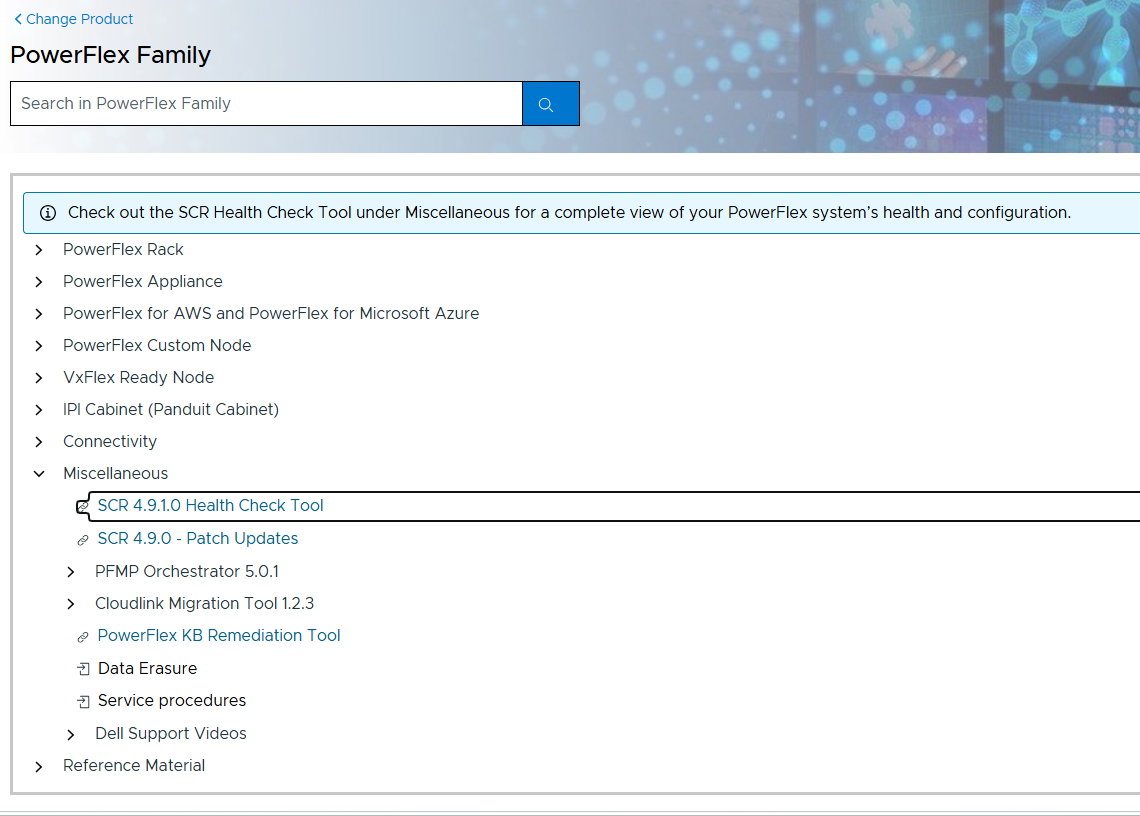
Go to SolVe - PowerFlex Family(Needs Customer Login) to download the SCR application and user guide:
- Select the PowerFlex Family from the offerings
- Go to Miscellaneous for the 'SCR Health Check Tool' link
- Once clicked, it downloads and within the download will be a user guide with more details
Produits touchés
PowerFlex rack, ScaleIOPropriétés de l’article
Numéro d’article: 000218973
Type d’article: How To
Dernière modification: 26 juin 2026
Version: 5
Obtenez des réponses à vos questions auprès d’autre utilisateurs de Dell
Services de soutien
Vérifiez si votre appareil est couvert par les services de soutien.