PowerEdge: Wiring instructions for a DC power supply unit
Sommaire: This article provides some checklist to prevent unnecessary components replacement on DC power supply implementation.
Cet article s’applique à
Cet article ne s’applique pas à
Cet article n’est lié à aucun produit spécifique.
Toutes les versions de produits ne sont pas identifiées dans cet article.
Instructions
What Do the customer must know?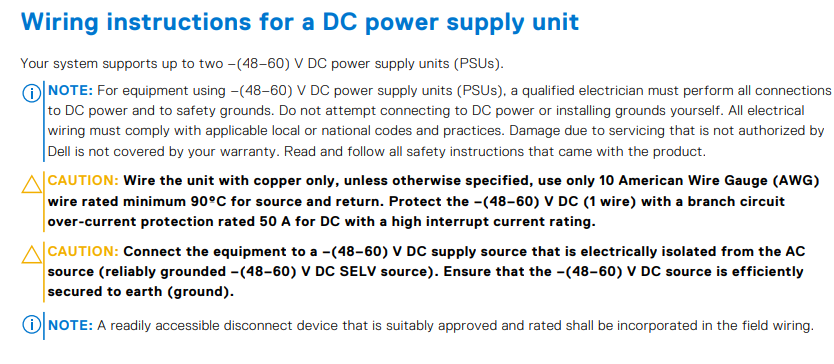
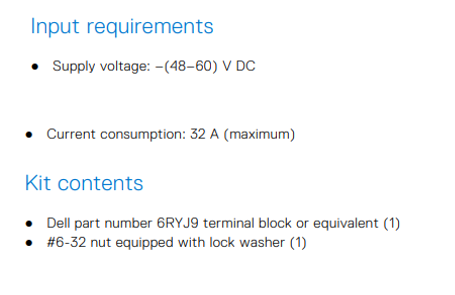
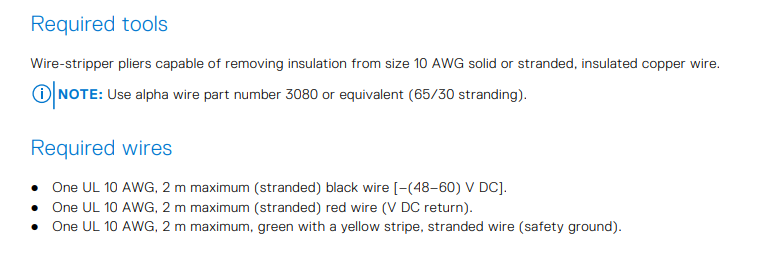
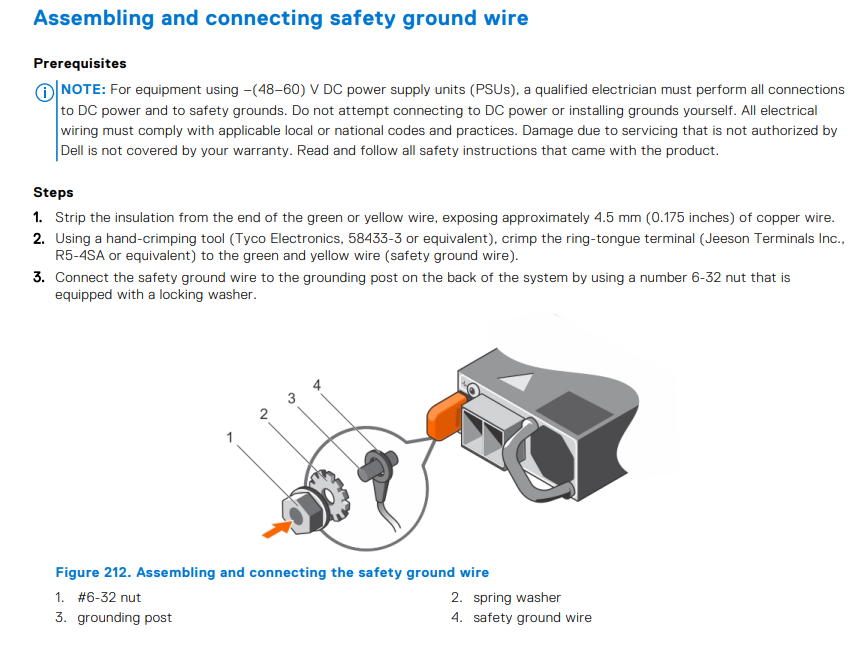
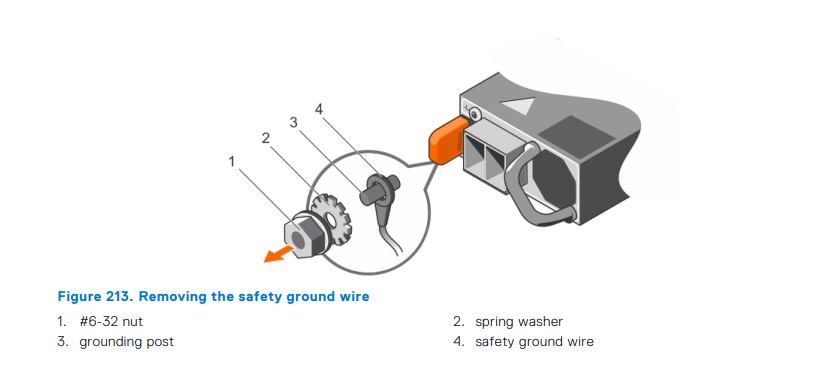
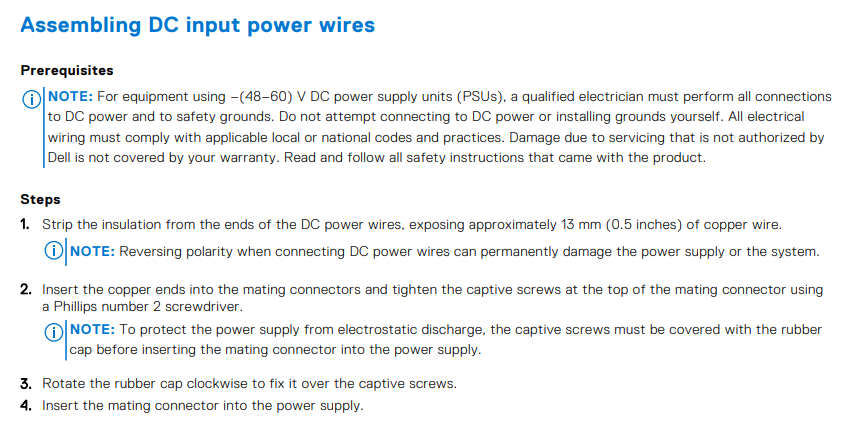
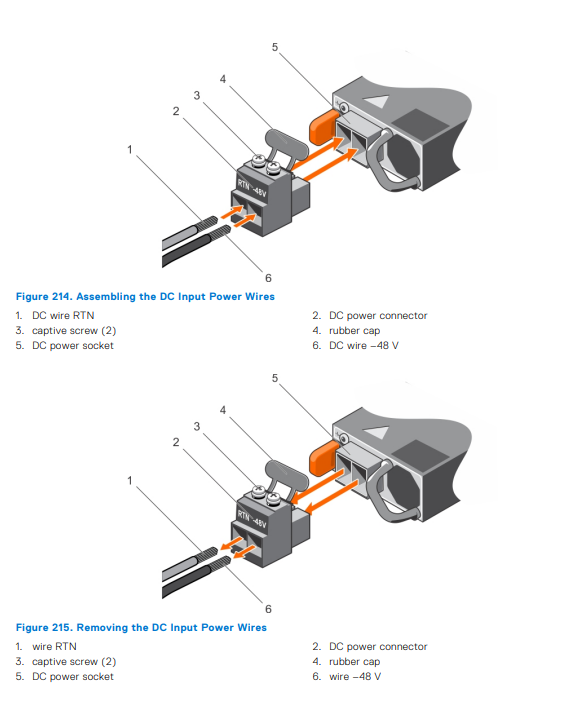
Checklist:
Ask the customer for figures to understand the issue in question.
Based on these figures the customer was not following the wiring best practices, missing Ground cable was identified.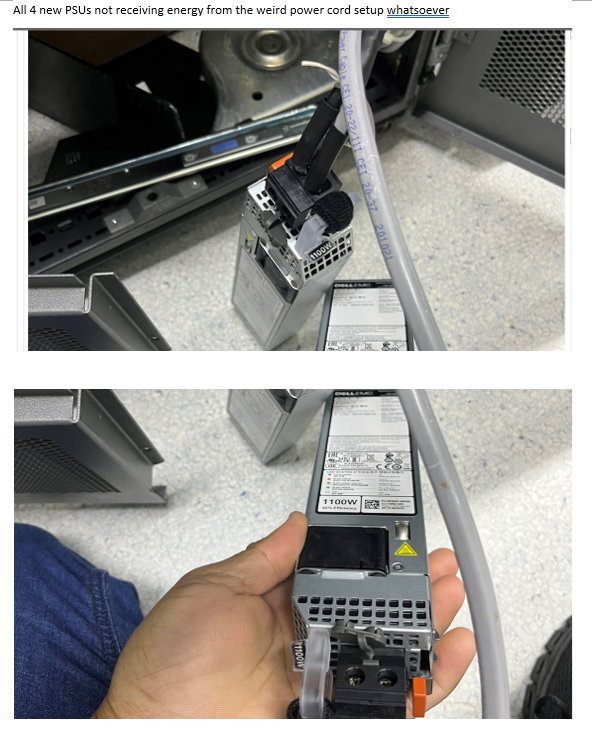
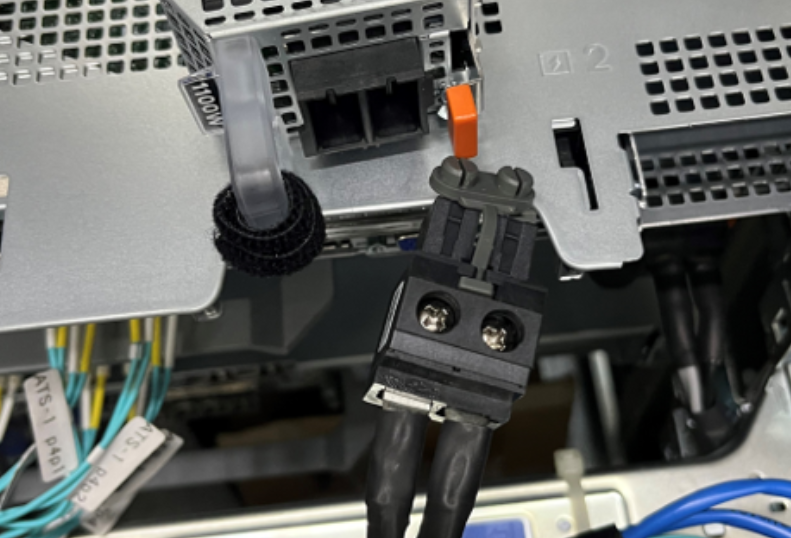
On this figure, we can notice that the customer completed the best practices.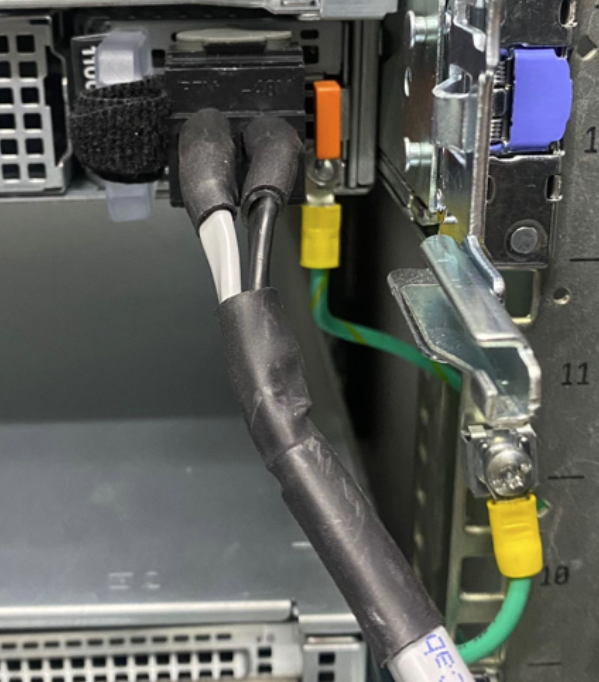
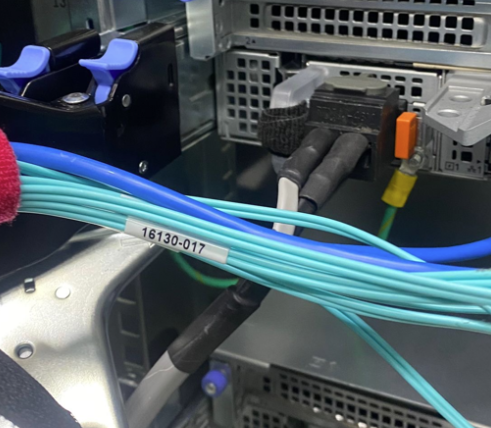
Another Checklist is the position of the cables as follows.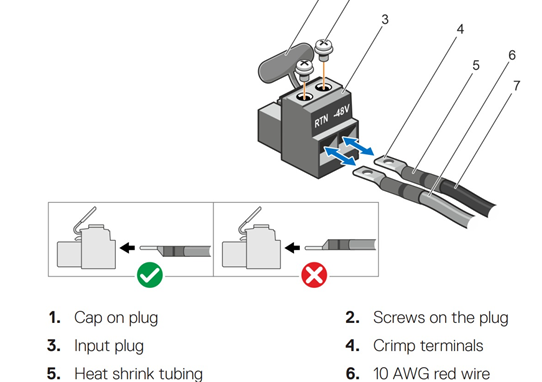
Produits touchés
PowerEdge XR2, OEMR R540, OEMR R640, OEMR R740, OEMR R740xd, OEMR R7415, OEMR R7425, OEMR R7515, OEMR R840, OEMR R940, OEMR R940xa, OEMR XR4000r, OEMR XR4000z, OEMR XR8000r, PowerEdge R470, PowerEdge R540, PowerEdge R570, PowerEdge R640
, PowerEdge R6515, PowerEdge R670, PowerEdge R6715, PowerEdge R6725, PowerEdge R740, PowerEdge R740XD, PowerEdge R7415, PowerEdge R7425, PowerEdge R7515, PowerEdge R770, PowerEdge R7715, PowerEdge R7725, PowerEdge R840, PowerEdge R940, PowerEdge R940xa, PowerEdge XR4000r, PowerEdge XR4000z
...
Propriétés de l’article
Numéro d’article: 000221234
Type d’article: How To
Dernière modification: 29 janv. 2026
Version: 3
Obtenez des réponses à vos questions auprès d’autre utilisateurs de Dell
Services de soutien
Vérifiez si votre appareil est couvert par les services de soutien.