Data Domain: How to change the sync alert threshold
Sommaire: This article explains how to change the sync alert threshold using the command line. By default, the sync alert threshold is set to 24 hours. However, based on specific requirements, it may need to be adjusted for a particular mtree to prevent the error: “Sync-as-of time is more than 24 hours ago.” ...
Cet article s’applique à
Cet article ne s’applique pas à
Cet article n’est lié à aucun produit spécifique.
Toutes les versions de produits ne sont pas identifiées dans cet article.
Instructions
- Use SSH to connect to the PowerProtect Data Domain with the admin privilege.
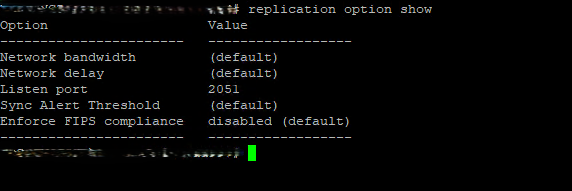
- Run the "replication option show" command to check the sync alert threshold.
- To change the default value to different hours we need to use command "replication option set default-sync-alert-threshold <value>"
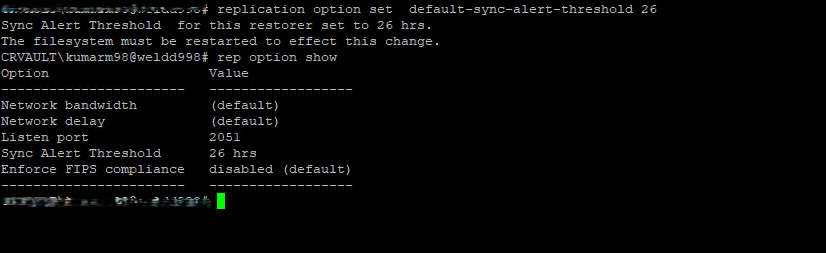
- The filesystem must be restarted to effect this change.
filesys restart
Produits touchés
Data DomainPropriétés de l’article
Numéro d’article: 000462922
Type d’article: How To
Dernière modification: 11 mai 2026
Version: 1
Obtenez des réponses à vos questions auprès d’autre utilisateurs de Dell
Services de soutien
Vérifiez si votre appareil est couvert par les services de soutien.