AppSync: Unable to create a service plan completion report using AppSync GUI
概要: Unable to export a service plan completion report using AppSync GUI.
この記事は次に適用されます:
この記事は次には適用されません:
この記事は、特定の製品に関連付けられていません。
すべての製品パージョンがこの記事に記載されているわけではありません。
現象
Unable to export a service plan completion report using AppSync 4.5 GUI.
If "Include table headers" is selected and "Export only selected rows" is NOT selected, downloading would not happen. Actually, nothing happened.
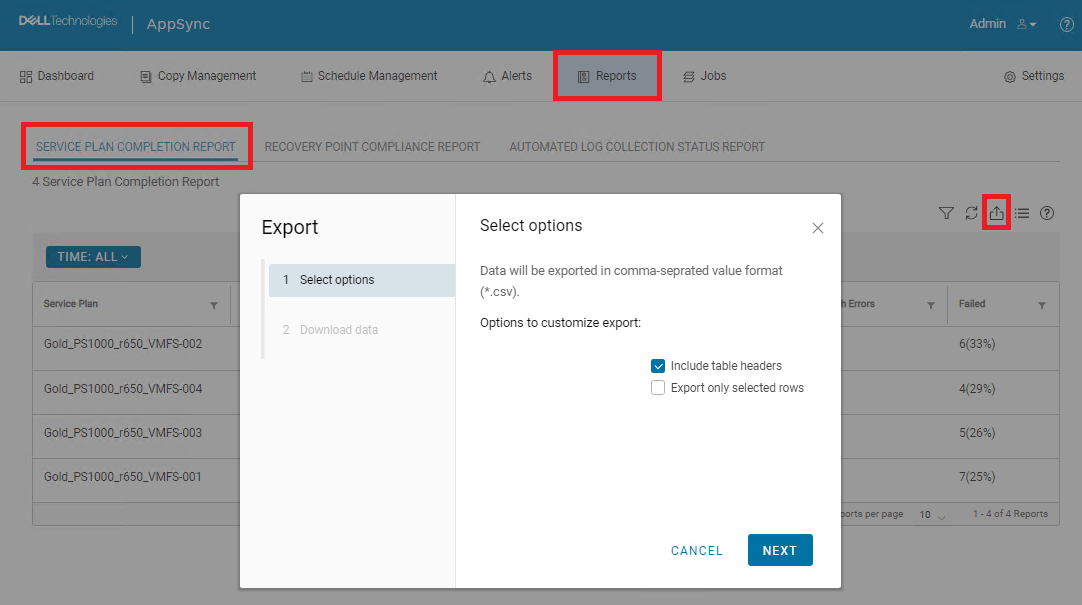
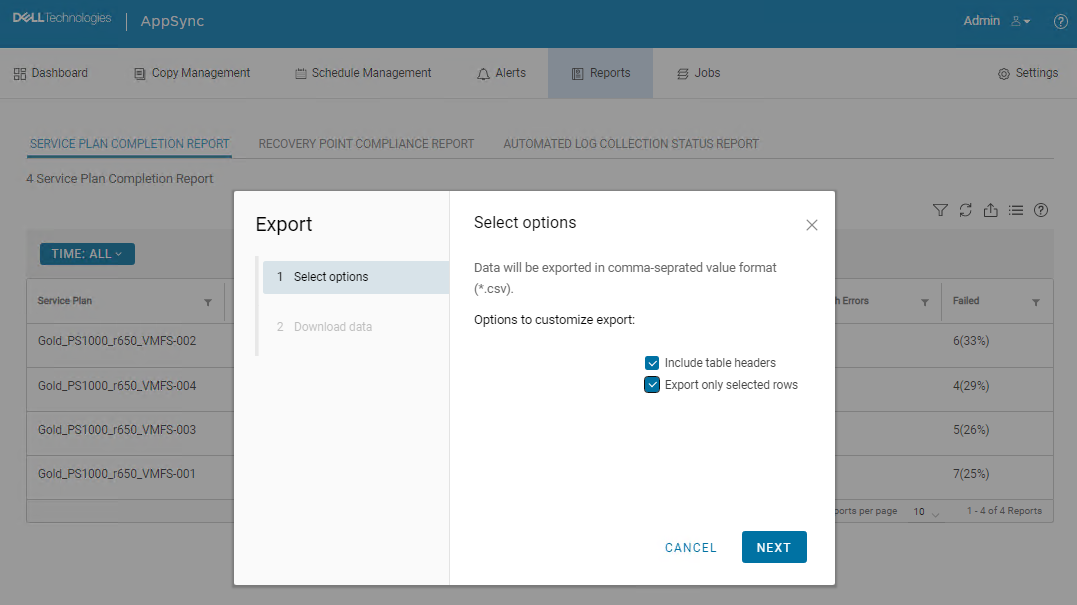
If both "Include table headers" and "Export only selected rows" are selected, downloading started and CSV file was downloaded. However, all data was missing.

原因
This is an AppSync UI bug.
解決方法
Workaround:
The following AppSync CLI command can be used to export a service plan completion report.
Sample command output:
Service_Plan_Completion_Report_2022_12_26_18_24_38.csv

Permanent fix:
This issue is expected to be resolved in the version following 4.5.
The following AppSync CLI command can be used to export a service plan completion report.
appsync-cli.bat -report report_type=spc detailed=true
Sample command output:
C:\EMC\AppSync\appsync-cli>appsync-cli.bat -report report_type=spc detailed=true
Picked up JAVA_TOOL_OPTIONS: "-Dos.name=Windows Server 2019"

Exporting SPC Details to: "C:\EMC\AppSync\Service_Plan_Completion_Report_2022_12_26_18_24_38.csv"
Service_Plan_Completion_Report_2022_12_26_18_24_38.csv
Permanent fix:
This issue is expected to be resolved in the version following 4.5.
その他の情報
Refer to the release notes of the version following 4.5 to determine if the fix has been included.
対象製品
AppSync文書のプロパティ
文書番号: 000206985
文書の種類: Solution
最終更新: 16 5月 2026
バージョン: 4
質問に対する他のDellユーザーからの回答を見つける
サポート サービス
お使いのデバイスがサポート サービスの対象かどうかを確認してください。