PowerEdge: R350 Failed to Deploy Windows Server 2019
概要: PowerEdge R350 new deployment can deploy Windows Server 2022 but unable to deploy Windows Server 2019.
この記事は次に適用されます:
この記事は次には適用されません:
この記事は、特定の製品に関連付けられていません。
すべての製品パージョンがこの記事に記載されているわけではありません。
手順
Prerequisite

Figure 1: Operating system loading file
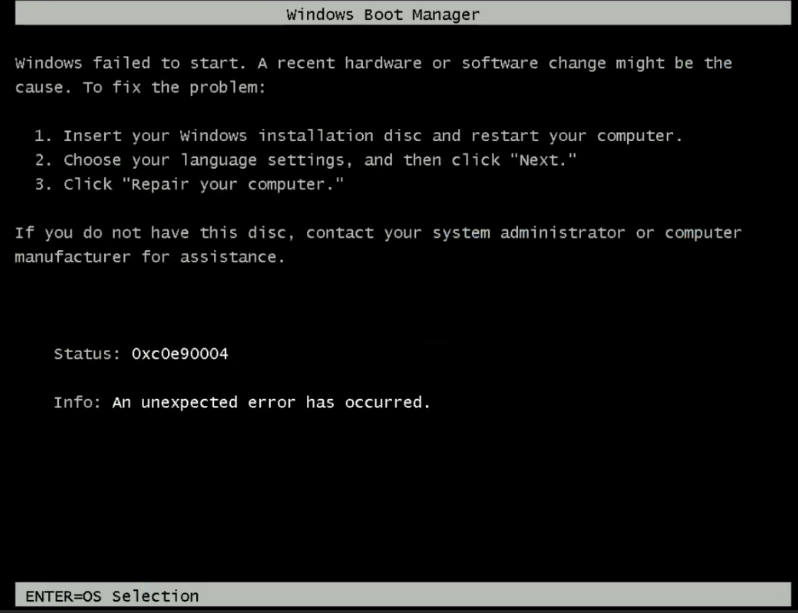
Figure 2: Error message, Windows failed to Start.
Troubleshooting Guidance
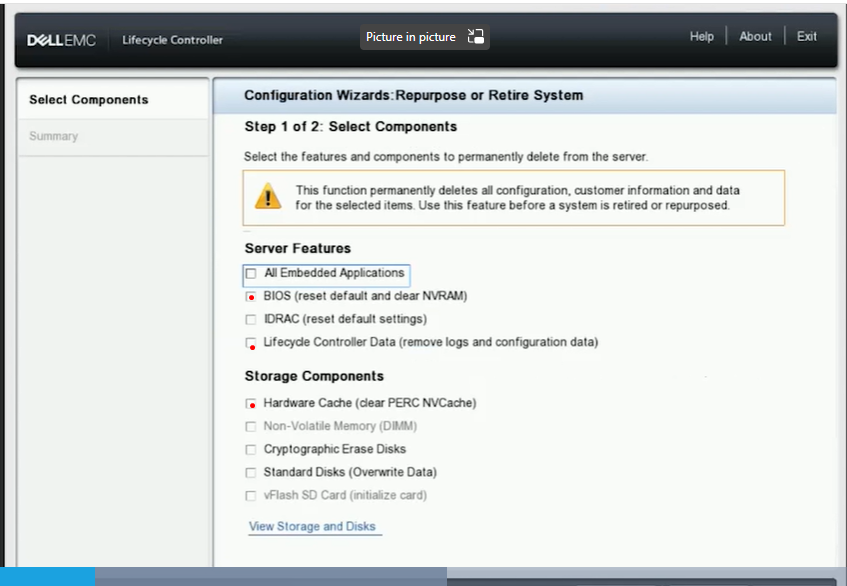
Figure 3: Screenshot of Lifecycle Controller, Configuration Wizard
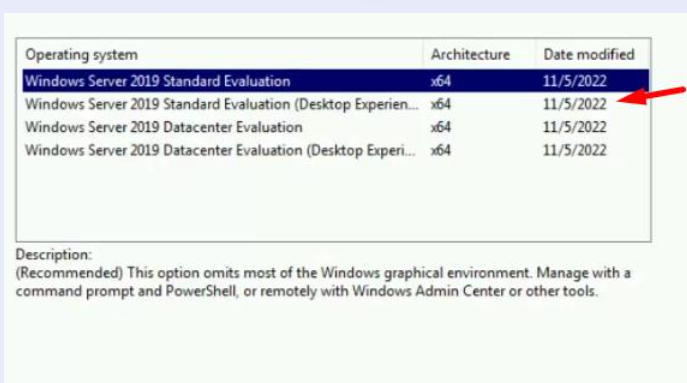
Figure 4: Screenshot of operating system installation version selection
- Check PowerEdge operating system support matrix Server Operating Systems | Dell US.
- Check if the ISO is known to be good and if able to deploy from other servers before.
- Operating system Driver pack version installed includes support operating system version planning to install.
- Initiate stage, once loading of the operating system is completed, it prompts with the error "Windows Failed to Start"
Figure 1: Operating system loading file
Figure 2: Error message, Windows failed to Start.
Troubleshooting Guidance
- Ensure iDRAC is using dedicated port with 1 GB speed.
- Ensure that ping test latency is <1 millisecond with no flapping.
- Ensure using UEFI mode.
- Try the operating system deploy or Boot from Virtual Media. Check if the results are any different.
- Reset PERC back to the default factory setting, then re-create a new VD.
- Go to F10 Lifecycle Controller > Hardware Repurpose and select BIOS, Lifecycle Controller Data & PERC Cache
Figure 3: Screenshot of Lifecycle Controller, Configuration Wizard
- Re-create a new Virtual Disk
- Try both methods, operating system deploy or Boot from Virtual Media, to be able to continue operating system installation.
Figure 4: Screenshot of operating system installation version selection
対象製品
Microsoft Windows Server 2019, OEMR R350, PowerEdge R350文書のプロパティ
文書番号: 000217177
文書の種類: How To
最終更新: 16 5月 2025
バージョン: 3
質問に対する他のDellユーザーからの回答を見つける
サポート サービス
お使いのデバイスがサポート サービスの対象かどうかを確認してください。