Precision 7875 Blue Screen: WHEA_UNCORRECTABLE_ERROR During Boot
Summary: Having trouble with a blue screen error on your Precision 7875? Learn how to fix the WHEA_UNCORRECTABLE_ERROR during boot caused by a third-party PCI-E USB card.
Symptoms
During boot, the Precision 7875 Tower might prompt a WHEA_UNCORRECTABLE_ERROR blue screen, when a third-party PCI-E USB card is installed.
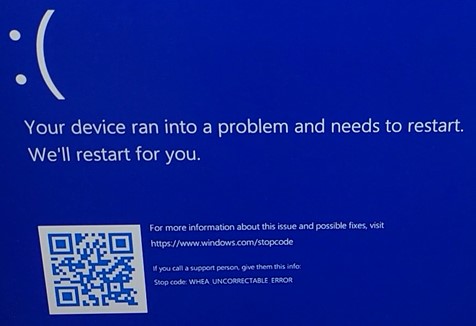
(Figure 1 - Error Message)
The device reboots afterward and shows the same blue screen again and again.
This blue screen was only observed when certain third-party USB PCI-E cards were installed after the point of purchase in the PCI-E slots 1 to 6.
When the USB PCI-E card gets installed in PCI-E Slot 3 or gets removed from one of the other slots, the issue is not present.
Some examples of cards the issue have been reported with:
- Delock 89008
- Startech Pexusb3s44v
- Lanberg pce-us3-004
What those cards have in common is that they do use one of two Renesas USB-Controller - uPD720201 or uPD720202.
Cause
The issue is caused by a PCI-E credit size mismatch between the Precision and the PCI-E USB card, which happened during the handshake phase.
The issue did not occur in Slot 3, due to the slot being connected to the Platform Controller Hub (PCH).
Resolution
Updating to BIOS version 01.08.01 or later on the computer resolves the issue. To download and install the BIOS, reference BIOS Update Guide.