PowerVault ME5: Firmware update from ME5.1.0.1.0 to ME5.1.1.0.5 or above does not complete
摘要: When upgrading a PowerVault ME5 series array to the latest ME5.1.1.0.5 build from ME5.1.0.1.0 the firmware upgrade will report it completes, however, does not activate. Workaround this by temporarily disabling partner firmware update (PFU). ...
本文章適用於
本文章不適用於
本文無關於任何特定產品。
本文未識別所有產品版本。
症狀
When upgrading a PowerVault ME5 array to version ME5.1.1.0.5 from firmware version ME5.1.0.1.0, the update will report it completes but the array controllers do not restart and the new code load does not occur. In rare cases PowerVault Manager GUI and the management controller (MC) may stop responding.
原因
It has been determined that this issue is due to a defect in the existing ME5.1.0.1.0 release already in the field. A flag was set that prevents the Partner Firmware Update (PFU) from working as expected.
解析度
Dell has confirmed this issue will occur in all cases when upgrading to ME5.1.1.0.5 from ME5.1.0.1.0, however upgrades from the earlier version ME5.1.0.0.0 are not impacted. Due to the nature of the defect we are unable to workaround this in firmware. We can only provide a manual workaround to allow the upgrade to work. Below is the recommended method to allow the update to complete.
To allow the firmware update complete it is required to take the following steps:
To allow the firmware update complete it is required to take the following steps:
- In PowerVault Manager uncheck Partner Firmware Update. Choose Settings > System > Properties > Firmware Properties.
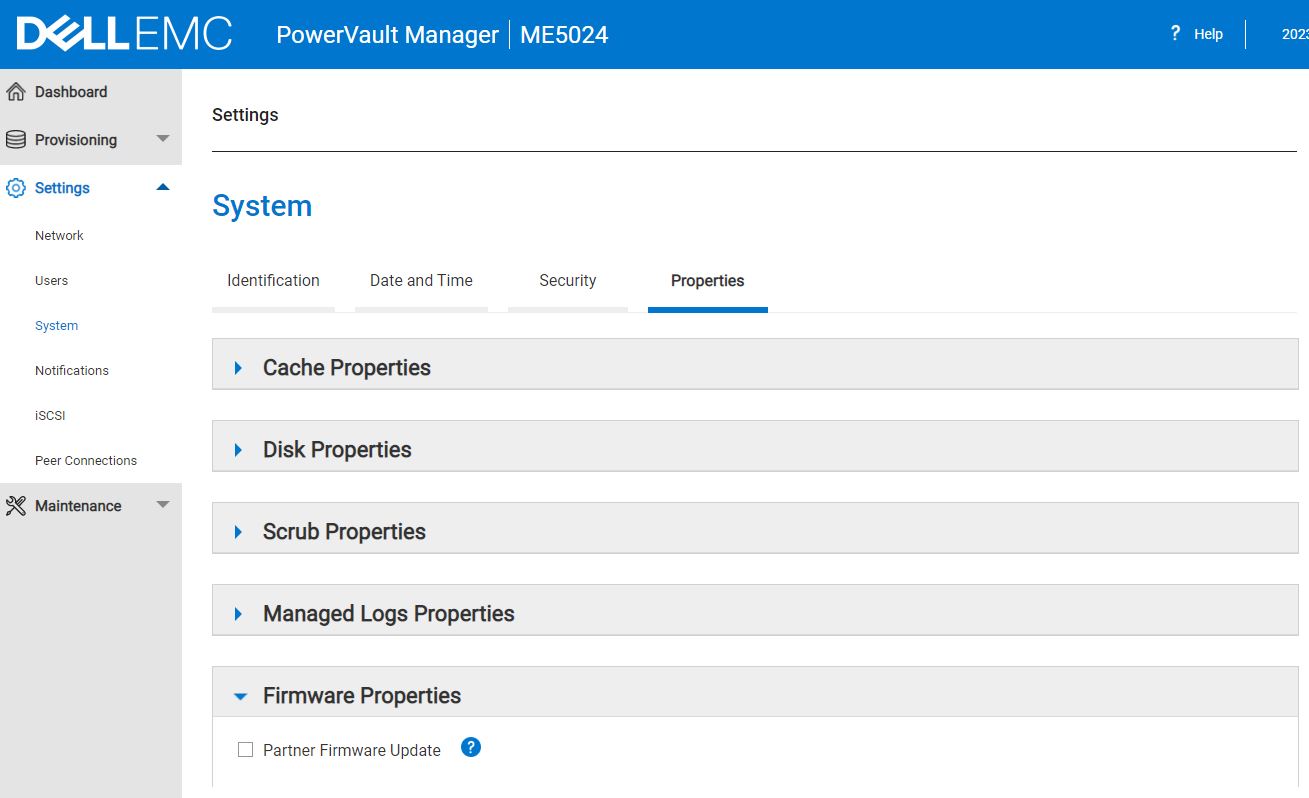
Then once partner firmware update (PFU) is disabled.
- Login to each controllers management IP address and upload the firmware update
- Activate the firmware on each controller one at a time. i.e. Let each controller update complete and when access is restored proceed to the other controller.
- Repeat the instructions in step 1 above and check the box to Re-enable partner firmware update.
If PowerVault Manager is unresponsive
If during the initial upgrade attempt, with partner firmware update enabled, PowerVault Manager became unresponsive you may need to restart the management controller for that IP address. To do this open an SSH session to the IP address of paired redundant controller and issue the following command:
# restart mc <A> or <B>
Or login to the management IP address on the other controller and in PowerVault Manager go to Maintenance > Hardware section. Using the Action drop down select Restart MC and the controller you want. Select Apply. See below.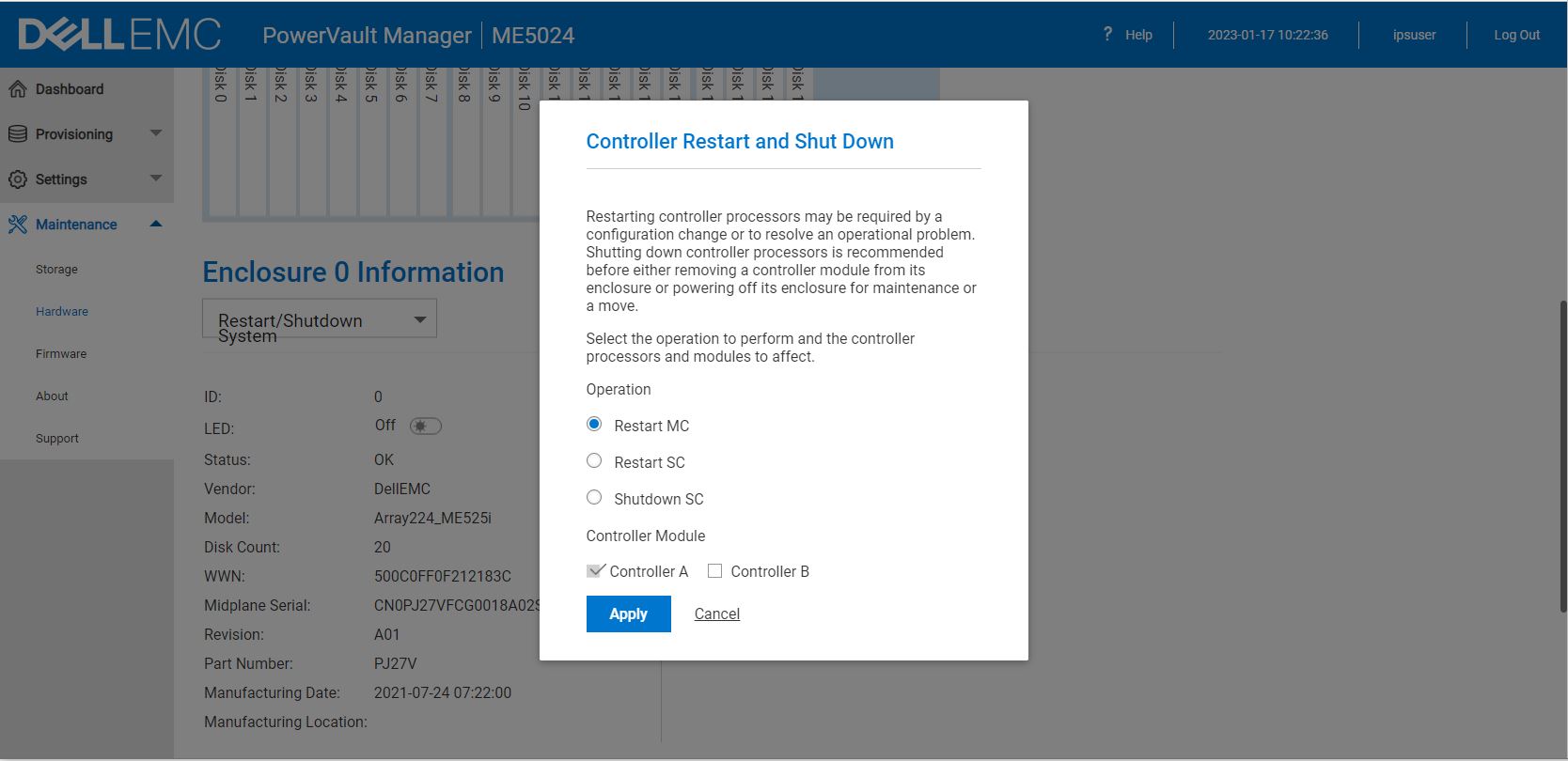
受影響的產品
PowerVault ME5012, PowerVault ME5024, PowerVault ME5084文章屬性
文章編號: 000207484
文章類型: Solution
上次修改時間: 18 1月 2023
版本: 4
向其他 Dell 使用者尋求您問題的答案
支援服務
檢查您的裝置是否在支援服務的涵蓋範圍內。