Cartella ECS GeoDrive mancante
Zusammenfassung: Cartella ECS GeoDrive mancante sull'unità locale.
Dieser Artikel gilt für
Dieser Artikel gilt nicht für
Dieser Artikel ist nicht an ein bestimmtes Produkt gebunden.
In diesem Artikel werden nicht alle Produktversionen aufgeführt.
Symptome
L'utente vedrà la cartella GeoDrive o una sottocartella mancante sull'unità locale sull'host.
La cartella avrà i dati, ma sarà invisibile/nascosta.
- Ad esempio, in GeoDrive manca una cartella "folder1".

- Provare a creare una nuova cartella con lo stesso nome. Verrà visualizzato il messaggio che indica che la cartella esiste effettivamente.
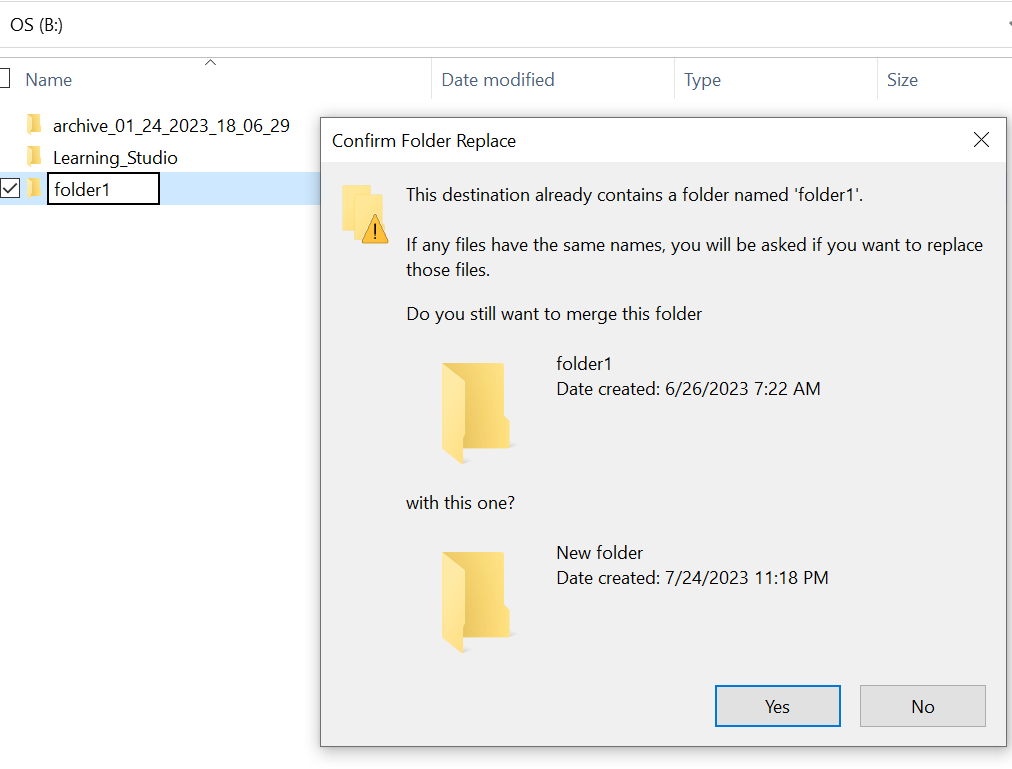
- Cercare con il percorso della cartella mancante in Esplora risorse. Dovremmo essere in grado di visualizzare i contenuti.

Ursache
Ciò è dovuto agli attributi HIDDEN e SYSTEM impostati nella cartella.
Lösung
Attenersi alla seguente procedura.
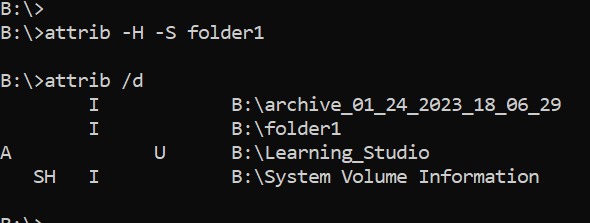
Dopo aver eseguito questo comando, controllare nuovamente l'unità locale. La cartella mancante tornerà alla normalità.
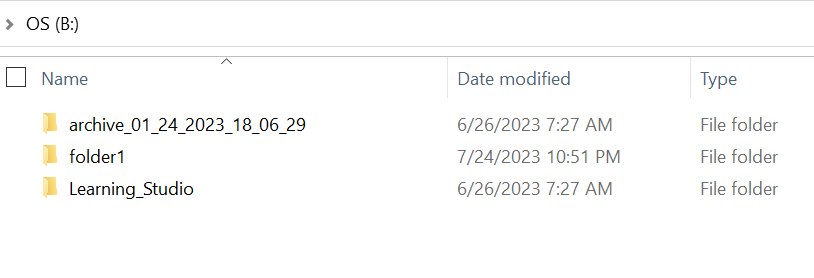
- Accedere al prompt dei comandi di Windows sul sistema host.
- eseguire il comando cd nella directory padre in cui la cartella è mancante ed eseguire "attrib /d".
- Viene visualizzato un elenco di directory e la cartella mancante dovrebbe essere presente nell'elenco.
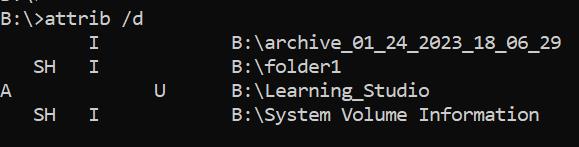
- Le lettere prima di indicare gli attributi. Si dovrebbe visualizzare SH prima del file (SYSTEM e HIDDEN).
- Quindi eseguire questo comando per rimuovere i due attributi precedenti: attrib -H -S folder_name
Weitere Informationen
Sono disponibili numerose altre opzioni per il comando attrib.
B:\>attrib /?
Displays or changes file attributes.

ATTRIB [+R | -R] [+A | -A] [+S | -S] [+H | -H] [+O | -O] [+I | -I] [+X | -X] [+P | -P] [+U | -U]
       [drive:][path][filename] [/S [/D]] [/L]

  +   Sets an attribute.
  -   Clears an attribute.
  R   Read-only file attribute.
  A   Archive file attribute.
  S   System file attribute.
  H   Hidden file attribute.
  O   Offline attribute.
  I   Not content indexed file attribute.
  X   No scrub file attribute.
  V   Integrity attribute.
  P   Pinned attribute.
  U   Unpinned attribute.
  B   SMR Blob attribute.
  [drive:][path][filename]
      Specifies a file or files for attrib to process.
  /S  Processes matching files in the current folder
      and all subfolders.
  /D  Processes folders as well.
  /L  Work on the attributes of the Symbolic Link versus
      the target of the Symbolic Link
Betroffene Produkte
ECS, Elastic Cloud StorageArtikeleigenschaften
Artikelnummer: 000215245
Artikeltyp: Solution
Zuletzt geändert: 18 Mai 2026
Version: 4
Antworten auf Ihre Fragen erhalten Sie von anderen Dell NutzerInnen
Support Services
Prüfen Sie, ob Ihr Gerät durch Support Services abgedeckt ist.