ECS GeoDrive 資料夾遺失
Zusammenfassung: 本機磁片磁碟機上缺少 ECS GeoDrive 資料夾。
Dieser Artikel gilt für
Dieser Artikel gilt nicht für
Dieser Artikel ist nicht an ein bestimmtes Produkt gebunden.
In diesem Artikel werden nicht alle Produktversionen aufgeführt.
Symptome
使用者會在主機上的本機磁片磁碟機上看到 GeoDrive 資料夾或子資料夾遺失。
資料夾將具有資料,但會顯示為不可見/隱藏。
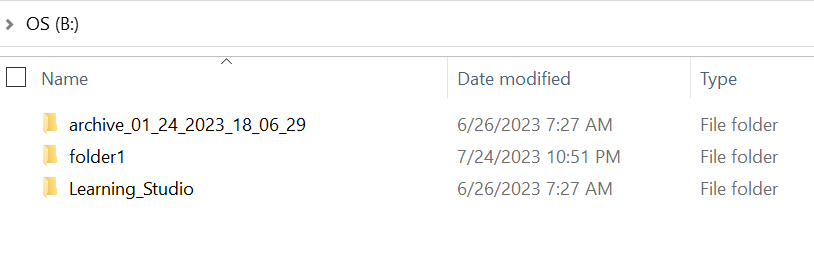
- 例如,GeoDrive 中缺少一個資料夾「folder1」。

- 嘗試以相同名稱建立新資料夾,然後您會收到提示,指出資料夾確實存在。
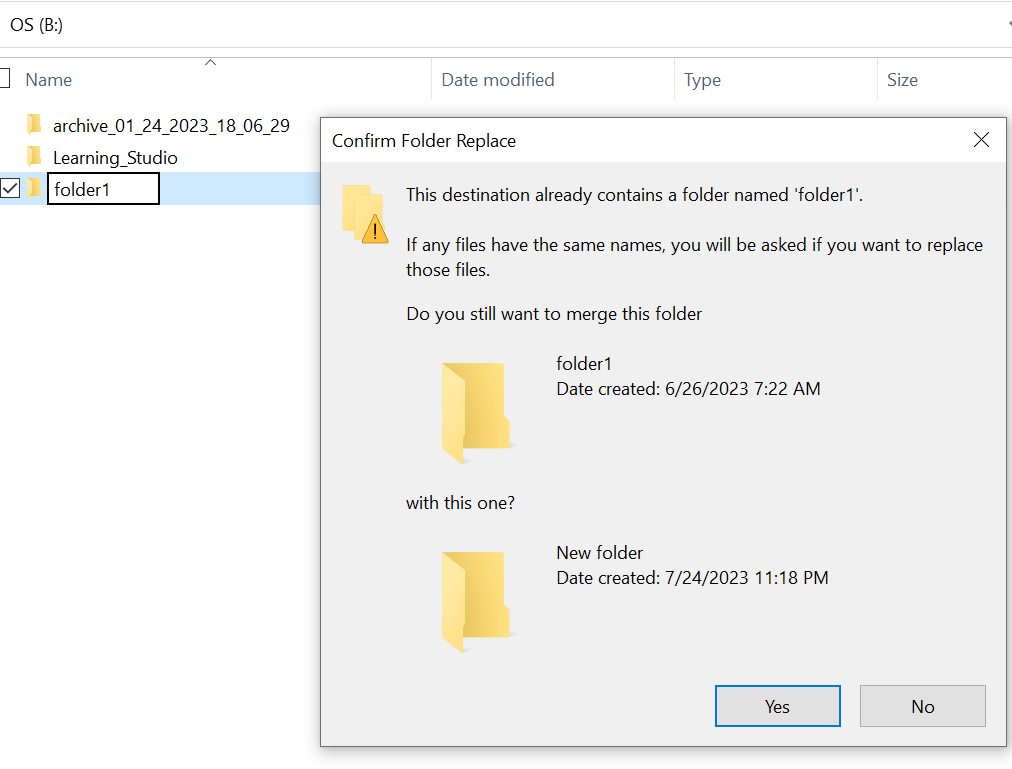
- 搜尋總管中遺失的資料夾路徑。我們應能查看內容。

Ursache
這是因為資料夾上設定的「隱藏」和「系統」屬性。
Lösung
請遵循以下步驟。
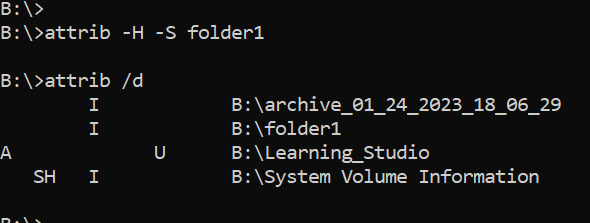
執行此命令後,請再次檢查本機磁片磁碟機。遺失的資料夾將恢復正常。
- 前往主機系統上的 Windows 命令提示字元。
- cd 至資料夾遺失的父目錄,然後執行「attrib /d」。
- 您應該會看到目錄清單,而遺失的資料夾應位於清單中。
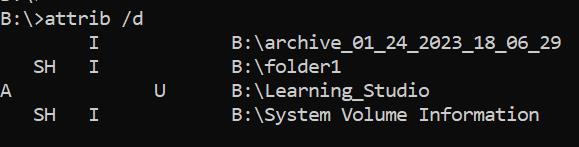
- 之前的字母表示屬性。您應在檔案 (系統和隱藏) 之前看到 SH。
- 然後執行此命令以移除上述兩個屬性: attrib -H -S folder_name
Weitere Informationen
Attrib 命令有多種其他選項可供使用。
B:\>attrib /?
Displays or changes file attributes.

ATTRIB [+R | -R] [+A | -A] [+S | -S] [+H | -H] [+O | -O] [+I | -I] [+X | -X] [+P | -P] [+U | -U]
       [drive:][path][filename] [/S [/D]] [/L]

  +   Sets an attribute.
  -   Clears an attribute.
  R   Read-only file attribute.
  A   Archive file attribute.
  S   System file attribute.
  H   Hidden file attribute.
  O   Offline attribute.
  I   Not content indexed file attribute.
  X   No scrub file attribute.
  V   Integrity attribute.
  P   Pinned attribute.
  U   Unpinned attribute.
  B   SMR Blob attribute.
  [drive:][path][filename]
      Specifies a file or files for attrib to process.
  /S  Processes matching files in the current folder
      and all subfolders.
  /D  Processes folders as well.
  /L  Work on the attributes of the Symbolic Link versus
      the target of the Symbolic Link
Betroffene Produkte
ECS, Elastic Cloud StorageArtikeleigenschaften
Artikelnummer: 000215245
Artikeltyp: Solution
Zuletzt geändert: 18 Mai 2026
Version: 4
Antworten auf Ihre Fragen erhalten Sie von anderen Dell NutzerInnen
Support Services
Prüfen Sie, ob Ihr Gerät durch Support Services abgedeckt ist.