Brak folderu ECS GeoDrive
Zusammenfassung: Brak folderu ECS GeoDrive na dysku lokalnym.
Dieser Artikel gilt für
Dieser Artikel gilt nicht für
Dieser Artikel ist nicht an ein bestimmtes Produkt gebunden.
In diesem Artikel werden nicht alle Produktversionen aufgeführt.
Symptome
Użytkownik zobaczy brak folderu GeoDrive lub podfolderu na lokalnym dysku hosta.
Folder będzie zawierać dane, ale będą niewidoczne/ukryte.
- Na przykład w GeoDrive brakuje folderu "folder1".

- Spróbuj utworzyć nowy folder o tej samej nazwie, a następnie pojawi się monit o podanie, że folder faktycznie istnieje.
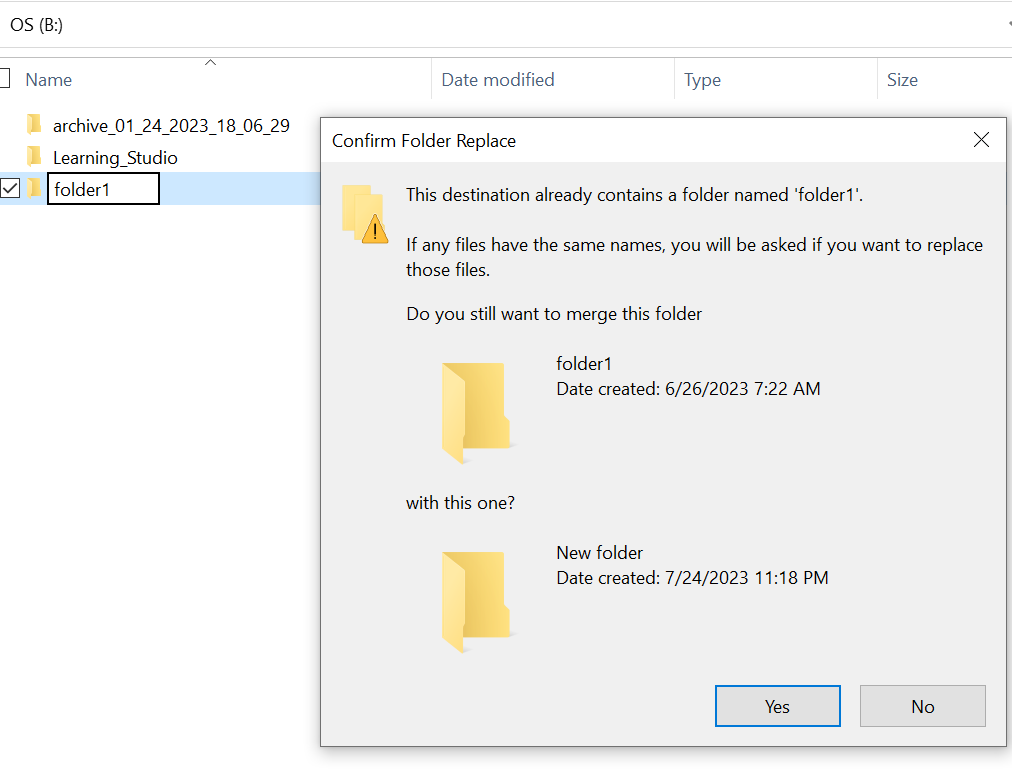
- Wyszukaj brakującą ścieżkę folderu w Eksploratorze. Zawartość powinna być widoczna.

Ursache
Wynika to z atrybutów UKRYTYCH i SYSTEMowych, które zostały ustawione w folderze.
Lösung
Wykonaj poniższe czynności.
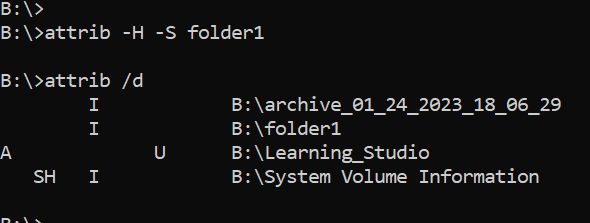
Po uruchomieniu tego polecenia sprawdź ponownie dysk lokalny. Brakujący folder powróci do stanu normalnego.
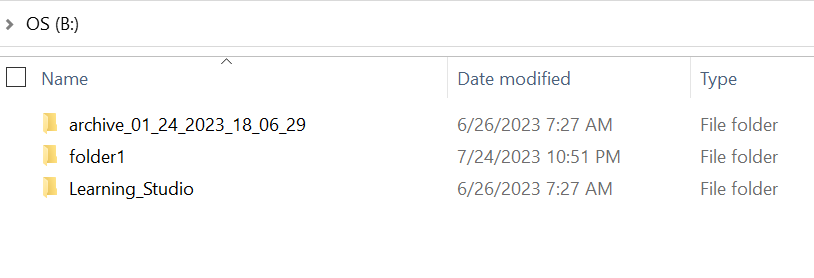
- Przejdź do wiersza polecenia systemu Windows w systemie hosta.
- cd do katalogu nadrzędnego, w którym brakuje folderu, i uruchom polecenie "attrib /d".
- Powinna zostać wyświetlona lista katalogów, a brakujący folder powinien znajdować się na liście.
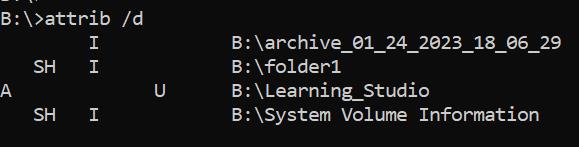
- Litery zanim wskażą atrybuty. Przed plikiem powinien być wyświetlony interfejs SH (SYSTEM i UKRYTE).
- Następnie uruchom to polecenie, aby usunąć dwa powyższe atrybuty: attrib -H -S folder_name
Weitere Informationen
Istnieje wiele innych opcji dostępnych dla polecenia attrib.
B:\>attrib /?
Displays or changes file attributes.

ATTRIB [+R | -R] [+A | -A] [+S | -S] [+H | -H] [+O | -O] [+I | -I] [+X | -X] [+P | -P] [+U | -U]
       [drive:][path][filename] [/S [/D]] [/L]

  +   Sets an attribute.
  -   Clears an attribute.
  R   Read-only file attribute.
  A   Archive file attribute.
  S   System file attribute.
  H   Hidden file attribute.
  O   Offline attribute.
  I   Not content indexed file attribute.
  X   No scrub file attribute.
  V   Integrity attribute.
  P   Pinned attribute.
  U   Unpinned attribute.
  B   SMR Blob attribute.
  [drive:][path][filename]
      Specifies a file or files for attrib to process.
  /S  Processes matching files in the current folder
      and all subfolders.
  /D  Processes folders as well.
  /L  Work on the attributes of the Symbolic Link versus
      the target of the Symbolic Link
Betroffene Produkte
ECS, Elastic Cloud StorageArtikeleigenschaften
Artikelnummer: 000215245
Artikeltyp: Solution
Zuletzt geändert: 18 Mai 2026
Version: 4
Antworten auf Ihre Fragen erhalten Sie von anderen Dell NutzerInnen
Support Services
Prüfen Sie, ob Ihr Gerät durch Support Services abgedeckt ist.