PowerStore : System Health Check detects an offline or failed SSD
Summary: System Health Check detects an offline or failed SSD.
This article applies to
This article does not apply to
This article is not tied to any specific product.
Not all product versions are identified in this article.
Symptoms
The system health check may detect offline or failed SSD the following message:
It may occur in one of the following scenarios: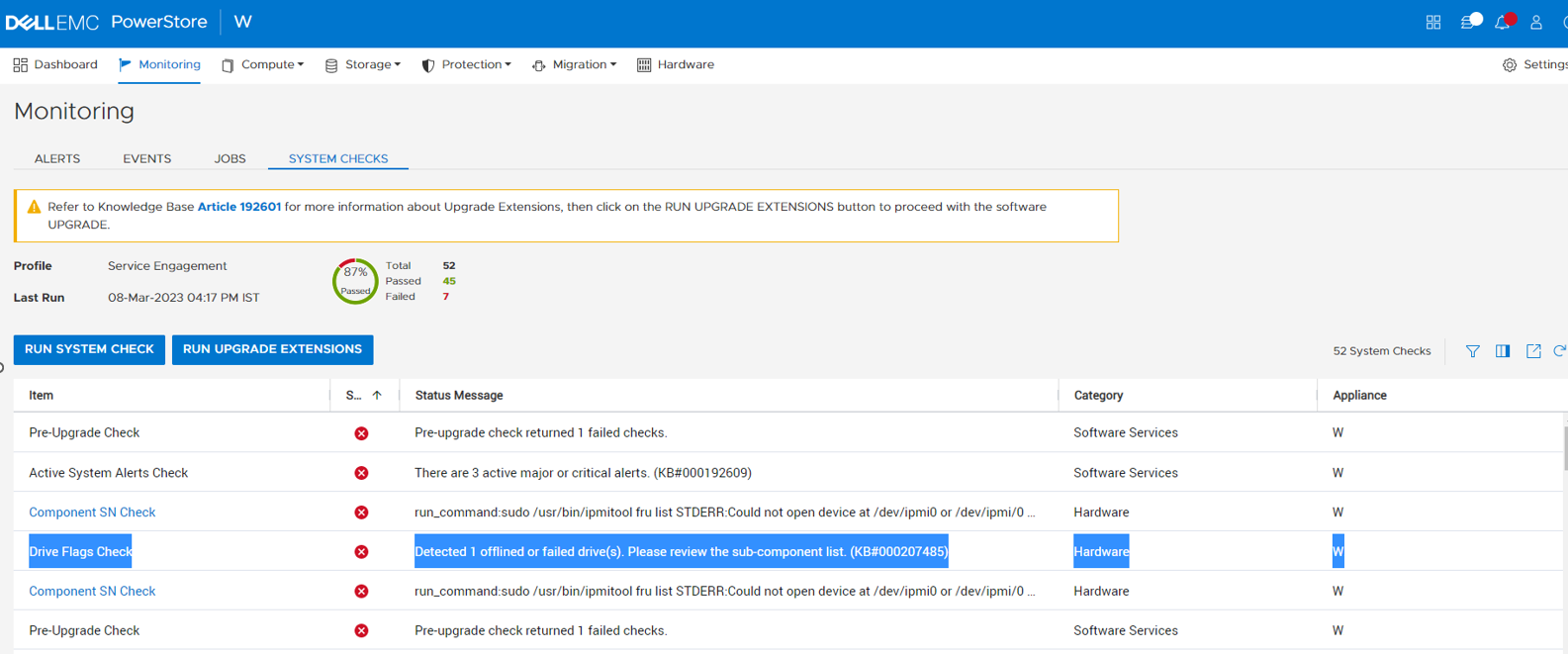
Detected <number> offlined or failed drive(s). Please review the sub-component list. (KB#000207485).
It may occur in one of the following scenarios:
- Running a System Check using PowerStore Manager (UI) with the Run System Check or Run Upgrade Extensions option:
- Running the System Health Service Script (svc_health_check) using an SSH connection:
| [SVC:root@ABCDEF2-B health_checks]$ svc_health_check run -rhc drive_flags_check Name Location Status Description Drive Flags Check node_b FAILED Detected 3 offlined or failed drive(s). Please review the sub-component list. (KB#000207485) wwn-0x002538f491001164 FAILED wwn-0x002538f491001c82 FAILED wwn-0x002538f4910011d0 FAILEDCODE_BLOCK |
Cause
The health check detects additional issues for SSD and NVRAM drives that may not be detected by the system alerts.
- To determine the problematic drives, navigate to the Hardware page in the PowerStore Manager UI to see the unhealthy drives.
Resolution
For the drives that are identified as being offline:
- Visually check if the drive is not seated properly. Reseat if not seated properly.
- If reseating the drive does not resolve the issue, then the drive should be replaced.
Additional Information
For more information about System Health Checks see KB 000198084 PowerStore: How to use the System Check feature or KB 000192601 PowerStore: How to Check the Health of the Cluster Before Software Upgrade Using Pre-Upgrade Health Check and System Check.
Affected Products
PowerStoreArticle Properties
Article Number: 000207485
Article Type: Solution
Last Modified: 13 Jun 2025
Version: 3
Find answers to your questions from other Dell users
Support Services
Check if your device is covered by Support Services.