VxRail: VxRail new systems missing PSNT
Summary: Missing PSNT serial number on nodes that shipped with VxRail version 7.0.450 or 8.0.100 cause issues with VxRail cluster creation or node expansion operations.
Symptoms
This issue may occur on deployment of a new node or adding a new node where a missing PSNT on the new host causes deployment failures.
Indicators of this issue can be any or all the following:
- PSNT missing from the DCUI
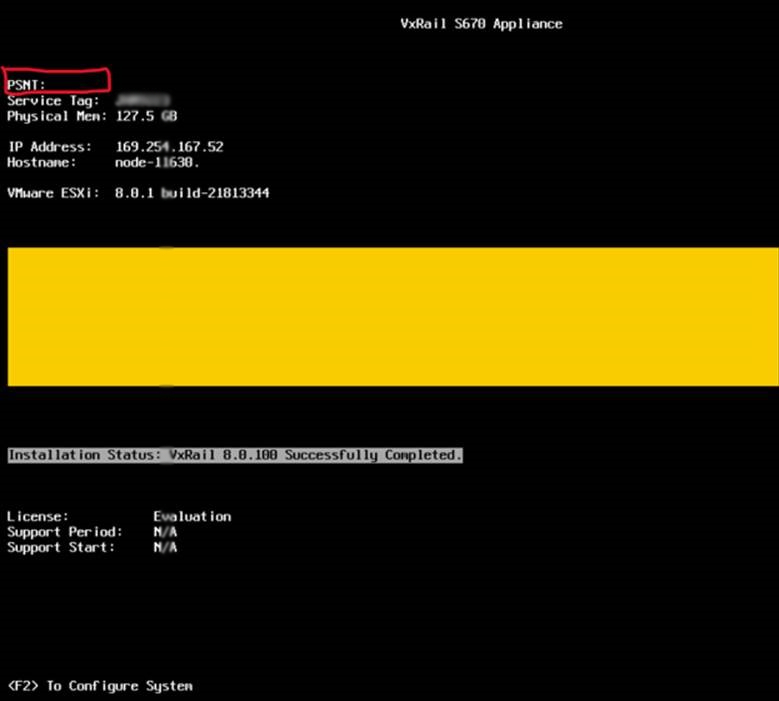
- A local datastore name does not include the PSNT in its name
- PSNT "Chassis Extra" missing from ipmitool query
If the PSNT is missing, it shows similar to the below output where no "Chassis Extra" line with the PSNT is displayed:
[root@node-01:~] /opt/vxrail/tools/ipmitool fru print 17
 Chassis Type          : Rack Mount Chassis
 Chassis Part Number   : VxRail V670F
 Chassis Serial        : XXXXXXX
The output is missing a line similar to below.
[root@node-01:~] /opt/vxrail/tools/ipmitool fru print 17
Chassis Type           : Rack Mount Chassis
Chassis Part Number    : VxRail V670F
Chassis Serial         : XXXXXXX
Chassis Extra          : DEXXXXXXXXXXXX
Note: AMD-based systems include two "Chassis Extra" lines. The issue is present only when the PSNT is missing.
AMD Systems with the issue appear similar to the below.
[root@node-01:~] /opt/vxrail/tools/ipmitool fru print 17
 Chassis Type          : Rack Mount Chassis
 Chassis Part Number   : VxRail V670F
 Chassis Serial        : Diskgroup:8-SLOT,2-DG,1-Cache,3-Capacity
Valid output for AMD platforms appears similar to below.
[root@node-01:~] /opt/vxrail/tools/ipmitool fru print 17
Chassis Type           : Rack Mount Chassis
Chassis Part Number    : VxRail V670F
Chassis Serial         : XXXXXXX
Chassis Extra          : DEXXXXXXXXXXXX
Chassis Extra          : Diskgroup:8-SLOT,2-DG,1-Cache,3-Capacity
Note: This issue does not apply to invalid Service tags or missing PSNTs for VxRail VD-4000w witness nodes.
Cause
Resolution
Dell Engineering has developed a utility to resolve this specific missing PSNT issue.
To resolve this missing PSNT issue, download the VxRail FRU17 Recovery Utility (attachment, FRU17RecoveryTool_v1.0_csp.iso) and follow the steps below.
Note: Locate and copy the PSNT from the physical luggage tag of the system before proceeding.
Step 1
Mount and Boot FRU17RecoveryTool.
- Open Virtual Console of Node.
- Select Virtual Media.
- Select Connect Virtual Media.
- Choose File > FRU17RecoveryTool_vx.x_csp.iso.
- Map Device.
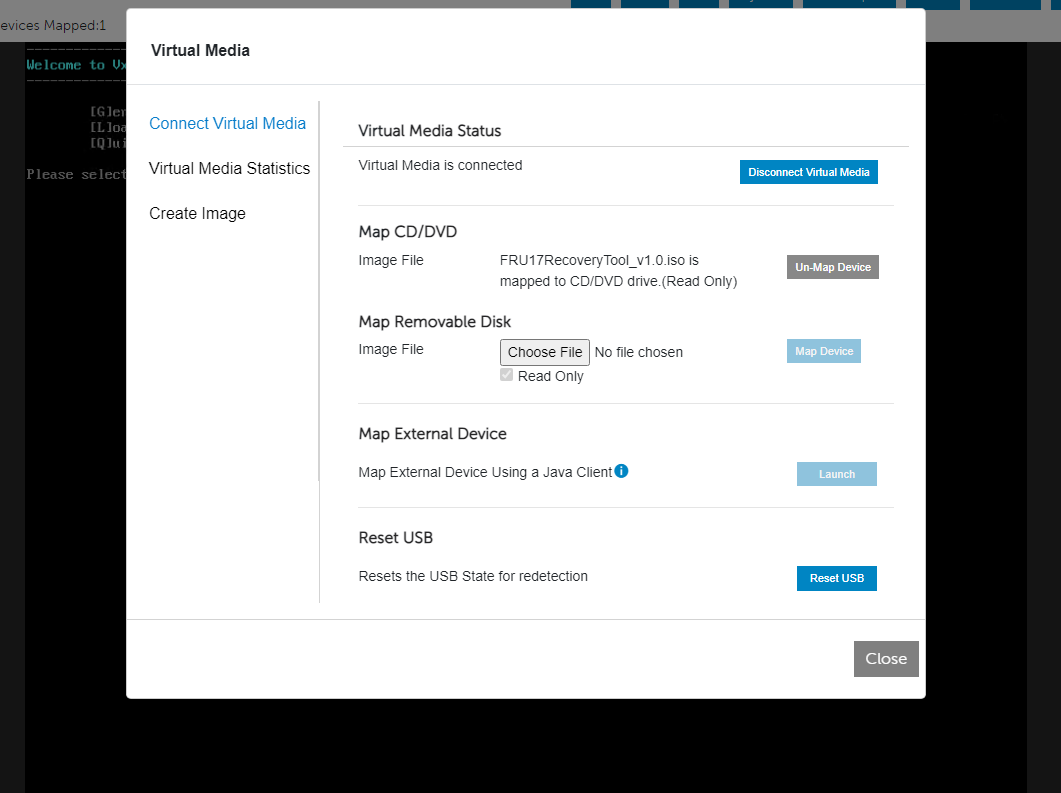
- Select Close
- Select Boot > Virtual CD/DVD/ISO
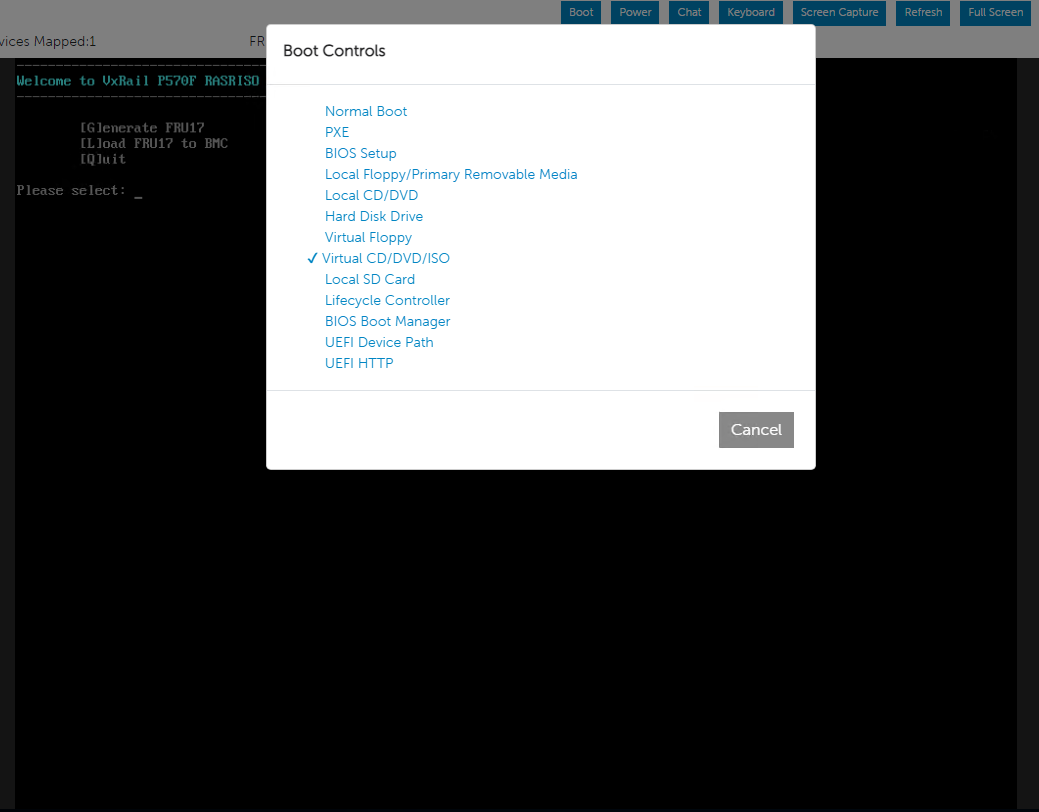
- Reboot the system.
Using FRU17 Recovery Tool
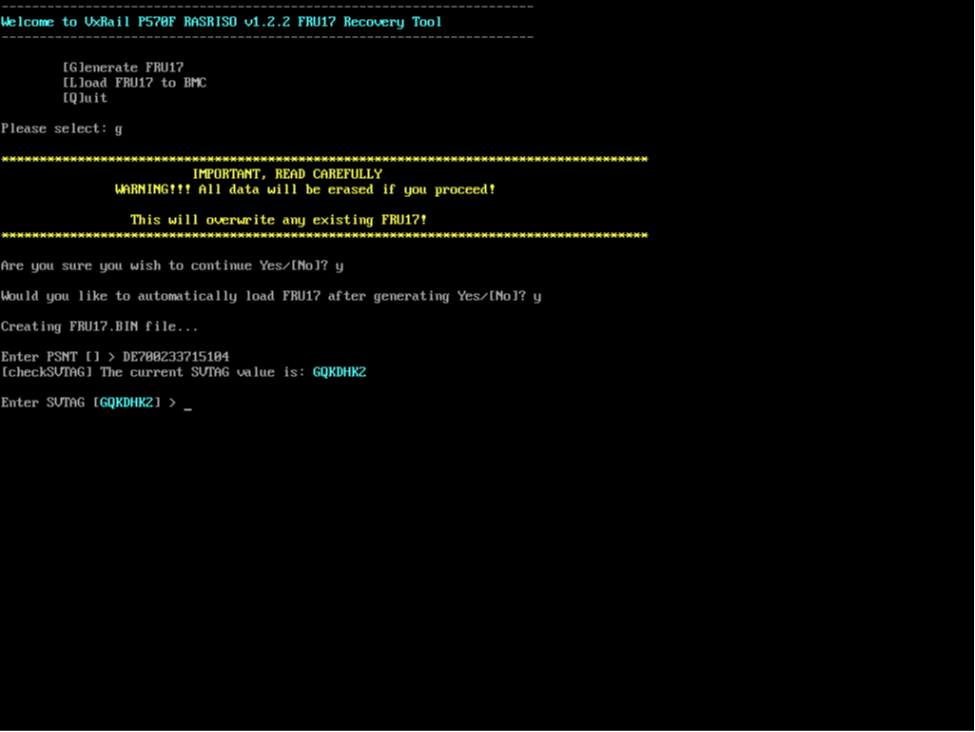
- Main Menu
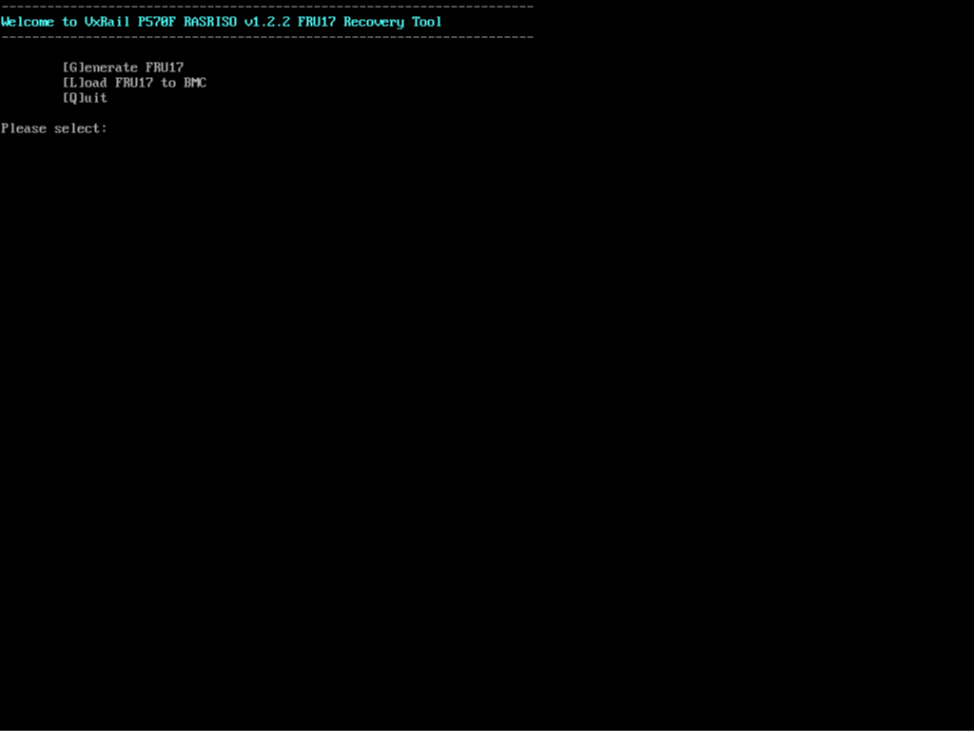
- Select "G" and Press Enter
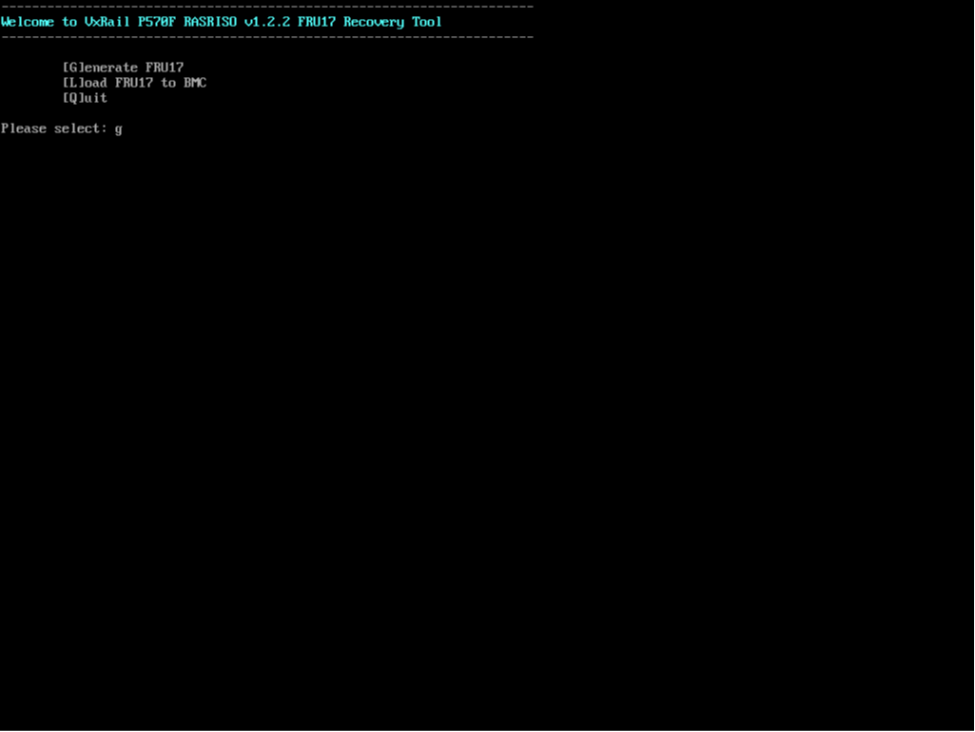
- Select "Y" and Press Enter
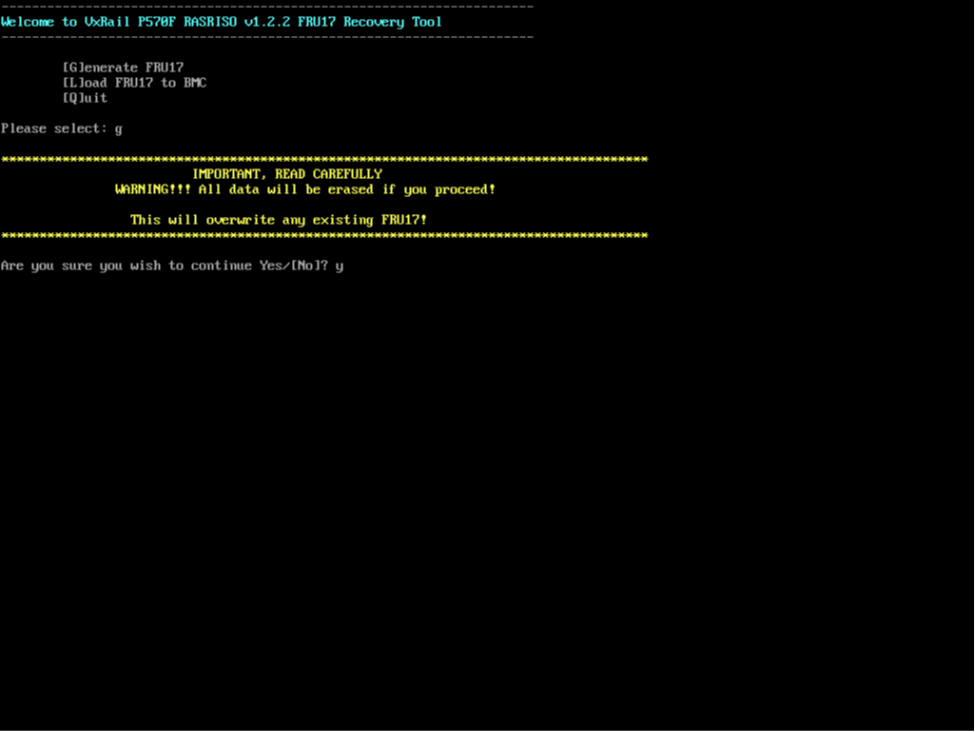
- Select "Y" to automatically load FRU17 after information is input in the following steps and Press Enter.
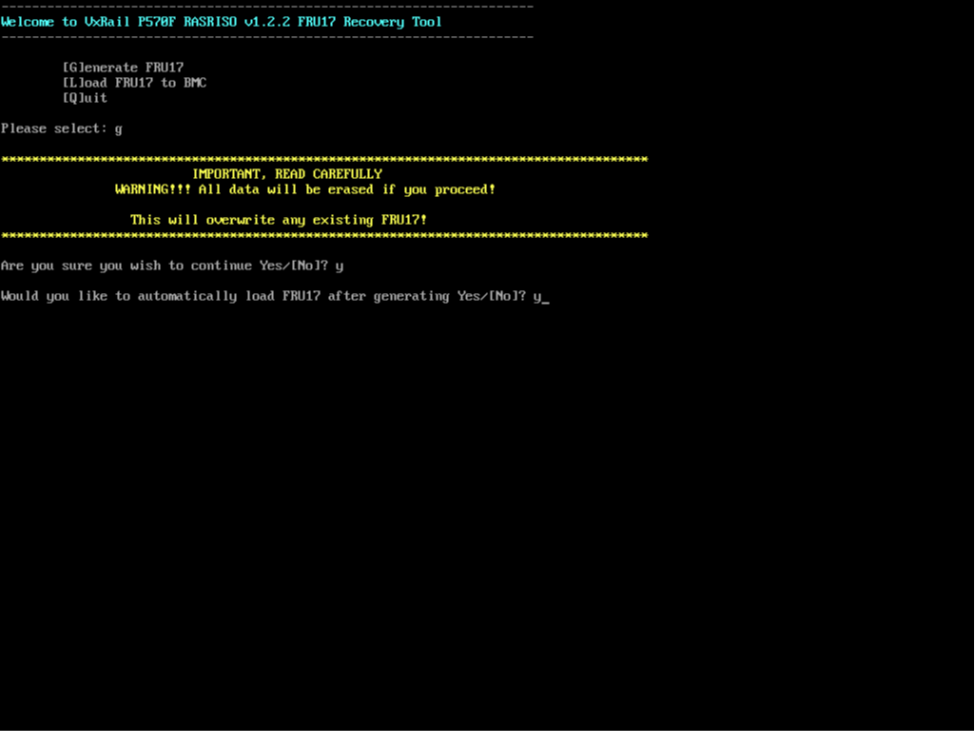
- Enter {PSNT} Value for a specific system. Fourteen character long PSNT value can be found on the luggage tag. Press Enter once you confirm that the PSNT Value entered is correct. Note: PSNT [] is blank if the PSNT is not on the FRU17, if a value is reported, then there is already a PSNT value programmed into the FRU17.
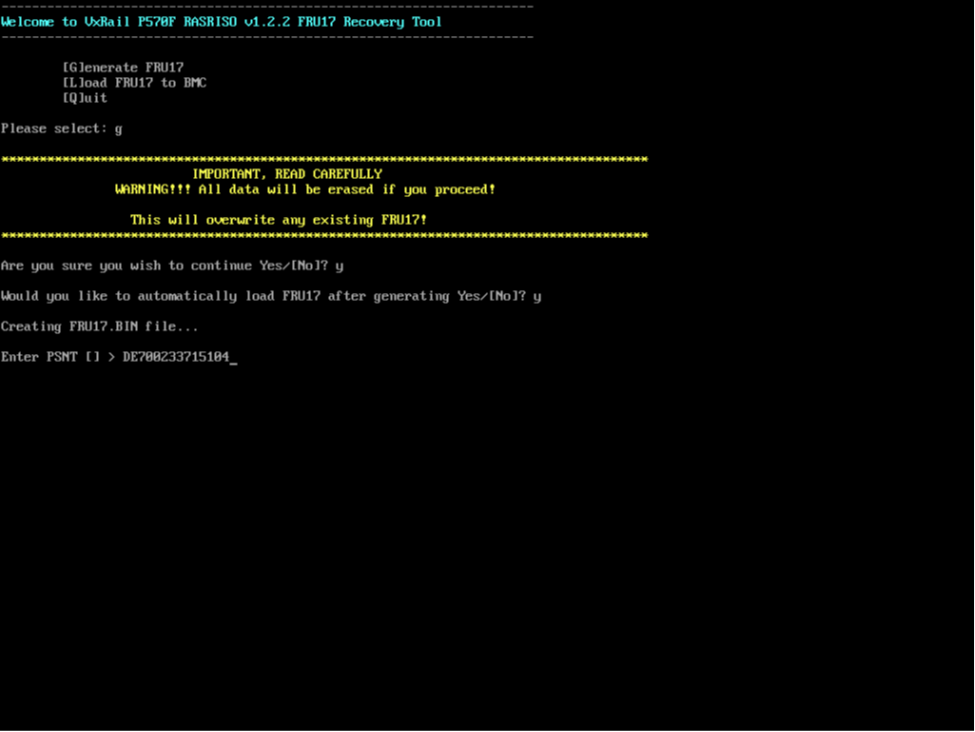
- Confirm {Service Tag}, and Press Enter Note: Service tag is automatically read from the system BIOS, no need to reenter if correct, leave blank, and Press Enter
- FRU17 is automatically be installed. Output shows that the previous contents of the FRU17 boxed in yellow below, and the newly written FRU17 contents boxed in green below.
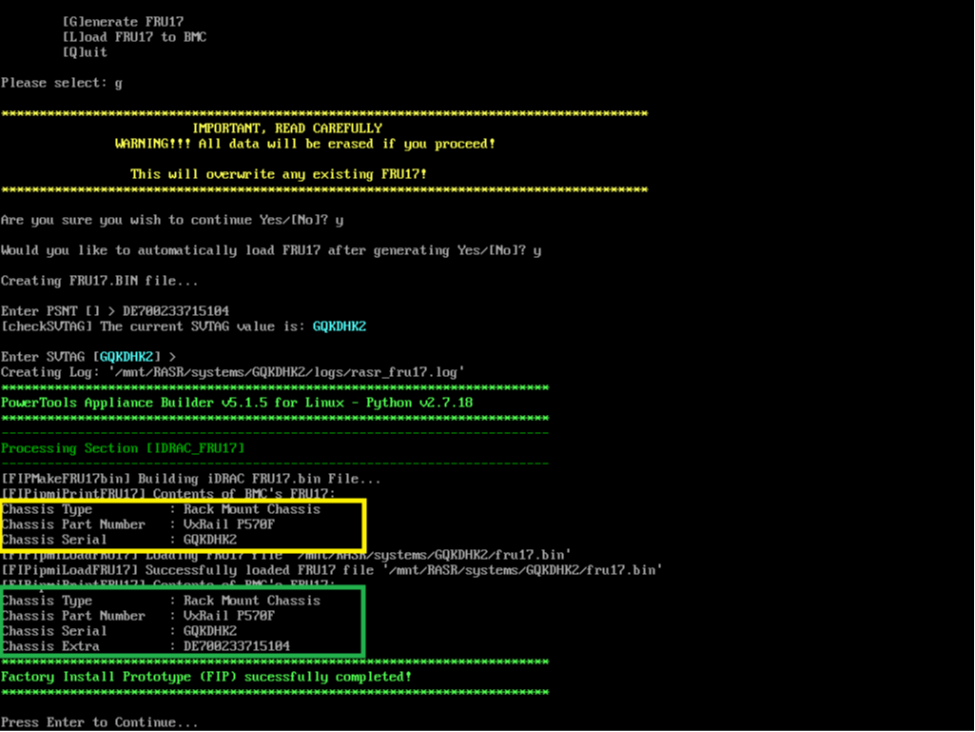
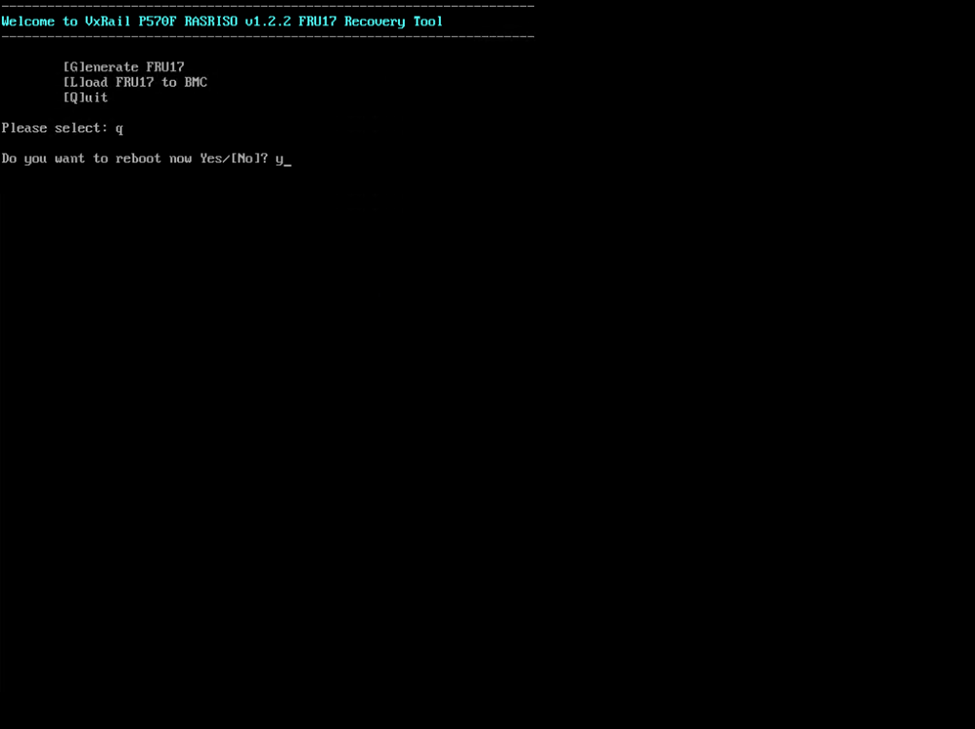
- Confirm that the data is correct, if not press Enter to Main Menu, and repeat steps 2-7. If the data is correct, press Enter to return to Main Menu, enter Q and Press Enter and confirm to reboot system.
Step 2
Fix DCUI to display PSNT.
esxcli system welcomemsg get > /tmp/welcome.txt
vi /tmp/welcome.txt- Add the correct PSNT and save the file
esxcli system welcomemsg set -m "$(cat /tmp/welcome.txt)"Step 3
Rename the Datastore to include the PSNT
1. After the cluster is built or the nodes are added to a cluster, log to the vCenter UI to rename the local datastore: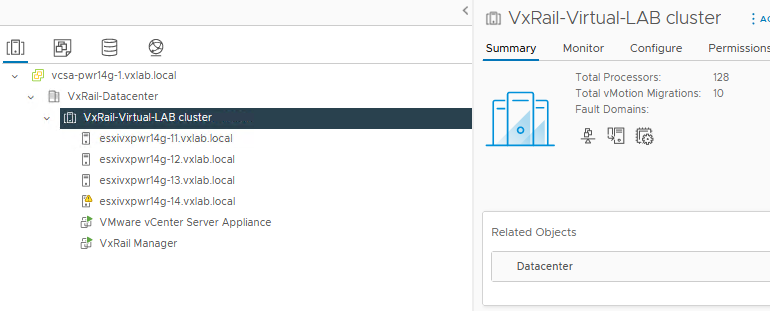
2. Click the node and the click Datastores: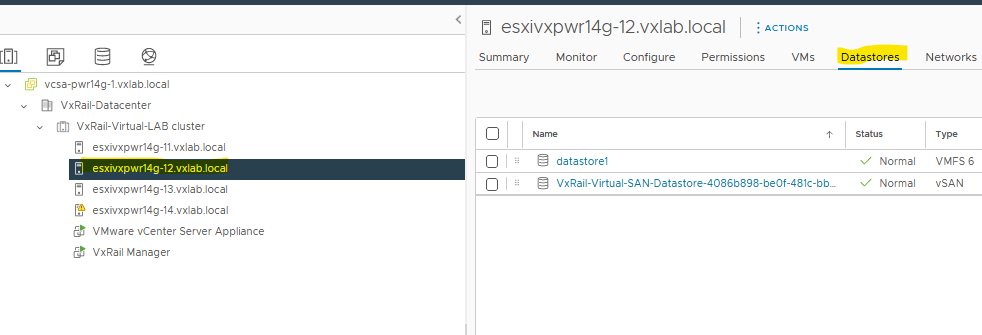 3. Right-click the local datastore, select the rename option and the type the new datastore name: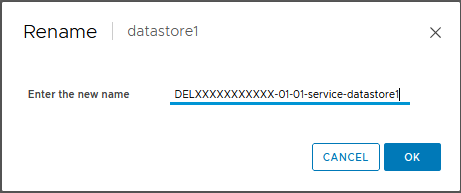
Repeat the above process for any other nodes that are missing a PSNT.
Additional Information
Configuration such as PSNT, Service tags, hostnames, so forth are examples from lab environments and should not be used.
FRU17RecoveryTool_v1.0 MD5: eea49f5b0f50b53107afd39c94d7dbdf