PowerFlex ScaleIO VxRack: How to install ipmitool to get a TLA number
Summary: This article explains how to install the IPMI tool.
This article applies to
This article does not apply to
This article is not tied to any specific product.
Not all product versions are identified in this article.
Instructions
Windows OS: The IMPMI tool is part of the BMC utility.
BMC utility is available to download from the Dell Website. The link to download the BMC utility https://www.dell.com/support/home/in/en/indhs1/Drivers/DriversDetails?driverId=6MR62
Extract the file and install the package. Once Installation is complete, open the Elevated command prompt and go to the folder where ipmitool is installed in this example the path is >> C:\Program Files (x86)\Dell\SysMgt\bmc.
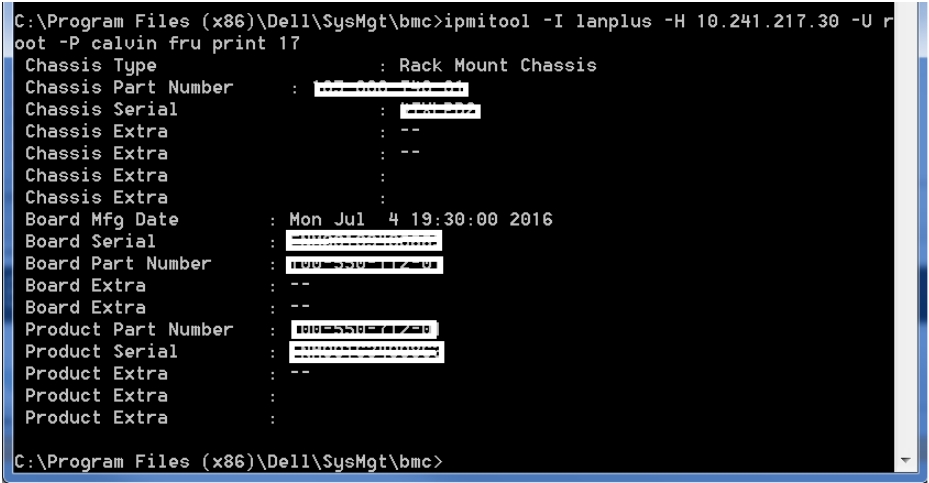
To get the TLA number(Board Part Number), Service Tag(Chassis Serial) of the server run the command.
ipmitool -I lanplus -H -U root -P calvin fru print 17
Output is similar to.
Linux OS:
To install the ipmitool software, run the following commands from a root shell:
Enterprise Linux 5.x/CentOS 5.x:
#yum install OpenIPMI OpenIPMI-tools
Enterprise Linux 6.x/CentOS 6.x or Fedora:
# yum install OpenIPMI ipmitool
Enterprise Linux 7.x/CentOS 7.x or Fedora:
# yum install OpenIPMI ipmitool
Ubuntu 14.04 LTS:
# apt-get install ipmitool
To enable IPMI access for non-Ubuntu distributions, run the following commands from a root shell:
# /sbin/chkconfig ipmi on # service ipmi start
Ubuntu starts the daemon automatically.
Note: ipmitool is installed by default on SVMs (2.0.1.X and later)
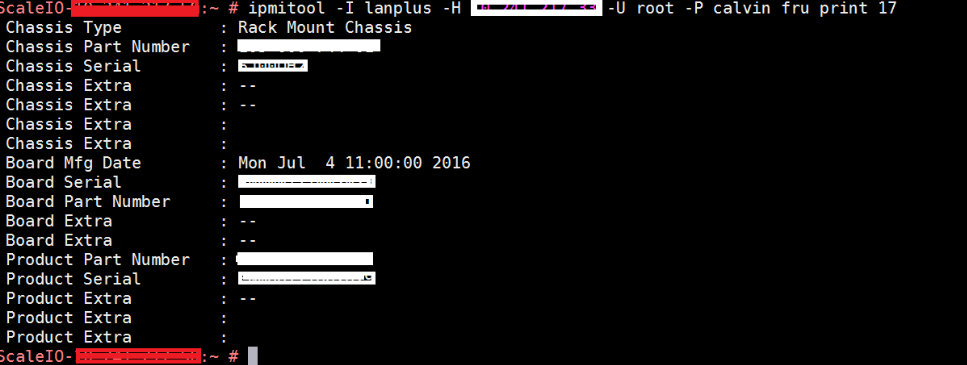
To get the TLA number(Board Part Number), and Service Tag(Chassis Serial) of the server run the command on SVM.
ipmitool -I lanplus -H -U root -P calvin fru print 17
Output is similar to.
Additional Information
Ipmitool uses UDP port 623, make sure this port is open in firewalls/iptables.
Affected Products
VxFlex Product FamilyProducts
PowerFlex Software, VxFlex Product Family, VxRack SDDCArticle Properties
Article Number: 000014374
Article Type: How To
Last Modified: 16 Nov 2024
Version: 3
Find answers to your questions from other Dell users
Support Services
Check if your device is covered by Support Services.