ECS: How to view a bucket by non-owning user in S3 Browser
Summary: How to view a bucket by non-owning user in S3 Browser.
This article applies to
This article does not apply to
This article is not tied to any specific product.
Not all product versions are identified in this article.
Instructions
Issue: Non-owner user not able to see a bucket owned by another user although the non-owner user has permissions to Read/Write on that bucket in the S3 browser.
NOTE: This is not a problem. S3 browser is working as designed.
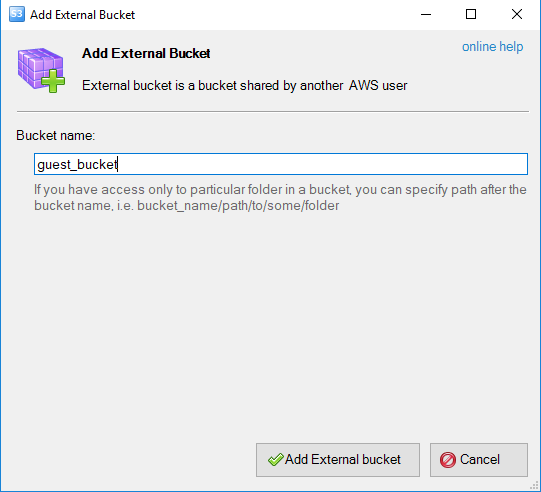
Resolution: Non-owner user must add the bucket externally in the S3 browser. As shown below:
Scenario:
owner_user: S3 user - Also has ACL permissions set on guest_bucket.
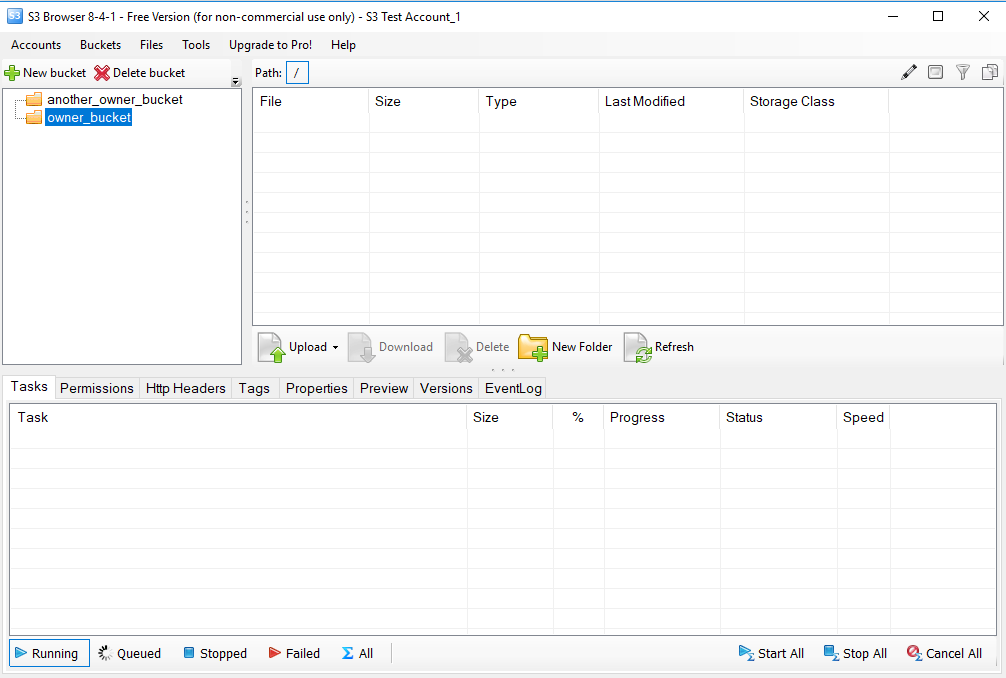
owner_bucket: S3 bucket owned by owner_user
another_owner_bucket: S3 bucket is also owned by owner_user
guest_user: S3 user owning bucket guest_bucket
guest_bucket: S3 bucket owned by guest_user
-
Current situation:
owner_usercannot seeguest_bucketalthough ACL permissions are given to read and write.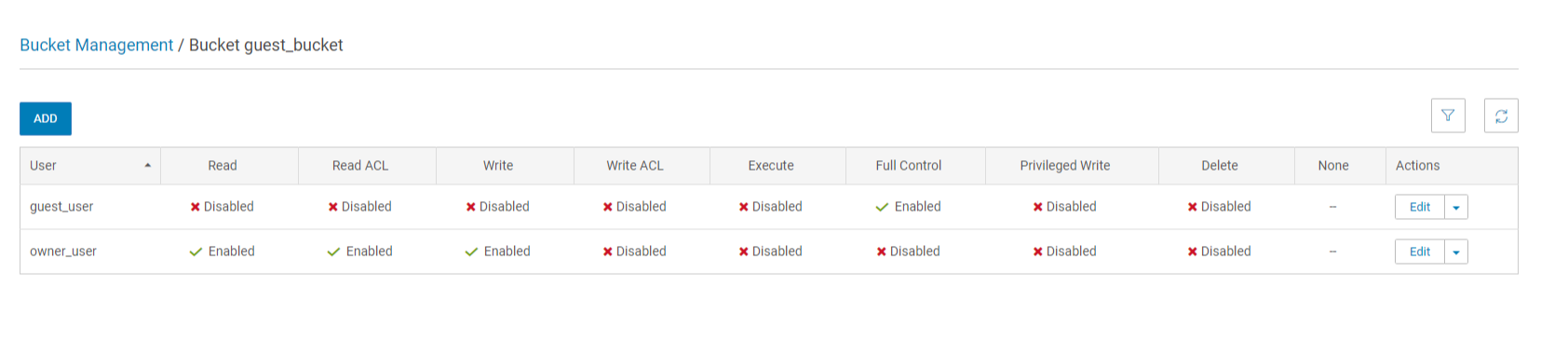
-
For
owner_userto be able to viewguest_bucket(owned by another user), guest_bucket must be added as External Bucket.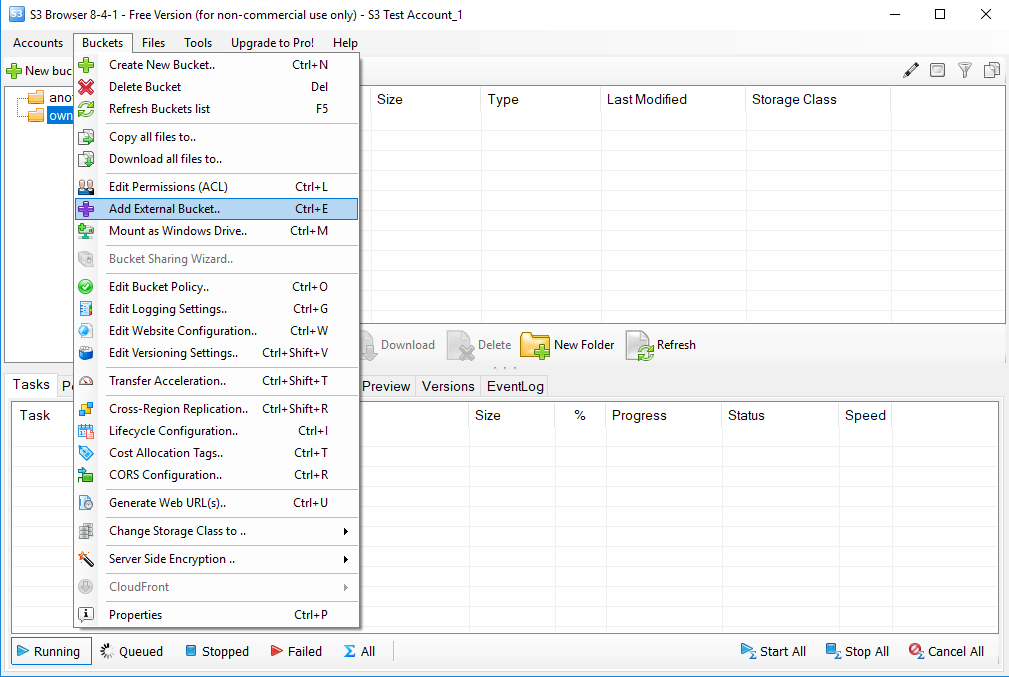
-
Hence,
owner_usercan viewguest_bucketon S3 browser and perform read/write operations according to the ACL permissions given.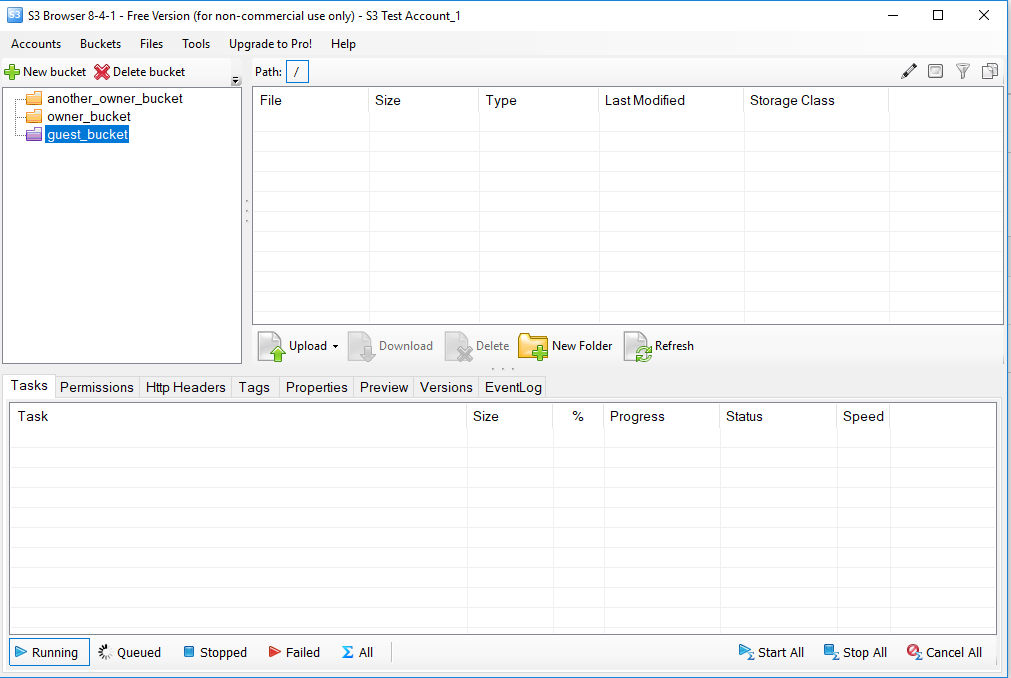
Affected Products
ECS ApplianceProducts
ECS ApplianceArticle Properties
Article Number: 000019806
Article Type: How To
Last Modified: 28 Mar 2025
Version: 6
Find answers to your questions from other Dell users
Support Services
Check if your device is covered by Support Services.