Cisco provides electronic programmable logic device (EPLD) image upgrades to enhance hardware functionality or to resolve known issues
Summary: Cisco provides electronic programmable logic device (EPLD) image upgrades to enhance hardware functionality or to resolve known issues. Upgrade the primary and backup regions using these steps. The primary and backup EPLD regions must be upgraded during the same process. ...
This article applies to
This article does not apply to
This article is not tied to any specific product.
Not all product versions are identified in this article.
Instructions
Procedure
1) Start an SSH session to the switch.
2) Enter the following command to commit to persistent storage. In addition, copy the configuration to a remote server or jump server:
#copy running-config startup-config
3) Enter the show version module <number> epld command to determine the current running version.
4) Check the contents of the bootflash directory to verify that enough free space is available for the software image.
a. Enter the following command to check the free space on the flash:
dir bootflash:The following is an example command output:
    Usage for bootflash:// 1275002880 bytes used
       375902208 bytes free
       1650905088 bytes total
b. Delete older firmware files to make additional space, if needed.
NOTE: The Cisco Nexus 3000 and Cisco Nexus 9000 Switches do not provide a confirmation prompt before deleting them.
5) From the SCP, FTP, or TFTP server, enter the following command to copy the firmware file to local storage on the Cisco Nexus switches:
Use the following TFTP command to copy the image:
#copy tftp://XXX.XXX.XXX.XXX/ n9000-epld.9.3.3.img bootflash:You can also use SCP to copy the image.
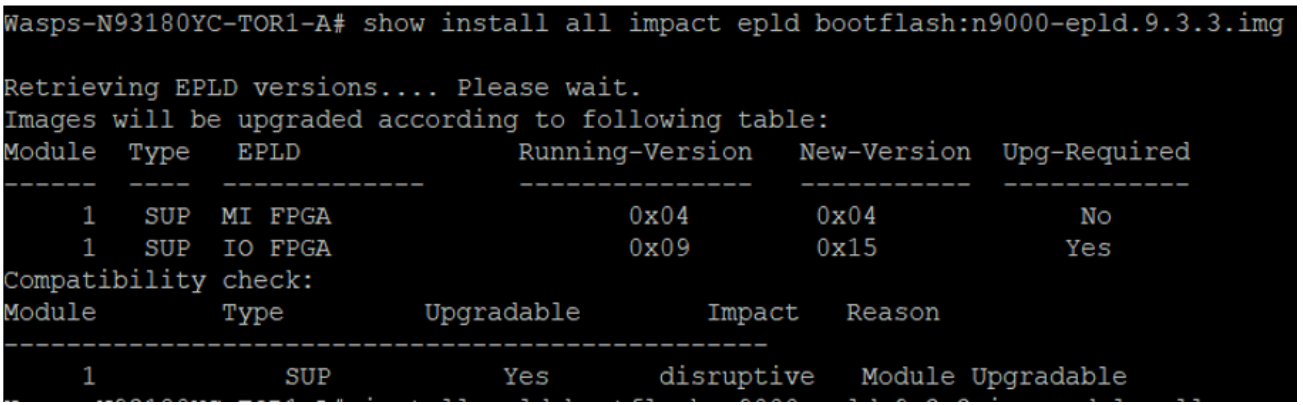
6) To determine if you must upgrade, use the show install all impact epld bootflash: n9000-epld.9.3.3.img command
switch# show install all impact epld bootflash: n9000-epld.9.3.3.img
7) Enter the following command to start the upgrade process:
#install epld bootflash: n9000-epld.9.3.3.img module all
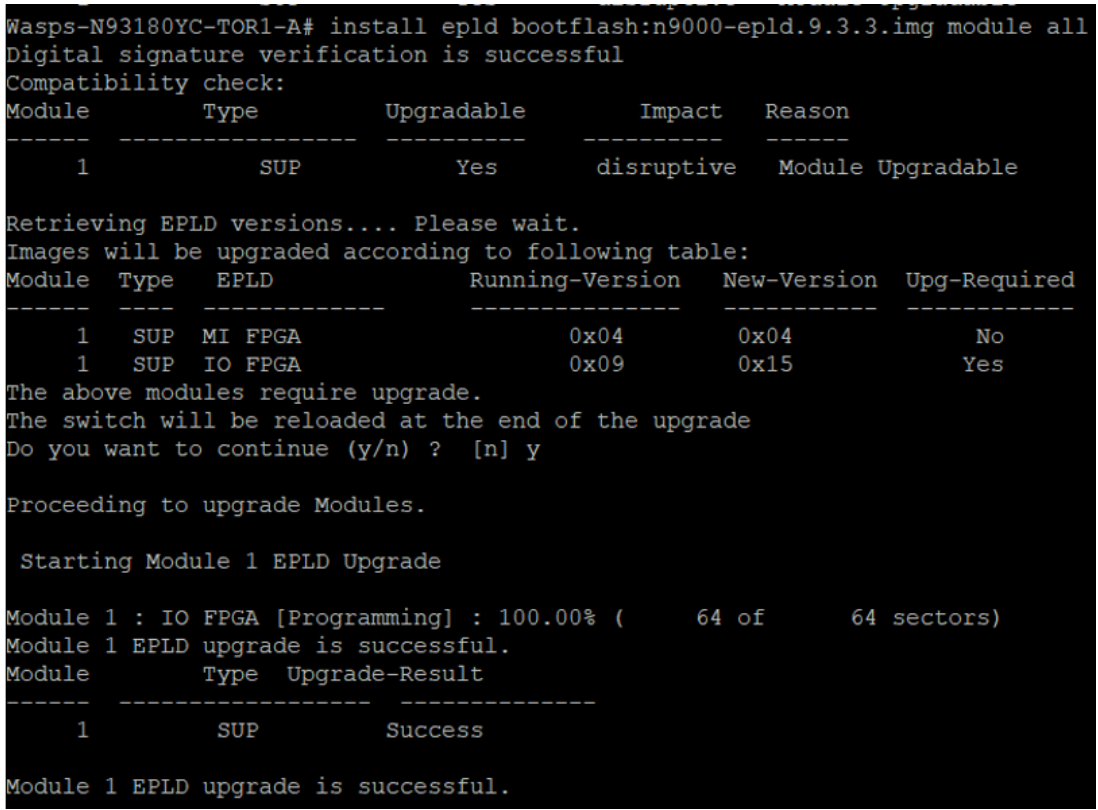
NOTE: After the upgrade, the switch reboot could take 5 to 10 minutes. Use a continuous ping command from the jump server to validate when the switch is back online.
8) Update the backup region of EPLD by typing this command:
#install epld bootflash:n9000-epld.9.3.5.img module all golden
9) Reboot the switch using command reload.
10) Using SSH, log back into the switch with a username and password.
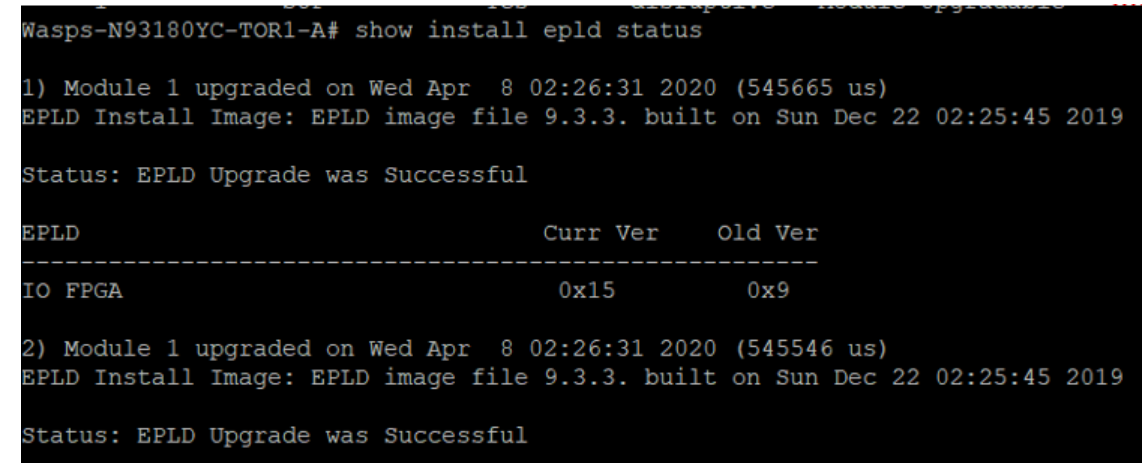
11) Enter the following command to verify that the switch is running the correct version:
switch# show install epld status
Affected Products
PowerFlex rackArticle Properties
Article Number: 000186388
Article Type: How To
Last Modified: 09 May 2026
Version: 7
Find answers to your questions from other Dell users
Support Services
Check if your device is covered by Support Services.