PowerProtect Cyber Recovery: Creating a Cyber Recovery Manager Policy Fails with Error: Did Not Find the Replication Target MTree in the MTree Map
Summary: Creating a policy using Cyber Recovery Manager fails with an error: "Did not find the replication target MTree in the MTree map for: /data/col1/XYZ
This article applies to
This article does not apply to
This article is not tied to any specific product.
Not all product versions are identified in this article.
Symptoms
Unable to create a policy using Cyber Recovery Manager. The policy creation wizard fails with an error at the first page. It is not possible to proceed.
Here is a screenshot as an example. The MTree noted in the error message changes. It is not always the same.
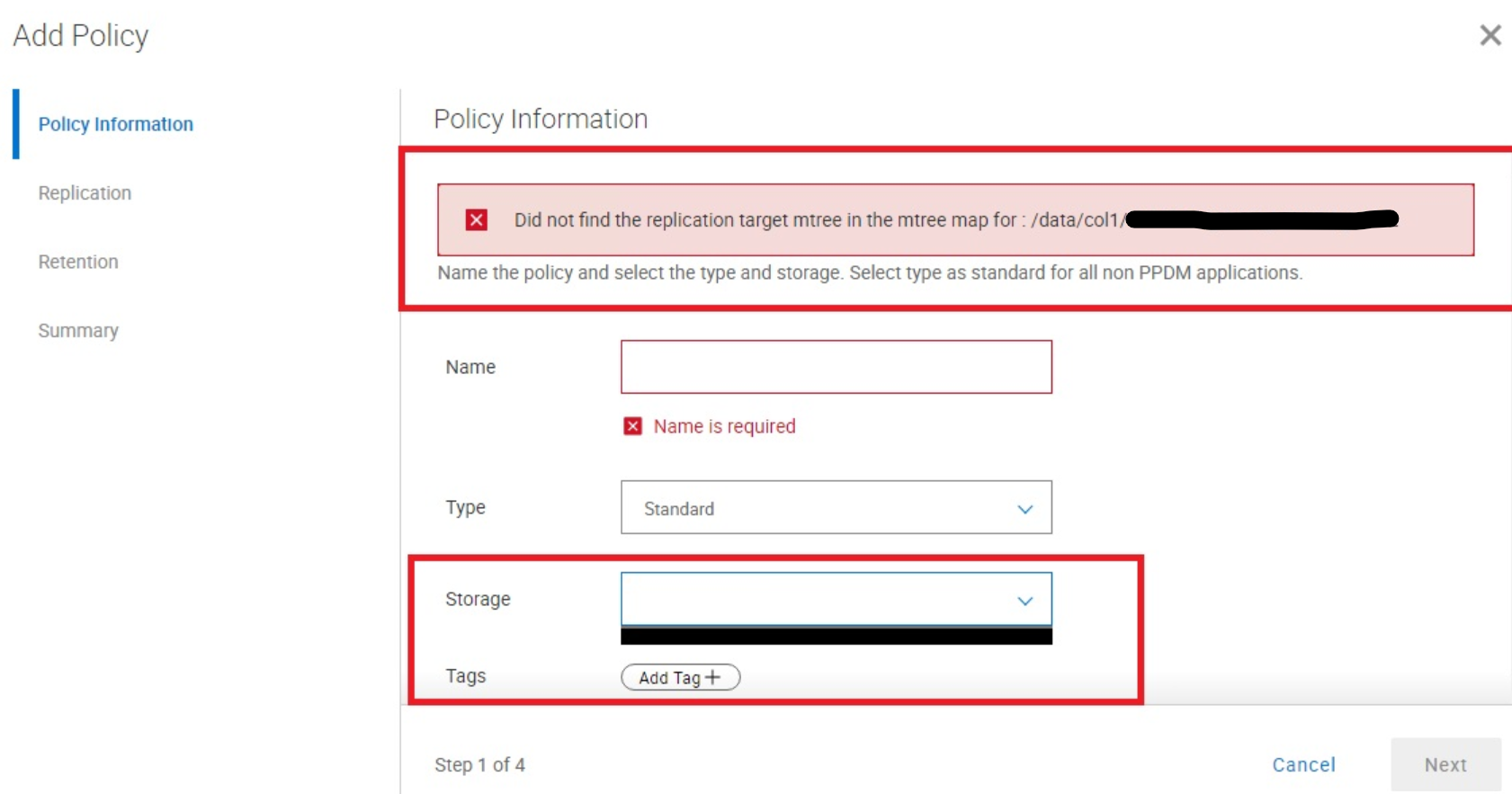
Figure 1: Policy add error message
Here is the same error in the mgmtdds.log:
[2023-08-03 10:22:39.582] [ERROR] [mgmtdds] [GetReplMgmtdds.go:217 getDDReplInfo()] :
Did not find the replication target mtree in the mtree map for : /data/col1/XYZ
Cause
The vault Data Domain has the secure multitenancy (SMT) feature enabled. At the time of writing this article, Cyber Recovery Manager is not compatible with Data Domain units with the SMT feature enabled.
sysadmin@datadomain# smt status
SMT is enabled.
Resolution
Disable the SMT feature on the vault Data Domain.
sysadmin@datadomain# smt disable
SMT disabled.

sysadmin@datadomain# smt status
SMT is disabled.
Affected Products
PowerProtect Cyber RecoveryArticle Properties
Article Number: 000217063
Article Type: Solution
Last Modified: 08 Sep 2023
Version: 2
Find answers to your questions from other Dell users
Support Services
Check if your device is covered by Support Services.