Latitude 5400 and 5410 BIOS Update Fails Using System Center Configuration Manager
Summary: Information about updating the BIOS on a Latitude 5400 or 5410 using System Center Configuration Manager (SCCM) gives an Error: "Unable to prepare the BIOS update payload"
This article applies to
This article does not apply to
This article is not tied to any specific product.
Not all product versions are identified in this article.
Symptoms
System Center Configuration Manager (SCCM) BIOS Update Error
SCCM shows a "BIOS Update Aborted" error message when performing a BIOS update.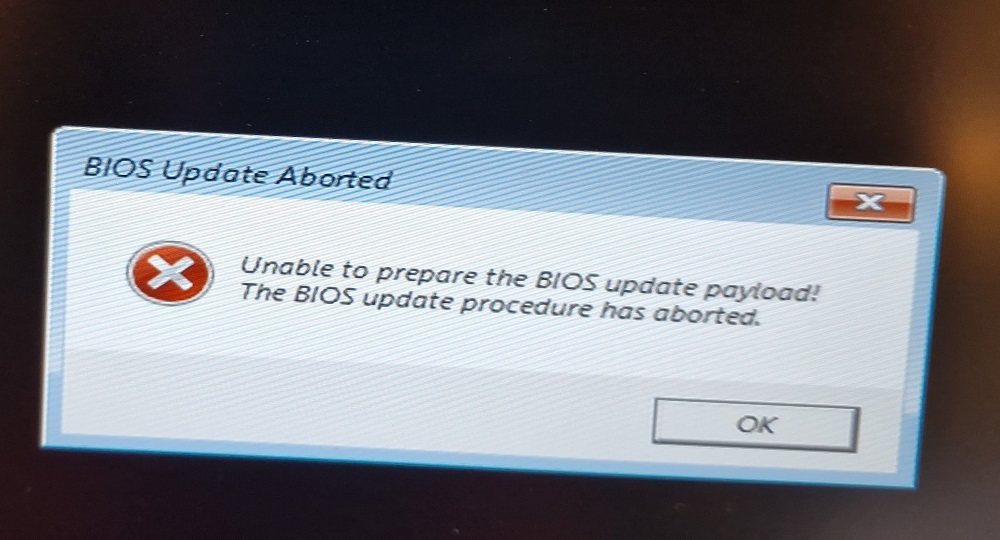
The BIOS update log shows an error log similar to the one below:
"…Failed to copy num[0] payload to memory - 3f1
Failed to copy num[1] payload to memory - 3f1
Error: Unable to prepare the BIOS update payload.
Exit Code = 10 (Unspecified Error)
BIOS flash finished at…"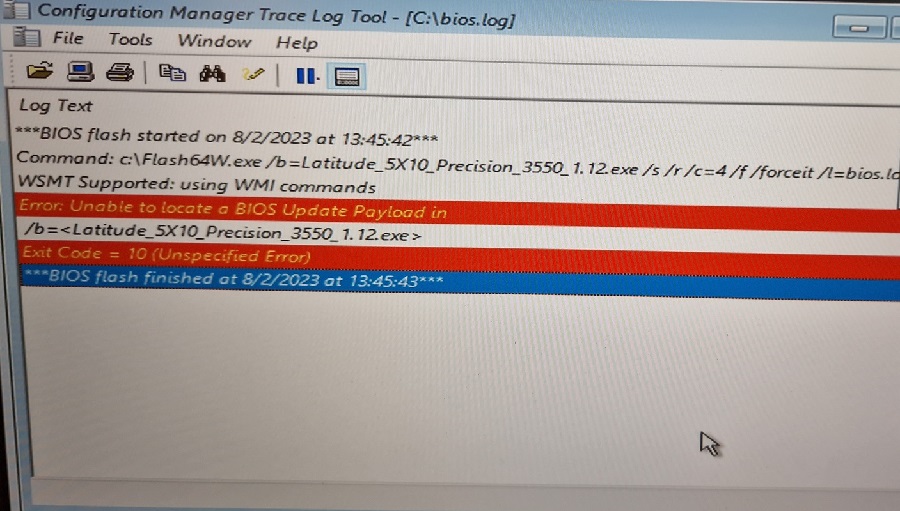
Note: This issue does not happen when updating the BIOS in Windows, Dell Command Update (DCU), Dell SupportAssist, or updating through the BIOS Boot menu.
Cause
The issue is caused by using an outdated WinPE version (Build 19041).
Resolution
Update WinPE
To resolve this issue, update the WinPE boot image in the SCCM imaging routine to build version 19045 or newer.
Note: This issue may not be limited to SCCM. Using outdated WinPE build versions on any bootable media could also be affected.
Affected Products
Latitude 5400, Latitude 5410Article Properties
Article Number: 000217084
Article Type: Solution
Last Modified: 24 Apr 2025
Version: 4
Find answers to your questions from other Dell users
Support Services
Check if your device is covered by Support Services.