PowerProtect Reporting Node deployment unsuccessful "Unable to obtain lease info"
Summary: The PowerProtect Data Manager Reporting Node deployment is being performed under "Reports > Reporting Engine" to a Network File System (NFS) Data Store. The Deployment Job indicates it was unsuccessful as it was not able to obtain lease information. ...
This article applies to
This article does not apply to
This article is not tied to any specific product.
Not all product versions are identified in this article.
Symptoms
The PowerProtect "System Jobs > Deploying Report Node" Job shows:

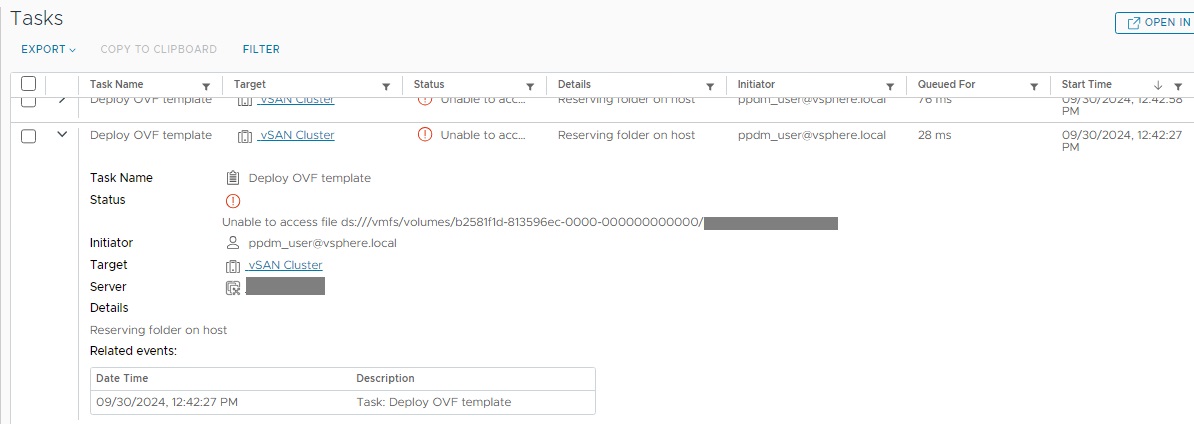
InfrastructureNodeSessions unsuccessful during initialization. Unable to deploy node my-ppdm-report-node.my-domain.com: node deployment unsuccessful. Unable to obtain lease info: Unable to access file ds:///vmfs/volumes/b2581f1d-813596ec-0000-000000000000/my-ppdm-report-node.my-domain.com
The vSphere Web Client shows a similar error task during the Reporting Node deployment. Attempting to create a directory or file on the NFS data store, using the vSphere Web Client, fails with a similar message.
Cause
The NFS data store is mounted on the vSphere cluster ESXi Hypervisors, but they are not able to write to the file system.
Resolution
Resolve the NFS data store issues preventing the vSphere cluster from writing to the data store file system. Once the issues are resolved, the PowerProtect Reporting Node Deployment moves forward with the deployment.
Additional Information
Article Properties
Article Number: 000230675
Article Type: Solution
Last Modified: 04 Nov 2025
Version: 2
Find answers to your questions from other Dell users
Support Services
Check if your device is covered by Support Services.