How to access Storage Center Web Interface when Java certificate is expired
Sommaire: Visual guide and steps to access Storage Center when the Java certificate is expired
Cet article s’applique à
Cet article ne s’applique pas à
Cet article n’est lié à aucun produit spécifique.
Toutes les versions de produits ne sont pas identifiées dans cet article.
Symptômes
If the Storage Center version has an expired Java security certificate, you will not be able to log into the Web UI, unless the Storage Center OS is upgraded to newer version that has a current certificate or the management IP is added to the Java Exception Site List.
Dell Storage Manager (DSM) is the preferred management interface for managing Storage Center arrays and is not impacted by an expired Java security certificate.
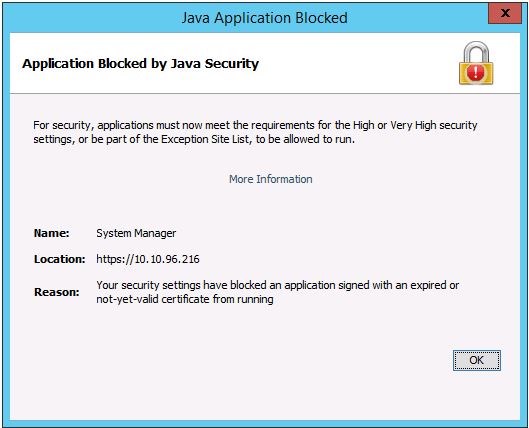
Below is sample error message when the Java security certificate is expired
Dell Storage Manager (DSM) is the preferred management interface for managing Storage Center arrays and is not impacted by an expired Java security certificate.
Below is sample error message when the Java security certificate is expired
Résolution
To add the management IP to the Exception Site List, refer to this article or follow the steps below.
https://www.java.com/en/download/faq/exception_sitelist.xml
1. Open the Java Control Panel on management system
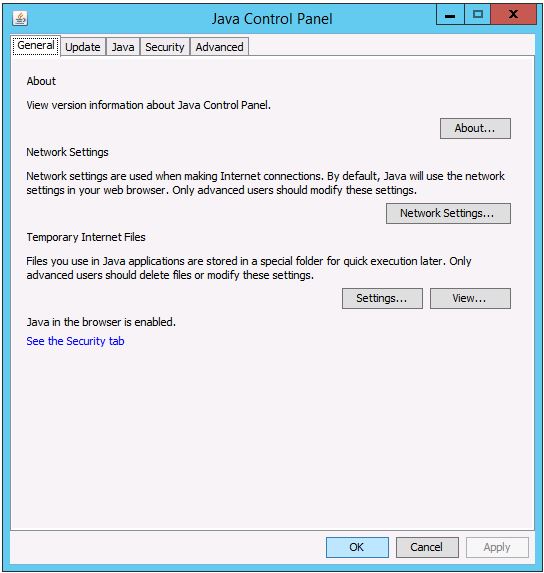
2. Click on the Security tab.
Click on Edit Site List.
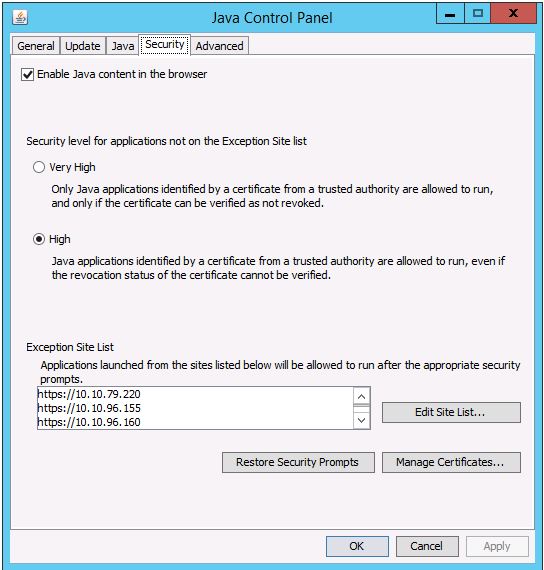
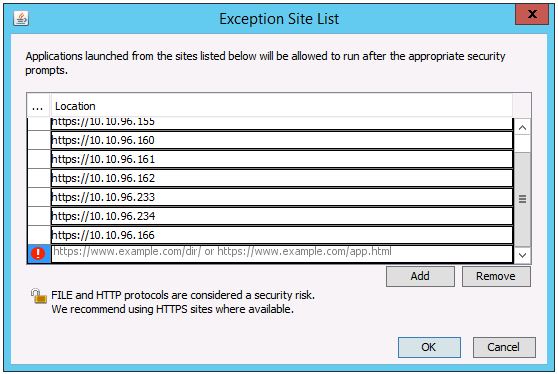
3. Enter the Storage Center’s management IP address in this format: https://x.x.x.x
https://www.java.com/en/download/faq/exception_sitelist.xml
1. Open the Java Control Panel on management system
2. Click on the Security tab.
Click on Edit Site List.
3. Enter the Storage Center’s management IP address in this format: https://x.x.x.x
Produits touchés
Compellent (SC, SCv & FS Series), Dell Compellent SC4020, Dell Storage SC8000, Dell Compellent Series 40, Dell Storage SC9000Propriétés de l’article
Numéro d’article: 000142151
Type d’article: Solution
Dernière modification: 01 mai 2026
Version: 4
Obtenez des réponses à vos questions auprès d’autre utilisateurs de Dell
Services de soutien
Vérifiez si votre appareil est couvert par les services de soutien.