Dell Unity: Come abilitare e disabilitare SSH
Sommaire: Questo articolo descrive diversi modi per abilitare e disabilitare SSH sugli array Dell Unity.
Cet article s’applique à
Cet article ne s’applique pas à
Cet article n’est lié à aucun produit spécifique.
Toutes les versions de produits ne sont pas identifiées dans cet article.
Instructions
METODO 1: Da Unisphere (interfaccia utente): quando l'array è in modalità normale
Per abilitare:
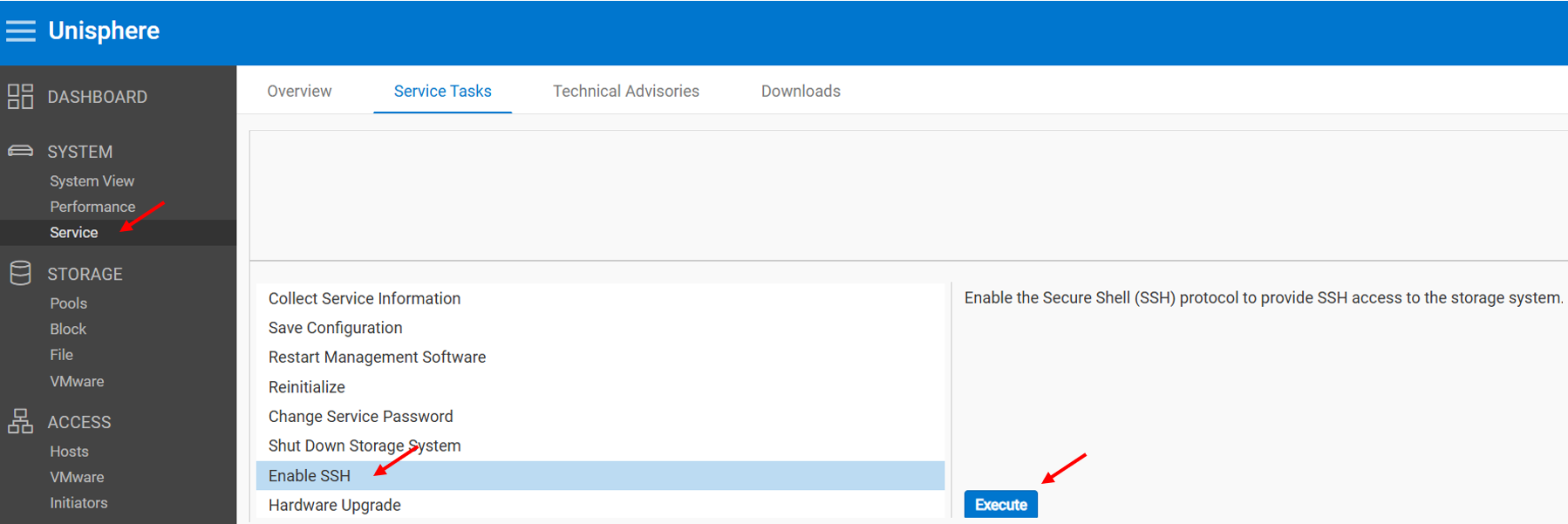
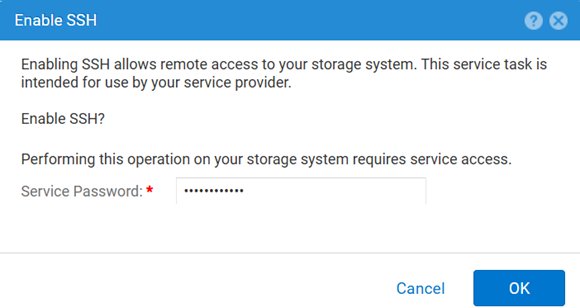
Per disabilitare:
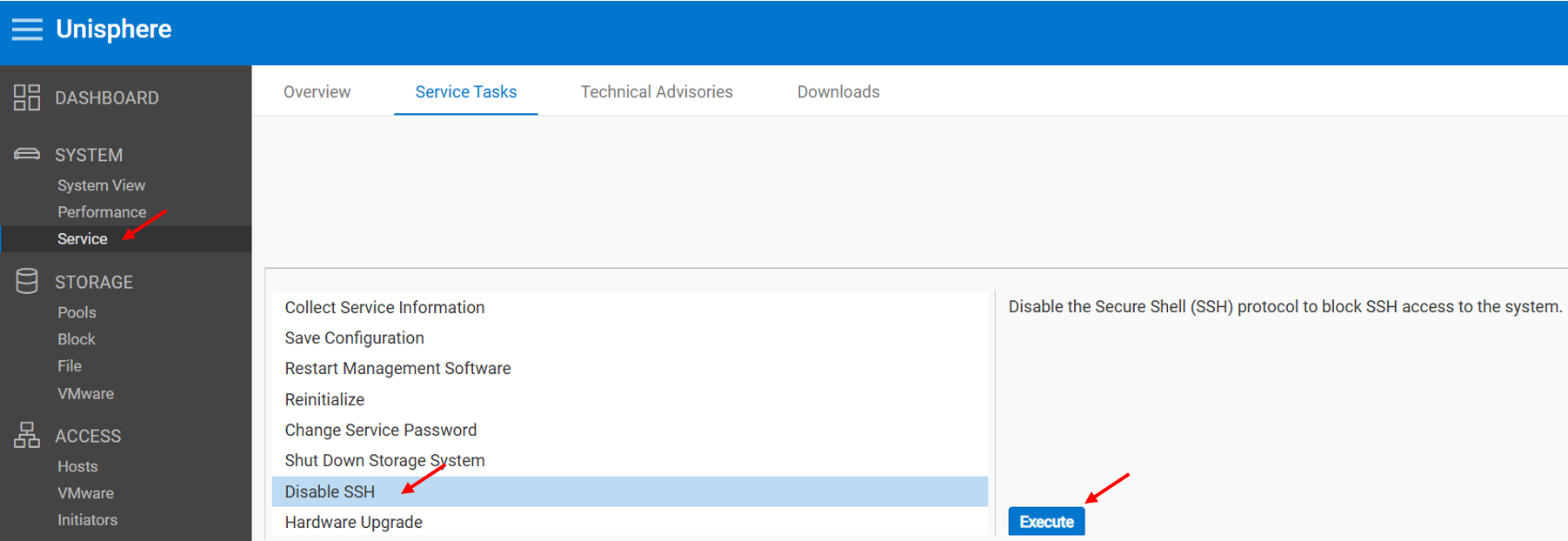
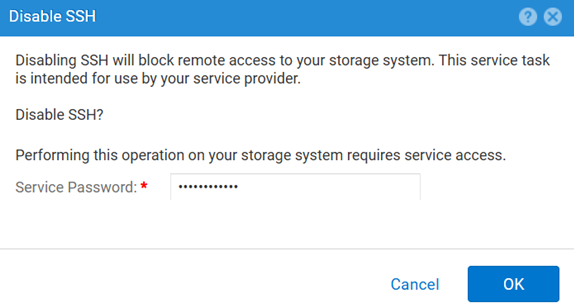
METODO 2: UEMCLI
Per visualizzare l'impostazione SSH:
uemcli.exe -d <MGMT IP> -u admin -securePassword /service/ssh showPer abilitare SSH:
uemcli.exe -d <MGMT IP> -u admin -securePassword /service/ssh set -enabled yesPer disabilitare SSH:
uemcli.exe -d <MGMT IP> -u admin -securePassword /service/ssh set -enabled noMETODO 3: Con un IPMI Connection (Connessione)
Per visualizzare la finestra di dialogo SSH Stato:
svc_ssh -sPer abilitare SSH:
svc_ssh -ePer disabilitare SSH:
svc_ssh -d
METODO 4: Dal servizio Unisphere (UI): quando l'array è in modalità di servizio
1. Aprire un browser.
2. Accedere al https://<management_IP>/service.html
3. Utilizzare il comando admin .
4. Da questo menu SSH può essere abilitato.
Renseignements supplémentaires
Altri articoli utili per la risoluzione dei problemi relativi a SSH:
Produits touchés
Dell EMC Unity, Dell Unity 450F DC, Dell Unity 300, Dell Unity 300 DC, Dell EMC Unity 300F, Dell EMC Unity 350F, Dell Unity 350F DC, Dell EMC Unity XT 380, Dell EMC Unity XT 380F, Dell EMC Unity 400, Dell Unity 400 DC, Dell EMC Unity 400F
, Dell EMC Unity 450F, Dell EMC Unity XT 480, Dell EMC Unity XT 480F, Dell EMC Unity 500, Dell EMC Unity 500F, Dell EMC Unity 550F, Dell EMC Unity 600, Dell EMC Unity 600F, Dell EMC Unity 650F, Dell EMC Unity XT 680, Dell EMC Unity XT 680F, Dell EMC Unity XT 880, Dell EMC Unity XT 880F, Dell EMC Unity Family |Dell EMC Unity All Flash, Dell EMC Unity Hybrid
...
Produits
Dell Command | ConfigurePropriétés de l’article
Numéro d’article: 000446216
Type d’article: How To
Dernière modification: 15 avr. 2026
Version: 1
Obtenez des réponses à vos questions auprès d’autre utilisateurs de Dell
Services de soutien
Vérifiez si votre appareil est couvert par les services de soutien.