How to Create a Code Upgrade Service Request
Zhrnutie: This article provides instructions on how to create an operating environment (OE) upgrade service request using Dell online support website.
Tento článok sa vzťahuje na
Tento článok sa nevzťahuje na
Tento článok nie je viazaný na žiadny konkrétny produkt.
V tomto článku nie sú uvedené všetky verzie produktov.
Pokyny
1. Log in to Dell Support website https://www.dell.com/support/home/ using your fully validated online support account. Select the Maintenance Service option from the right tab.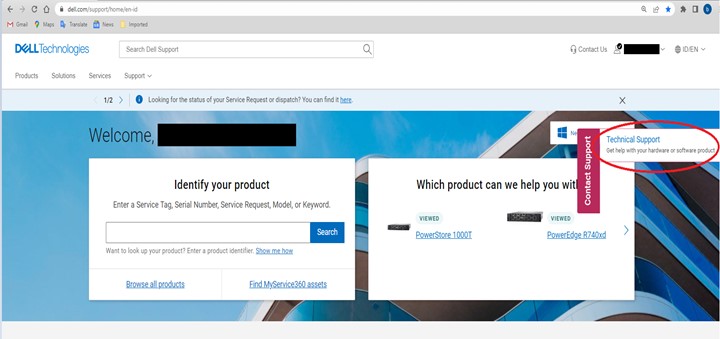
2. Indicate the asset serial number for the Case by choosing one of the available options.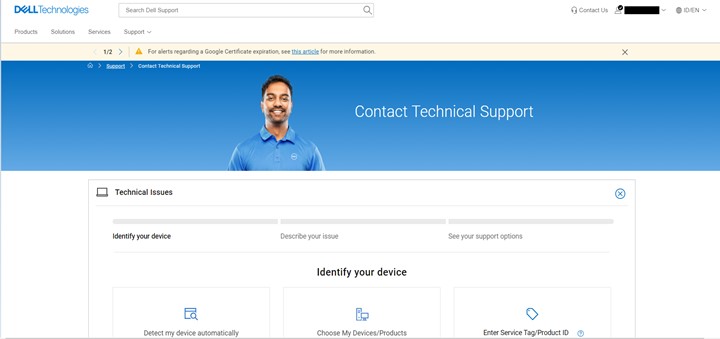
3. Once the product serial number is entered. Select the Case/Issue Type through the drop-down menu. For code or OE upgrades, choose Operating Environment Upgrade.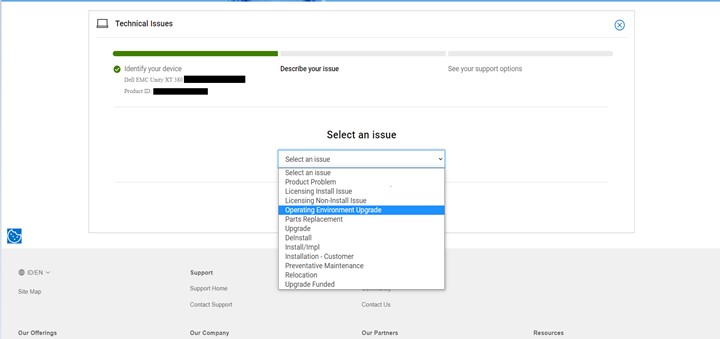
4. From the Available support options, select Create Service Request.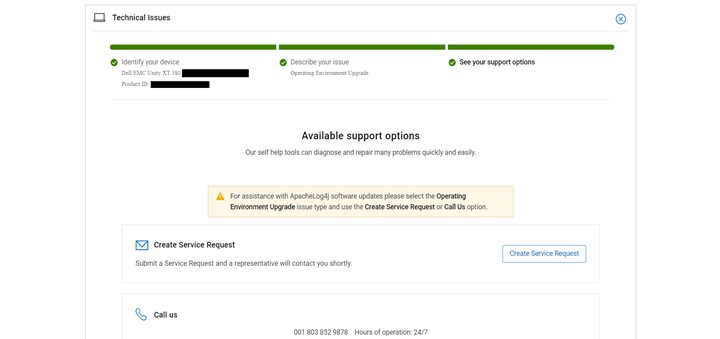
5. Check the Contact Information and update if needed. Click Continue. 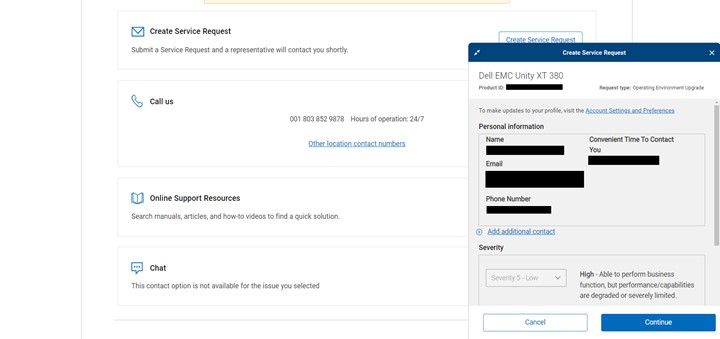
6. Provide all the required information then click Submit. Take note of the SR number for reference.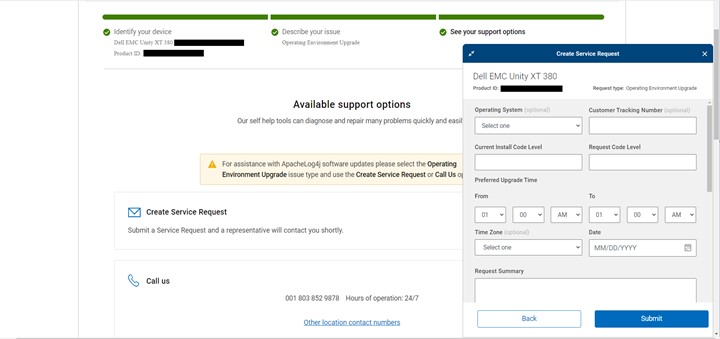
Dotknuté produkty
Isilon, Dell EMC Unity, Integrated Data Protection Appliance Software, PowerMax, Symmetrix Enginuity 5876, VMAX, XtremIO FamilyVlastnosti článku
Číslo článku: 000021054
Typ článku: How To
Dátum poslednej úpravy: 06 nov 2025
Verzia: 5
Nájdite odpovede na svoje otázky od ostatných používateľov spoločnosti Dell
Služby podpory
Skontrolujte, či sa na vaše zariadenie vzťahujú služby podpory.