Dell Unity: Upgrade File uploaded is incorrect format (Error Code: 0x6000cc4) (User Correctable)
摘要: When the user uploads a file with the incorrect format or having an invalid checksum, the Unity returns the following error code: 0x6000cc4 The KB addresses ways to identify the SHA256 checksum of a downloaded or uploaded image to a Windows Server or Linux Server. ...
本文适用于
本文不适用于
本文并非针对某种特定的产品。
本文并非包含所有产品版本。
症状
When an image file is being uploaded to the Unisphere user interface, the following error is returned:
"File uploaded is incorrect format. Please obtain a new copy of the upgrade image and try again. (Error Code: 0x6000cc4)"
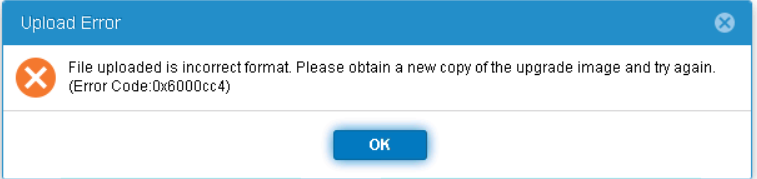
"File uploaded is incorrect format. Please obtain a new copy of the upgrade image and try again. (Error Code: 0x6000cc4)"
原因
If the SHA256 checksum does not match the proper checksum value for that specific image, the Unity returns this error.
Other possible causes are also listed under Knowledge Articles: 000034066 and 000060730
Other possible causes are also listed under Knowledge Articles: 000034066 and 000060730
解决方案
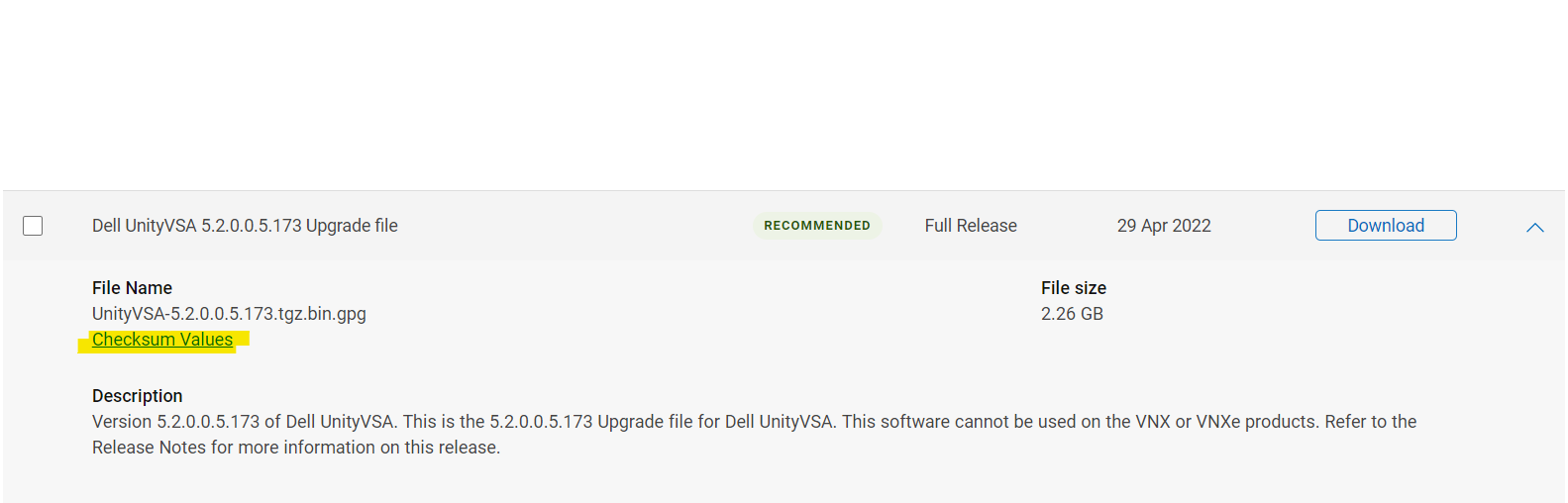
The proper checksum value is listed on the dell.com support website under the needed image "Checksum Values."
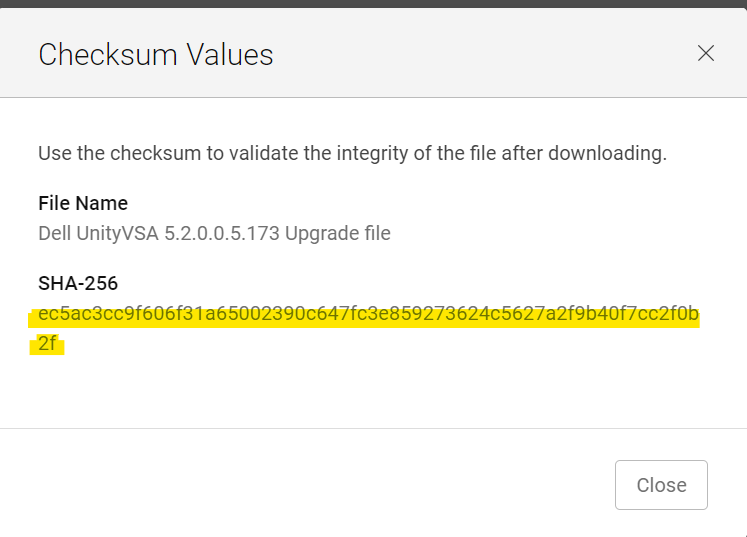
From a Windows host, open CMD into the location where the file is downloaded. (ensure that the file did not change its name upon download; adding (1) or (2),… to its name.)
In the CMD window type:
certutil -hashfile Unity-XXXXXX SHA256
Example:
C:\Users\zayedm\Downloads>certutil -hashfile Unity-Drive-Firmware-V19RC-2021-11-30.tgz.bin.gpg SHA256
SHA256 hash of Unity-Drive-Firmware-V19RC-2021-11-30.tgz.bin.gpg:
0fad835123c2508d7f581bead6eaf47f27ebb75ca119ee97b1db5b7e0944e5dd
CertUtil: -hashfile command completed successfully.

In order to verify the same from a linux host (or on the Unity array itself, if the file has been manually uploaded):
Command:
sha256sum filename
Example:
service@XXXX:/mnt/c/Users/xxxx/Downloads$ sha256sum Unity-Drive-Firmware-V19RC-2021-11-30.tgz.bin.gpg
0fad835123c2508d7f581bead6eaf47f27ebb75ca119ee97b1db5b7e0944e5dd  Unity-Drive-Firmware-V19RC-2021-11-30.tgz.bin.gpg
Match the returned output with the checksum on the Dell support website. If it matches and the mentioned error is still appearing, please contact Dell EMC support. If it does not match, then the checksum is not accurate. Try redownloading the file and match the checksum again.
受影响的产品
Dell EMC Unity Family |Dell EMC Unity All Flash, Dell EMC Unity Family文章属性
文章编号: 000200001
文章类型: Solution
上次修改时间: 02 9月 2025
版本: 6
从其他戴尔用户那里查找问题的答案
支持服务
检查您的设备是否在支持服务涵盖的范围内。