

Artificial Intelligence
Choosing Your AI Arsenal, Dell Pro Max GPU Guide
Skip the specs confusion. Match your Dell Pro Max workstation GPU to your actual AI workload and avoid costly mistakes.
Key takeaways: Choosing the right GPU means matching real AI workloads—not just specs—to the right hardware. Dell Pro Max workstations equipped with NVIDIA RTX PRO GPUs give teams the ideal balance of VRAM, compute power, and efficiency for both inference and full-scale training. Whether you are running lightweight chatbots, developing large foundation models, or deploying AI across hybrid environments, the Dell Pro Max portfolio offers scalable, Blackwell-based configurations built for modern AI—from mobile to multi-GPU desktop systems.
More TOPS, more VRAM, fewer watts. That’s what most IT managers are looking for when it comes to AI hardware. But these surface-level specs rarely tell the real story. Not all GPUs are created equal and selecting the wrong one can over-provision your budget or bottleneck your AI teams for years. Is your company training new models internally? Do your engineers need to run inference on new datasets? Are customers expecting instant results from your chatbot? Each of these scenarios requires different GPU architectures, memory footprints, and power profiles, especially when deployed on Dell Pro Max workstations equipped with NVIDIA RTX PRO GPUs.
Understanding AI workloads
AI workloads fall into two fundamentally different categories, and choosing the right workstation configuration depends on understanding the demands of each.
-
- Inference — Lightweight, Fast, Memory‑Driven
Inference is using a trained model to make predictions or generate outputs. When you ask a chatbot a question, you’re triggering inference. The model processes your input through its learned weights and produces an output without modifying itself. This is relatively lightweight because you’re mostly moving data through the GPU rather than performing intense calculations. The critical specs are VRAM (the model must fit in memory) and memory bandwidth for fast data throughput.
-
- Training — Heavy, Compute‑Intensive, Parallel
Training is teaching a model to recognize patterns by repeatedly adjusting billions of parameters using large datasets. The model processes examples, makes predictions, compares results to correct answers, and updates its internal weights to improve accuracy. This requires massive computational power since you’re performing forward passes, backward propagation, and weight updates across millions or billions of parameters for thousands of iterations. Training demands high CUDA core counts for parallel gradient calculations and substantial VRAM to hold model weights, gradients, optimizer states, and training data batches simultaneously. Training runs can take days or weeks, so you also need sustained and reliable power.
Many teams assume inference needs minimal hardware. They reason; if the model fits in VRAM, it’ll run fine, but inference speed varies dramatically based on GPU architecture. Similarly, training teams often assume higher AI TOPS means better training performance, leading to choosing GPUs based on misleading specifications.
What the specs don’t tell you
Spec sheets often focus on a single metric like TOPS or total VRAM, but real-world AI performance depends on how these components work together.
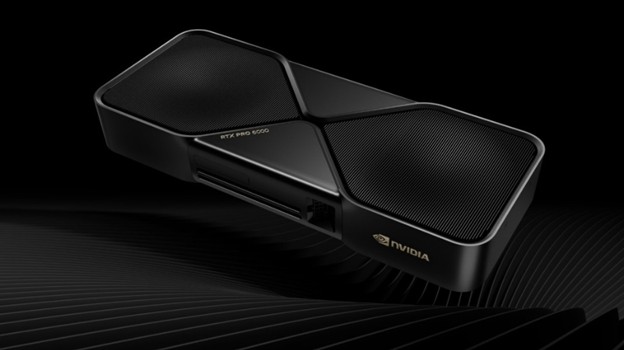
When evaluating GPUs for AI workloads, raw specifications only tell part of the story. The Blackwell architecture introduces neural shaders that integrate AI directly into programmable shaders, fundamentally changing how these GPUs process AI tasks compared to previous generations.
Two GPUs with identical VRAM perform differently when handling the same model due to generational architecture improvements. For example, the NVIDIA RTX PRO 6000 Blackwell Workstation Edition features fifth-generation Tensor Cores that deliver up to 4,000 AI TOPS, far outperforming previous generations at the same memory capacity. Improvements in Tensor Core operations, streaming multiprocessors, and memory bandwidth allow the GPUs to train larger models faster and handle more concurrent inference workloads.
This is why Dell Pro Max workstations, optimized for Blackwell-class RTX PRO GPUs, offer such a meaningful performance advantage.
Matching hardware to real workloads
Let’s look at how different NVIDIA RTX professional GPUs handle actual AI scenarios, moving beyond the spec sheets to focus on what each configuration delivers for your specific needs.
For Inference-Focused Teams
-
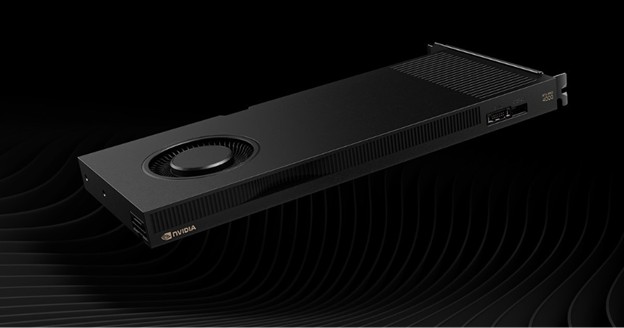
- Best for teams running small to medium models (up to ~30B parameters) in production. The NVIDIA RTX PRO 4000 Blackwell architecture delivers fast inference throughput with lower power consumption (140W). Works well for customer-facing chatbots, real-time classification tasks, or deploying multiple smaller models simultaneously.
Trade-off: Not suited for large-scale training due to limited CUDA cores and VRAM.
-
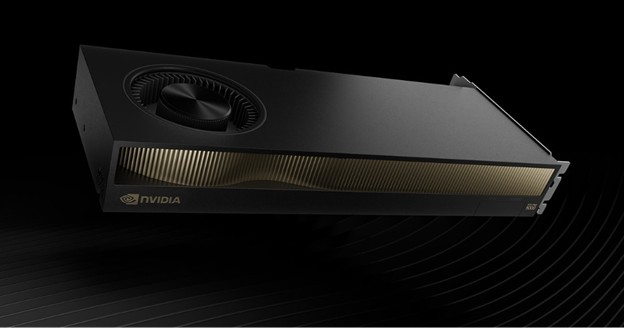
- Great for teams running larger inference workloads, the NVIDIA RTX PRO 5000 Blackwell handles models >30B parameters or requiring multiple concurrent responses. Still highly efficient, offering much more memory headroom than the NVIDIA RTX PRO 4000 Blackwell GPU.
Trade-off: CUDA core count remains lower than training-focused cards, making fine-tuning workflows possible but slower. Requires over double the power of the 4000 at 300W.
For Training and Development teams
AI training and development teams require maximum compute power and memory capacity to iterate quickly on large models. The Dell Pro Max portfolio offers multiple Blackwell-based configurations to match your team’s specific needs:
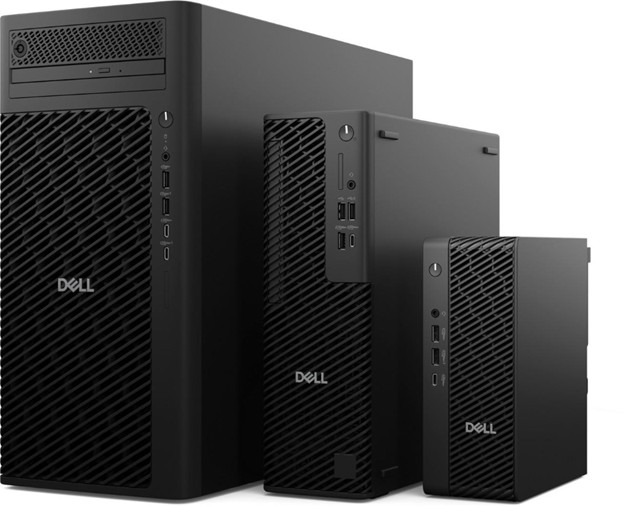
Desktop workstations like the Pro Max Tower T2 can be configured with the NVIDIA RTX PRO 6000 Blackwell Workstation Edition, featuring 96GB of GDDR7 memory, the most powerful desktop GPU ever created. This enables teams to train larger models locally without cloud dependencies.
For teams that need multi-GPU capabilities, the Precision 5860 Tower, Precision 7875 Tower, and the Precision 7960 Tower support configurations with multiple NVIDIA RTX PRO 6000 Blackwell Max-Q Workstation Edition cards. The Max-Q Workstation Edition features a blower-style cooler optimized for multi-GPU setups, enabling up to 600W of power while maintaining proper thermal management in dense configurations.
It brings 24,064 NVIDIA CUDA Cores, 752 fifth-gen Tensor Cores, and 188 fourth-gen Ray Tracing Cores to accelerate everything from transformer model training to complex generative AI pipelines. Development teams working with models like Llama or Mixtral can now prototype and fine-tune locally on workstations—tasks that previously required cloud or rack servers.
The versatility of Dell Pro Max systems means you can tailor configurations precisely to your teams.
Conclusion: Build your AI stack the right way
Organizations running mixed deployments, including edge devices, workstations, and servers, need consistent GPU architecture across all environments. That’s where Dell Pro Max shines.
When choosing the right GPU, it’s important to align real workloads with the right Dell Pro Max workstation configuration and the right NVIDIA RTX PRO GPU.
When you match your GPU to actual AI workloads, your teams move faster, spend smarter, and avoid costly misallocations that slow innovation.
Ready to build your AI-optimized workstation? Explore the portfolio and find the right configuration for your team, here.
