240Hz Gaming Monitors for Competitive Performance

Elevate your gameplay with 240Hz Gaming Monitors for Competitive Performance, designed to give serious gamers the edge they need in fast-paced environments. Discover monitors that deliver ultra-smooth visuals and responsive experiences, perfect for high-intensity matches and tournaments. Whether you're aiming for victory in esports or looking to enhance your setup for immersive play, these monitors help you stay ahead of the competition and enjoy every moment of action.

Filters

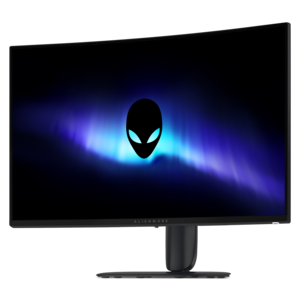
$899.99

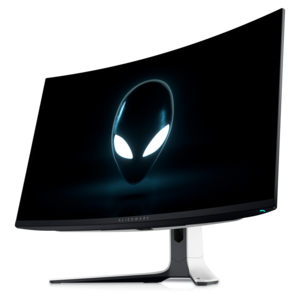
A 4K QD-OLED gaming monitor with 240Hz refresh rate, high pixel density, and Dolby Vision.

$899.99
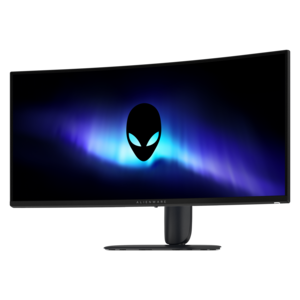
$999.99

A curved 4K QD-OLED gaming monitor with Dolby Vision and an ultra-smooth 240Hz refresh rate.

$999.99
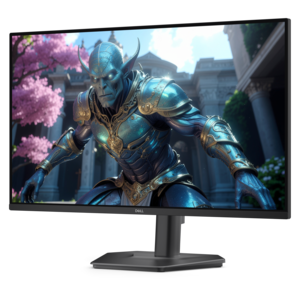
$299.99

A curved QHD gaming monitor with a rapid 240Hz refresh rate and vivid colors for immersive gameplay.

$299.99
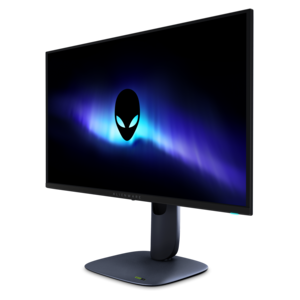
$399.99

A curved ultrawide WQHD gaming monitor delivering vivid color and an exceptionally smooth 240Hz refresh rate.

$399.99
$129.99

A fast IPS monitor with FHD resolution, 240Hz refresh rate, adjustable stand, and certified eye comfort.

$129.99

240Hz Gaming Monitors for Competitive Performance

240Hz gaming monitors bring fast-moving play into sharper focus by refreshing the screen up to 240 times per second, with each refresh cycle taking approximately 4.17 milliseconds. That shorter interval gives a display more opportunities to show an updated frame than a 60Hz or 144Hz screen, making movement appear smoother when the connected computer can deliver sufficiently high frame rates. In a competitive match, the difference can be visible as an opponent crosses a doorway, a racing line tightens through a corner, or the camera sweeps across a crowded arena. A clearer view of movement can make tracking and timing feel more consistent, although a higher refresh rate does not guarantee better results or compensate for every source of delay. Refresh rate, pixel response time, and input lag describe different parts of the experience: refresh rate measures how often the display updates, response time describes how quickly pixels change, and input lag concerns the delay before an input is reflected onscreen. Strong competitive performance depends on how those qualities work together, not simply the largest number on a specification sheet. Fast pixel transitions help limit trailing behind moving objects, while low display latency supports a more immediate connection between a mouse movement and the image. Adaptive synchronization can reduce visible tearing as frame rates fluctuate, provided the display and graphics hardware support a compatible implementation within its operating range. Reaching the full benefit of 240Hz also depends on the game, processor, graphics hardware, resolution, and graphics settings. A system delivering frames consistently near the display’s refresh rate will generally make better use of its speed than one producing uneven frame times. For players who spend evenings practicing aim, coordinating with teammates, or refining split-second decisions, these monitors are built around the practical value of seeing motion clearly and receiving fresh visual information frequently. They also suit mixed-use setups where competitive play shares desk space with schoolwork, creative projects, and everyday entertainment.

Screen size and resolution shape how that speed feels at a normal seating distance. A roughly 24- or 25-inch display can keep the play area compact, allowing a player to monitor the center of the action and the edges of the screen without large eye movements. A 27-inch screen offers more room for detailed environments and everyday multitasking, while larger or ultrawide formats create a broader view when the game supports their aspect ratio. Competitive games may handle ultrawide images differently, so a wider panel does not automatically provide a wider playable view. At 1080p, fewer pixels can make very high frame rates easier for a computer to sustain. At 1440p, finer detail can improve the appearance of distant objects, interface elements, and text, but rendering the additional pixels places more demand on graphics hardware. Higher resolutions increase that demand further, making the balance between image detail and consistent performance especially important. Panel technology adds another layer to the experience. Fast IPS LCD panels can combine broad viewing angles with responsive motion, while OLED and QD-OLED panels offer individually illuminated pixels, deep black levels, and very rapid pixel transitions. Those characteristics can make bright effects stand out against dark scenes, though actual visibility also depends on room lighting, game settings, and the display’s image processing. Advertised response times may reflect particular test conditions or aggressive settings rather than performance across every transition. Excessive overdrive on an LCD can introduce bright or dark trails around moving objects, sometimes called inverse ghosting, so balanced motion handling matters more than a response-time claim alone. Surface finish is equally relevant in a real room: matte treatments help diffuse reflections, while glossier surfaces may show nearby windows and lamps more distinctly. Brightness, contrast, color accuracy, and HDR capability affect the overall picture, but HDR support by itself does not establish how convincingly a screen reproduces highlights or shadow detail. A useful competitive display brings these elements together without making opponents disappear into crushed shadows or washing out the rest of the scene.

The physical fit of a 240Hz gaming monitor matters during long sessions as much as its motion performance. A stable stand keeps the image steady when a desk shifts during an intense match, and a compact base can leave more room for a low-sensitivity mouse sweep. Height, tilt, swivel, and pivot adjustments vary by model; the right combination helps position the screen at a comfortable distance and angle rather than forcing a player to lean forward or raise their shoulders. For shared desks or monitor arms, mounting compatibility and the display’s weight determine how securely the setup can be supported. Housings commonly combine molded plastic with metal structural components, while stand design, hinge quality, and cable routing influence everyday durability and ease of adjustment. Connection details deserve the same attention. A desktop or laptop must support the intended resolution and 240Hz output through the selected port, cable, and any intervening adapter or dock. The operating system and game settings may also need to be set to the higher refresh rate; connecting a capable screen does not always activate its maximum setting automatically. Accessible controls, convenient peripheral connections, and sensible cable placement can make a setup easier to live with between matches. Routine care is straightforward: power down the display before cleaning, use a clean microfiber cloth, and follow the manufacturer’s directions for any moisture or cleaning solution. Spraying liquid directly onto the panel, pressing firmly on the surface, or using abrasive materials can damage delicate finishes. OLED owners should also follow the display’s built-in panel-care recommendations and avoid leaving static interface elements onscreen unnecessarily, since cumulative static content can contribute to uneven wear. For a competitive player receiving a monitor as a gift, matching the screen to the existing computer, desk, and preferred games is more meaningful than choosing by refresh rate alone. The broader range of High Refresh Rate Monitors for Competitive Gaming offers context for setups where motion clarity, comfortable viewing, and everyday usability all matter alongside speed.

FAQs:

Add the products you would like to compare, and quickly determine which is best for your needs.
Add the products you would like to compare, and quickly determine which is best for your needs.