XPS 13 vs MacBook Neo
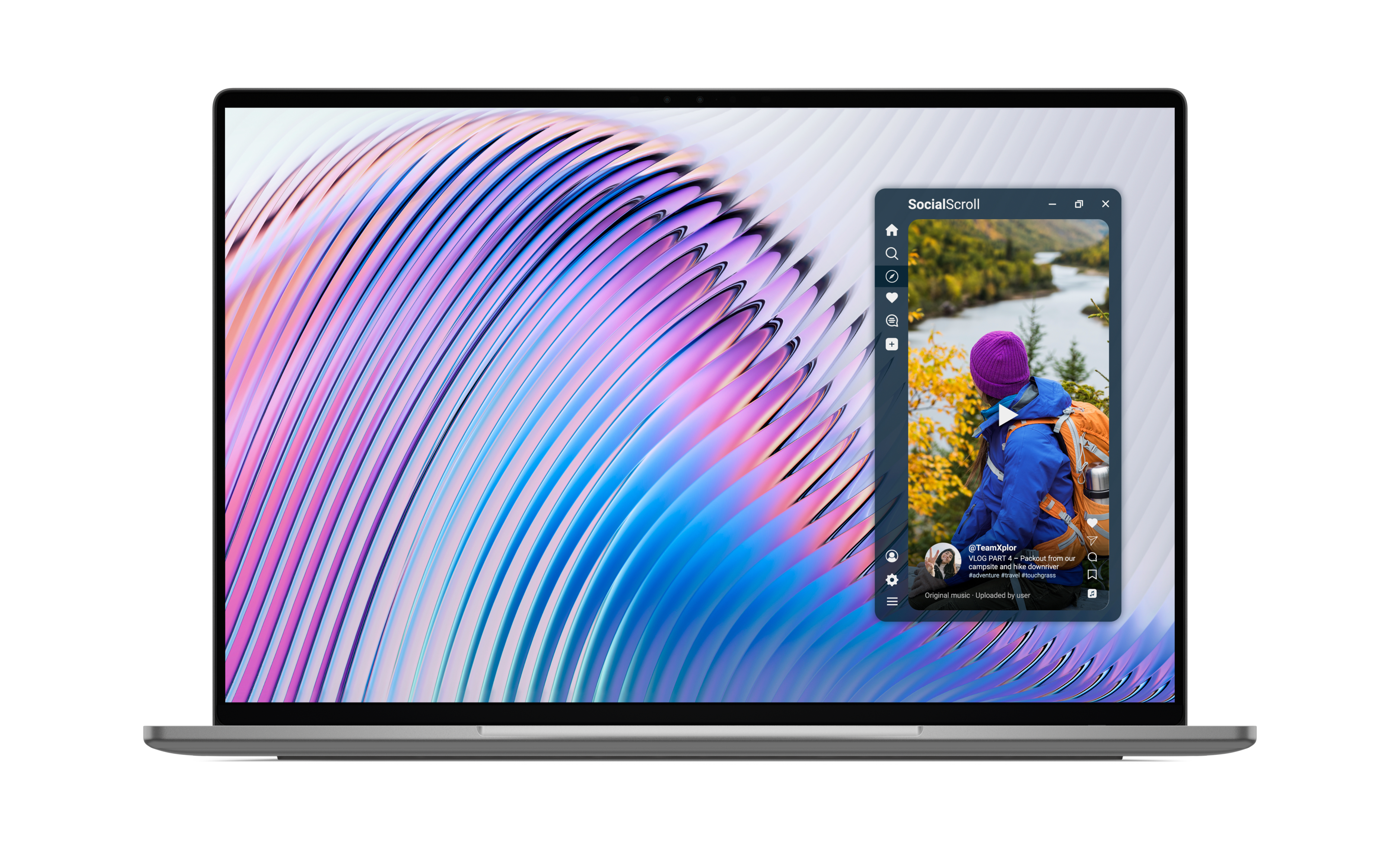
Comparison Guide XPS 13 vs MacBook Neo
The XPS 13 is 1/2 lb lighter than the MacBook Neo and has premium features the MacBook Neo doesn't offer - a larger display, touchscreen, backlit keyboard, and Wi-Fi 7.Starting at $699.
Starting at $699.
Exclusive student price starts from $599.
Last Update August 2026
XPS 13 vs. MacBook Neo — Key Takeaways
The XPS 13 is the better choice for most students. Here's why:
- The XPS 13 wins 7 of 11 comparison categories against the MacBook Neo, including portability, display and connectivity. For students, this means more versatility for coursework, collaboration, entertainment, and everyday campus life.
- Touchscreen included: The XPS 13 features a 13.4-inch 2.5K touchscreen display; the MacBook Neo has no touchscreen. Students can navigate lecture notes, presentations, and assignments more intuitively without relying on a mouse.
- Backlit keyboard included: The XPS 13 includes a backlit keyboard for comfortable typing in any lighting; the MacBook Neo does not. Ideal for dim classrooms or late-night study sessions.
- Wi‑Fi 7 connectivity: The XPS 13 supports Wi‑Fi 7 – delivers 2.1x faster throughput than MacBook Neo. Helps students stay connected in busy classrooms, libraries, and residence halls with fast, reliable wireless performance.
- Lighter and more portable: The XPS 13 weighs 2.2 pounds—half a pound lighter than the MacBook Neo's 2.7 pounds. Easier to carry between classes, study spaces, and campus activities throughout the day.
- More memory options: The XPS 13 offers up to 32 GB; the MacBook Neo is capped at 8GB. Provides more headroom for multitasking, research projects, and demanding applications.
- Battery life favors the XPS 13: Up to 17 hours of streaming vs. 16 hours video streaming for the MacBook Neo. Students can stay productive longer between charges during classes, study sessions, and travel.
Bottom line: At the same starting price of $699 (or $599 with student pricing), the XPS 13 wins over the MacBook Neo in the categories that matter most to students—portability, display, connectivity, and battery life—delivering more features and versatility at every turn to keep up with the demands of campus life.
← Scroll horizontally to view all columns →
| Features | XPS 13 | MacBook Neo | Advantage |
|---|---|---|---|
| Weight | Starting at 2.2 lbs. | 2.7 lbs. | XPS 13 wins |
| Height, depth, width | 0.50 x 7.90 x 11.69 in. | 0.50 x 8.12 x 11.71 in. | XPS 13 wins |
| Battery Life | Up to 17 hours streaming | Up to 16 hours video streaming | XPS 13 wins |
| Keyboard | Backlit, chiclet | Non backlit, chiclet Touch ID option available | XPS 13 wins |
| Display | 13.4-inch 2.5K (2560 x 1600) Infinity Edge, touch display, 500 nits brightness, 100% DCI-P3, 30-120Hz VRR |
13.0-inch (2408 x 1506) Liquid Retina, non-touch display, 500 nits brightness, sRGB |
XPS 13 wins |
| Operating System | Windows 11 | macOS | Depends on user preference |
| Processor Options | Intel® Core™ Intel® Core™ Ultra |
Apple A18 Pro | Require workload-specific benchmarks |
| Memory Options | 8 GB, 16 GB Intel Core options: 8-16 GB Intel Core Ultra options: 16-32 GB |
8 GB | XPS 13 wins |
| Storage Options | 512 GB, 1 TB Intel Core Ultra up to 1TB |
256 GB, 512 GB | Tie |
| Wireless | Wi-Fi 7, Bluetooth 6.0 | Wi-Fi 6E, Bluetooth 6 | XPS 13 wins |
| Price | Starting at $699.
From $599 for students.
|
Starting at $699.
From $599 for students.
|
Tie |
XPS 13 vs MacBook Neo: Features Comparison
Design, Weight, and Portability
At 2.2 pounds and 0.50 × 7.90 × 11.69 inches, the XPS 13 is 3% smaller and half a pound lighter than the 2.7-pound MacBook Neo while delivering a larger 13.4-inch display (vs. 13.0 inches). Both laptops share the same 0.50-inch height. The XPS 13 achieves the uncommon combination of a larger screen in a lighter, comparably thin aluminum chassis which makes it easy to carry in a backpack, tote or even one-handed.
Battery Life Comparison
The XPS 13 delivers up to 17 hours of streaming battery life. The MacBook Neo offers up to 16 hours video streaming. The XPS 13's battery advantage, combined with its lighter 2.2-pound chassis, makes it the stronger choice for mobile productivity without a charger.
Keyboard and Usability
The XPS 13 includes a backlit chiclet keyboard, ensuring every key remains visible even in the dark for effortless typing in dim classrooms, on overnight flights, or during late-night study sessions. The MacBook Neo's keyboard is non-backlit.
For students and professionals who frequently work outside of well-lit spaces, the XPS 13's backlit keyboard is a practical everyday advantage the MacBook Neo cannot match.
Display Comparison
The XPS 13 features a 13.4-inch 2.5K (2560 × 1600) Infinity Edge touchscreen with 100% DCI-P3 wide color gamut and 30–120Hz variable refresh rate. The MacBook Neo has a 13.0-inch (2408 × 1506) Liquid Retina display without touch capability.
The XPS 13 has a larger screen with a touch panel for easy scroll, pinch or zoom without a mouse. Combined with a variable refresh rate of up to 120Hz for incredibly smooth scrolling, and 100% DCI-P3 color coverage for professional-grade color accuracy, the XPS 13 provides a more versatile and capable display experience.
Processor Options
The XPS 13 offers Intel® Core™ and Intel® Core™ Ultra processors, providing users a choice between value-oriented and performance-oriented chips within the Windows ecosystem. The MacBook Neo is powered by the Apple A18 Pro chip running macOS. Direct cross-platform processor comparisons require workload-specific benchmarks; both processors are designed for efficiency.
Memory Options
The XPS 13 offers memory options up to 16GB with Intel® Core™ or up to 32GB with Intel® Core™ Ultra. The MacBook Neo is fixed at 8 GB. Users who anticipate needing more RAM will find more flexibility with the XPS 13.
Wireless Connectivity
The XPS 13 supports Wi-Fi 7 and Bluetooth 6.0, offering the latest wireless standard for faster speeds and improved multi-device performance on compatible networks. The MacBook Neo supports the previous-generation Wi-Fi 6E alongside Bluetooth 6.
Based on Dell internal analysis using Intel® Wireless specification, the XPS 13 delivers 2.1x faster throughput than MacBook Neo.
For users in environments with Wi-Fi 7 routers — increasingly common in universities, offices, and new homes — the XPS 13 provides a measurable connectivity advantage.
Price and Value
Both the XPS 13 and MacBook Neo start at $699. Both also offer student pricing starting at $599. At the same starting price, the XPS 13 includes features the MacBook Neo does not offer — touchscreen, backlit keyboard, and Wi-Fi 7.
Upgrade to XPS 13. Stack the Savings.
Exclusive Student Price
XPS 13 starting at $599 for students + 10% on everything else. Sign Up and Save.
0% Financing for 12 Months
For credit qualified customers when you spend $600 or more using a Dell Pay Installment Loan.
Get Rewarded
Join for free and get valuable rewards to shop tech.
Frequently Asked Questions
The XPS 13 offers premium features not available on the MacBook Neo : a 13.4-inch 2.5K 120Hz touchscreen, backlit keyboard, Wi-Fi 7, memory options up to 32 GB, quad-speaker audio, and up to 17 hours of battery life — all in a 2.2-pound chassis that is half a pound lighter than the MacBook Neo.
The XPS 13 leads in display quality, battery life, weight, memory options, keyboard lighting, and wireless connectivity. The MacBook Neo offers access to the macOS ecosystem. For most users comparing features at a similar price point, the XPS 13 delivers significantly more capability.
Yes, in most cases. XPS 13 is an excellent option for students thanks to its lightweight design, long battery life, and premium features. With up to 17 hours of battery life, plus a touchscreen and backlit keyboard for late-night study sessions, XPS 13 helps students stay productive and comfortable during the day. Compared with MacBook Neo, XPS 13 is lighter and includes extra usability features like a touchscreen and backlit keyboard. Student pricing starts at $599, same as MacBook Neo.
The XPS 13 offers up to 17 hours of streaming battery life, while the MacBook Neo offers up to 16 hours video streaming.
The XPS 13 at 2.2 pounds is half a pound lighter than the MacBook Neo at 2.7 pounds, despite offering a larger 13.4-inch display (vs. 13.0 inches). Both laptops share the same 0.50-inch height. The XPS 13 is the more portable option.
The XPS 13 has a larger 13.4-inch 2.5K (2560 × 1600) Infinity Edge display with touch panel, 100% DCI-P3 wide color gamut, and 30–120Hz variable refresh rate. The MacBook Neo has a 13.0-inch (2408 × 1506) Liquid Retina display with sRGB color coverage and no touch input. The XPS 13 offers a larger, higher-resolution, touch-enabled display with a wider color gamut.
Yes. The XPS 13 offers memory options up to 16GB with Intel® Core™ or up to 32GB with Intel® Core™ Ultra, allowing users to choose the right amount for their workload. The MacBook Neo is fixed at 8 GB.
The Dell XPS 13 features two versatile ports with charging capabilities on both sides of the laptop, and it supports multiple external displays. It also utilizes the latest Wi-Fi 7 technology for faster wireless speeds. The MacBook Neo has two ports located on one side, supports only one external display, and uses Wi-Fi 6E.
Yes. The XPS 13 is the best MacBook alternative in 2026. It matches or exceeds the MacBook Neo in 7 of 11 comparison categories, including display quality, connectivity, portability and memory options. The XPS 13 runs Windows 11, includes a backlit keyboard, a touchscreen, and offers Wi-Fi 7—none of which the MacBook Neo provides.
Yes. The XPS 13 is equipped with quad speakers (four speakers) that deliver clear, balanced, room-filling audio. This makes it an excellent choice for video calls, virtual meetings, presentations, and media consumption without needing external speakers. The MacBook Neo has dual speakers.
The XPS 13 is one of the best options at just 2.2 pounds—half a pound lighter than the MacBook Neo. Despite its ultra-light design, it delivers 17 hours of battery life, a touchscreen, backlit keyboard, Wi-Fi 7, and quad-speaker audio. Its compact 0.50 × 7.90 × 11.69-inch chassis fits easily in any backpack.
The Dell XPS 13, starting at $699, is one of the best laptops under $1000 in 2026. It features a 13.4-inch 2.5K touchscreen display, Intel® Core™ processors, Wi-Fi 7, and a backlit keyboard. Exclusive student pricing starts as low as $599.
For most students, a Windows laptop like the XPS 13 is the better choice. It includes features that matter in campus life: touchscreen, backlit keyboard for dim lecture halls, Wi-Fi 7 for the fastest speeds on modern campus networks, quad-speaker audio for clear sound during video lectures and group calls without external speakers, up to 17 hrs. of battery life, and up to 32 GB memory for demanding coursework, research, and multitasking. Windows laptops are compatible with the widest range of software used in college coursework. Choose a MacBook only if your major specifically requires macOS.