card-img

Logitech Headsets for Home Office

Elevate your work-from-home experience with Logitech headsets for home office, designed to bring clarity and comfort to every virtual meeting and call. Whether you’re collaborating with colleagues or focusing on important tasks, these headsets help create a productive environment right at your desk. Explore options that suit your style and workspace, making it easy to stay connected and efficient throughout your workday.

Filters

$99.99

A wireless over-the-ear headset with Teams certification, multipoint Bluetooth, and 25% recycled plastic construction.
$99.99
$34.99

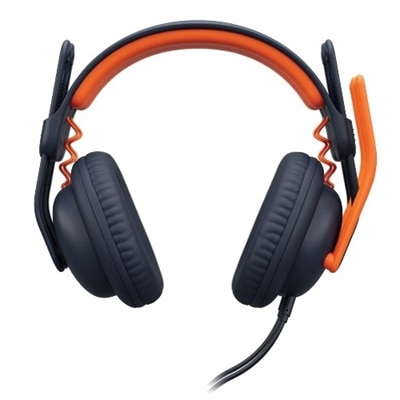
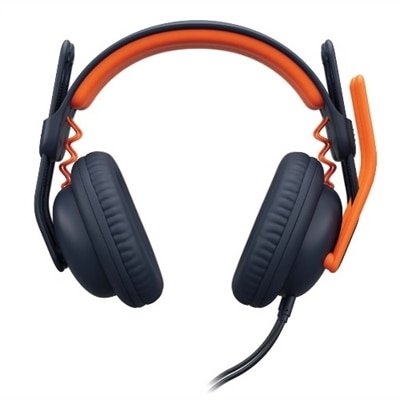
A comfortable, durable wired headset with noise isolation, adjustable fit, and a noise-suppressing microphone for learners.

$34.99
$34.99

A comfortable, durable wired headset with noise isolation, adjustable fit, and a noise-suppressing microphone for learners.

$34.99
$34.99

A durable, comfortable wired headset with noise suppression, adjustable fit, and plug-and-play compatibility for focused learning.

$34.99
$34.99

A comfortable, durable wired headset with noise isolation, adjustable fit, and USB-A connectivity, ideal for young learners.

$34.99

Logitech Headsets for Home Office

Selecting the right headset can make a world of difference in your home office setup, especially as remote work and virtual meetings become an everyday norm. With the increasing need for clear communication and focused productivity, Logitech headsets for home office environments have become essential tools for professionals, students, and anyone who spends significant time collaborating online. Whether you’re leading a team meeting from your kitchen table, participating in virtual training sessions, or catching up with colleagues across different time zones, these headsets provide the comfort and functionality needed to stay connected and productive throughout the day. The importance of reliable audio cannot be overstated; crisp sound quality ensures that every word is heard clearly, while noise-canceling microphones help minimize background distractions—be it the hum of household appliances or the chatter of family members in the next room.

When considering which headset best fits your needs, it’s helpful to think about how you’ll use it throughout your daily routine. For those who transition between calls, video conferences, and periods of focused work, lightweight designs with adjustable headbands can offer all-day comfort without causing fatigue. Cushioned ear pads add an extra layer of softness for longer wear, making them ideal for extended use during back-to-back meetings or training sessions. Wireless models offer flexibility to move freely around your workspace—whether you’re stretching during a brainstorming session or grabbing a cup of coffee between calls—while wired options may appeal to users who prefer plug-and-play simplicity and uninterrupted connectivity. Professionals who share their workspace with others often appreciate features like flip-to-mute microphones or on-ear controls that make it easy to manage conversations discreetly.

Logitech headsets for home office are versatile enough to suit a wide range of users beyond just remote workers. Students attending online classes from their bedroom desks benefit from clear audio when listening to lectures or participating in group projects. Creative professionals such as designers or editors rely on accurate sound reproduction while reviewing multimedia content or collaborating on creative briefs over video calls. Even friends and family who enjoy gaming together after hours find that these headsets enhance their experience by delivering immersive sound and reliable communication. Gifting a quality headset is also a thoughtful gesture for anyone setting up a new workspace at home—whether they’re embarking on a new job, starting school remotely, or simply looking to upgrade their equipment for more comfortable everyday use. With attention to ergonomic details and user-friendly features, Logitech headsets for home office provide practical solutions that blend seamlessly into any workflow, helping users stay connected and focused no matter where their day takes them.

What features should I look for in a Logitech headset for home office use?

When choosing a Logitech headset for your home office, consider features such as noise-cancelling microphones, comfortable ear cushions, wireless connectivity options, long battery life, and compatibility with popular communication platforms like Zoom or Microsoft Teams.

Are Logitech headsets compatible with both Windows and Mac computers?

Yes, most Logitech headsets are designed to be compatible with both Windows and Mac operating systems. Always check the product specifications to ensure compatibility with your specific device.

Can I use a Logitech headset with my smartphone or tablet for calls?

Many Logitech headsets offer Bluetooth connectivity or come with a 3.5mm audio jack, making them suitable for use with smartphones and tablets for calls and media playback.

Do Logitech headsets support integration with video conferencing software?

Logitech headsets are widely compatible with major video conferencing platforms such as Zoom, Microsoft Teams, Skype, and Google Meet, providing clear audio and reliable microphone performance during virtual meetings.

How do I maintain and clean my Logitech headset for optimal performance?

To keep your Logitech headset in top condition, regularly wipe down the ear pads and headband with a soft, dry cloth. Avoid using harsh chemicals. Store the headset in a cool, dry place when not in use to prevent damage.

Add the products you would like to compare, and quickly determine which is best for your needs.

Add the products you would like to compare, and quickly determine which is best for your needs.