$69.99
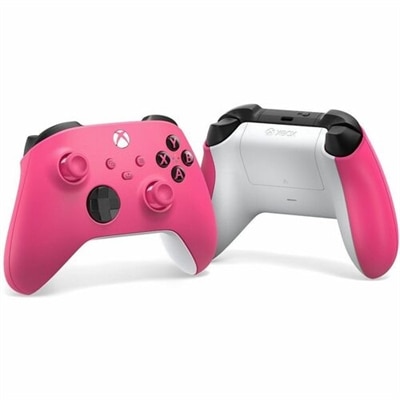
A deep pink wireless controller with textured grip, hybrid D-pad, Bluetooth, and dedicated Share button.
A deep pink wireless controller with textured grip, hybrid D-pad, Bluetooth, and dedicated Share button.
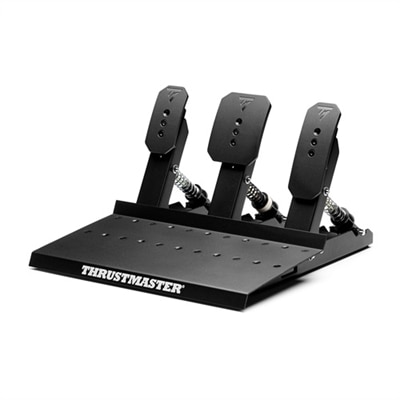
A full metal, three-pedal set with dedicated gas, brake, and clutch for versatile gaming compatibility.
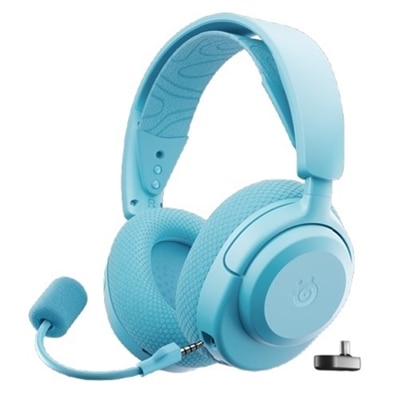
An aqua circumaural gaming headset offering spatial audio, deep bass, and a clearcast Gen2 microphone.
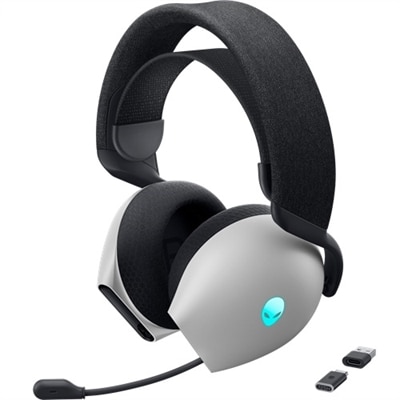
A circumaural wireless gaming headset with Dolby Atmos, AlienFX lighting, and a retractable microphone.
Xbox Series accessories can make a console setup feel more comfortable, flexible and personal, whether the system is used for a few relaxed matches after work or for long sessions with friends and family. A second wireless controller is a practical addition for local multiplayer, shared campaigns and party games, while an upgraded controller can appeal to players who value more precise movement, adjustable controls or a customized feel in competitive play. Look for comfortable textured grips, responsive buttons, dependable wireless performance and a layout that feels natural in the hands. A controller with a dedicated capture or sharing button can also make it easier to save memorable moments without interrupting the game. For households with several players, an extra gamepad helps avoid passing one controller around, and it can be a thoughtful gift for someone who enjoys racing, sports, fighting or cooperative games. Personal preferences matter: smaller hands may benefit from a lighter design, while players who spend hours exploring open worlds or competing online may appreciate added ergonomics and more control over thumbstick sensitivity. A charging solution can keep the setup ready for the next session. Rechargeable battery packs paired with a USB-C charging cable reduce the need to keep disposable batteries on hand, and a charging dock provides a dedicated place to power one or more controllers between uses. When comparing options, consider charging time, cable length, whether the controller can be used while connected, and how neatly the charger will fit beside the console or entertainment center. These small details often make the difference between a tidy, reliable gaming area and a tangle of cables that gets moved whenever the room is cleaned.
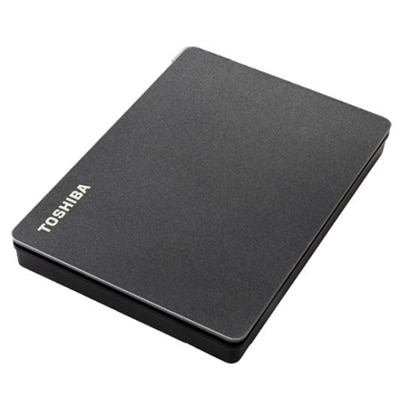
Storage is another important consideration for Xbox Series X|S owners, especially as modern games become larger and updates, downloadable content and captured clips accumulate. A compatible expansion card is designed to work with the console’s high-speed architecture, allowing supported games to run from the added capacity while preserving the performance expected from the internal drive. This makes expanded console storage a useful choice for players who regularly switch between several large titles, keep a broad digital library installed or want to spend less time moving games back and forth. External USB storage can also be helpful, but it serves a different purpose: depending on compatibility, it may be best suited to storing games, backing up content or playing selected backward-compatible titles rather than running every optimized Xbox Series game directly. Before choosing additional storage, check the supported capacity, connection type, performance requirements and intended use. Families sharing one console may value the convenience of keeping more games accessible, while frequent travelers or players with limited internet bandwidth may appreciate having a library ready without repeated downloads. Storage can also be a useful gift for a dedicated gamer because it solves a common everyday frustration without changing the way the console is played. For more ideas that bring comfort, organization and convenience to a gaming setup, explore Must Have Accessories for XBOX Series X. A little planning helps ensure that an expansion solution matches the console, the games being played and the amount of space needed over time.
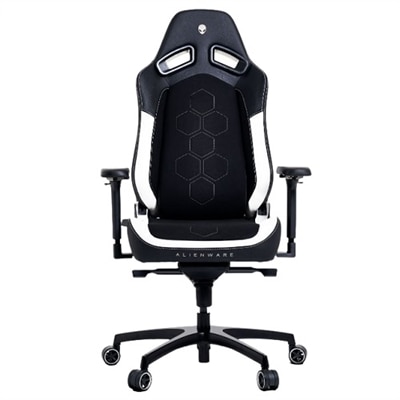
Audio accessories can add another layer of immersion while helping players stay aware of conversations, game audio and online teammates. A gaming headset with a clear microphone is useful for cooperative play, competitive matches and casual chats, particularly in a shared home where television volume may not be practical. Consider padded earcups, an adjustable headband, breathable materials and controls that are easy to reach during a game. Spatial or surround-style audio can help create a stronger sense of direction, making footsteps, approaching vehicles and environmental details easier to place, although comfort and microphone quality remain just as important as sound features. Wired models can offer straightforward setup and consistent connection, while wireless options can reduce cable clutter and give players more freedom to move. Check compatibility with Xbox Series consoles, connection requirements, battery life and whether voice controls are easy to manage. A monitor can also be a valuable part of the overall setup for players who want a dedicated screen, a compact gaming area or a responsive display for fast-paced titles. Look at screen size, resolution, refresh rate, response time, available ports and built-in audio, then match those features to the console and the space available. Accessories such as headset stands, cable-management tools and compact charging stations can keep the area organized, while a comfortable chair or adjustable desk setup can make longer sessions easier on the shoulders and wrists. During the warmer months and into cooler seasons spent indoors, these additions can help create a welcoming place for solo play, family competition or an evening with friends. The best Xbox Series accessory is ultimately the one that addresses a real part of the player’s routine, whether that means keeping an extra controller charged, expanding room for a growing library, making communication clearer or turning a corner of the home into a more comfortable gaming space.
Accessories such as additional wireless controllers, high-quality headsets, and multi-device charging stations can greatly enhance multiplayer gaming. These items help keep everyone connected, ensure seamless communication, and allow multiple players to participate comfortably during group gaming sessions.
For streamers and content creators, accessories like capture cards, ergonomic controller stands, and professional-grade microphones can elevate the quality of broadcasts. These tools provide clearer audio, smoother video capture, and a more organized setup, making it easier to share gaming experiences with an online audience.
Yes, there are many family-friendly accessories such as durable controllers, protective cases, and easy-to-use charging kits. These products are designed with comfort and simplicity in mind, making them ideal for younger players or households where multiple family members share the console.
Organization can be improved with accessories like storage racks for controllers and headsets, cable management solutions, and compact charging docks. These items help keep your gaming space tidy, making it easier to find and use your gear whenever you want to play.
Absolutely. Accessories such as customizable controllers, quickcharge kits, and high-performance headsets make thoughtful and practical gifts for gamers of all ages. They enhance the gaming experience and show that you understand the recipient’s passion for play.
Add the products you would like to compare, and quickly determine which is best for your needs.