NetWorker Web User Interface Traditional Client FLR Browse Destination Path could not get directory contents
Summary: The NetWorker Web User Interface (NWUI) is used to manage the NetWorker datazone. A NetWorker Traditional file level recover (FLR) is being performed over the NWUI, but the Browse Destination window indicates it could not get directory contents. ...
Symptoms
The NWUI console window shows:
Could not get directory contents. Error in browsing the content. Please check the logs for more details
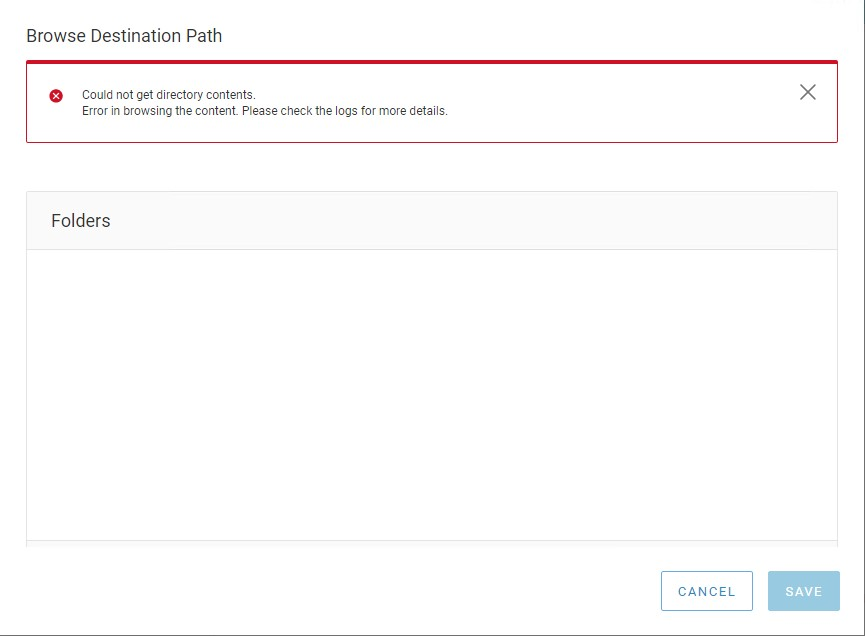
Figure 1: Error returned in the NetWorker Web User Interface (NWUI)
The nwui.log shows:
15:01:28.612 [https-jsse-nio-9090-exec-7] ERROR c.e.n.c.n.impl.ClientApi - api.client.clientbrowse.backup.error Unrecognized field "fsSubtype" (class com.emc.nw.model.nwrestapi.FileSystemObject), not marked as ignorable (6 known properties: "size", "isCriticalVolume", "fstype", "saveTime", "name", "mTime"]) at [Source: (String)"{"count":1,"items":[{"fsSubtype":"None","fstype":"dir","name":"var","saveTime":"2022-06-14T19:00:11-04:00","size":512}]}"; line: 1, column: 35] (through reference chain: com.emc.nw.model.nwrestapi.FolderObject["items"]->java.util.ArrayList[0]->com.emc.nw.model.nwrestapi.FileSystemObject["fsSubtype"])
Cause
The fsSubtype class is not available in NetWorker 19.5.x, and the NWUI is not able to populate the Browse Destination window. The NetWorker data zone was recently upgraded from version 19.5.x to 19.6.x. The lgtonwuiserv-19.6*.x86_64 package installation failed to update the nwui.war, so the NetWorker data zone is still using the 19.5.x nwui.war version. The lgtonwuiserv-19.6.*.x86_64 package installation date and nwui.war creation date may be compared to validate it was updated.
mynve:/nsr/authc/webapps # rpm -qa --last | grep nwui
lgtonwuiserv-19.6.1.2-1.x86_64                Mon Jul 25 15:46:39 YYYY
mynve:/nsr/authc/webapps # ls -ltr | grep nwui.war
-rwxr-xr-x  1 root   root  36842400 Jan 12 15:51 nwui.war
Resolution
The /nsr/authc/webapps/ directory content should be cleared during the reinstallation of the lgtonwuiserv-19.6.*.x86_64 package. This ensures that there are no processes or java cache holding the class file open during the nwui.war update.
- Stop networker services:
systemctl stop networker - Remove the lgtonwuiserv-19.6.*.x86_64 package:
rpm -e lgtonwuiserv-19.6.*.x86_64 - If available, delete the nwui.war file and directory:
rm -rf /nsr/authc/webapps/nwui* - Install the lgtonwuiserv-19.6.*.x86_64 package:
rpm -ivh lgtonwuiserv-19.6.*.x86_64 - Start the NetWorker services:
systemctl start networker