SupportAssist 要求在自动驱动程序扫描期间重新安装
Summary: 了解在自动驱动程序扫描期间要求重新安装 SupportAssist 时该怎么做。
This article applies to
This article does not apply to
This article is not tied to any specific product.
Not all product versions are identified in this article.
Symptoms
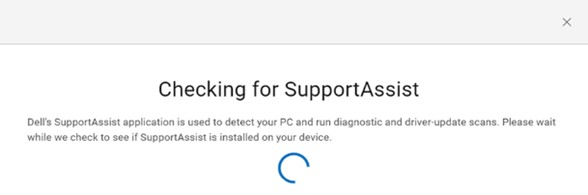
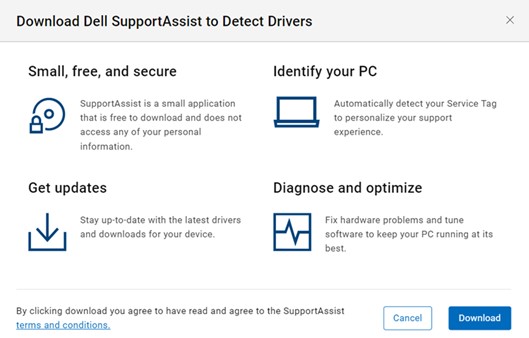
要从戴尔 驱动程序和下载网站安装最新的驱动程序。识别您的计算机后,单击 Check for Updates。它检查您的计算机上是否已安装 SupportAssist 。您必须同意最终用户许可协议 (EULA) 才能下载 SupportAssist for Home PCs。
SupportAssist 通过自动查找驱动程序更新来尝试重新安装。
Cause
重新启动计算机后,SupportAssist 服务未初始化。这是因为 SupportAssist 服务是默认延迟启动。
Resolution
重新启动后等待计算机 5 分钟时间,然后再检查驱动程序更新。对于超过 5 年的计算机,请等待 7 分钟。
Affected Products
SupportAssist for Home PCsArticle Properties
Article Number: 000200054
Article Type: Solution
Last Modified: 22 Apr 2025
Version: 3
Find answers to your questions from other Dell users
Support Services
Check if your device is covered by Support Services.