OpenManage Enterprise: OMEVV may fail to register vCenter with internal server error
Summary: VMware vCenter registration may fail in OMEVV 1.3 with a custom certificate chain installed in OpenManage Enterprise (OME) or vCenter.
This article applies to
This article does not apply to
This article is not tied to any specific product.
Not all product versions are identified in this article.
Symptoms
OpenManage Enterprise Integration for VMware vCenter (OMEVV) 1.3 (OME 4.0.x) may fail to register vCenter with an error "internal server error" followed by the error "Client is temporarily blocked for too many unsuccessful authentication attempts"
The issue is observed when using a Certificate chain in OpenManage Enterprise, which has a root CA certificate with a SHA1RSA algorithm.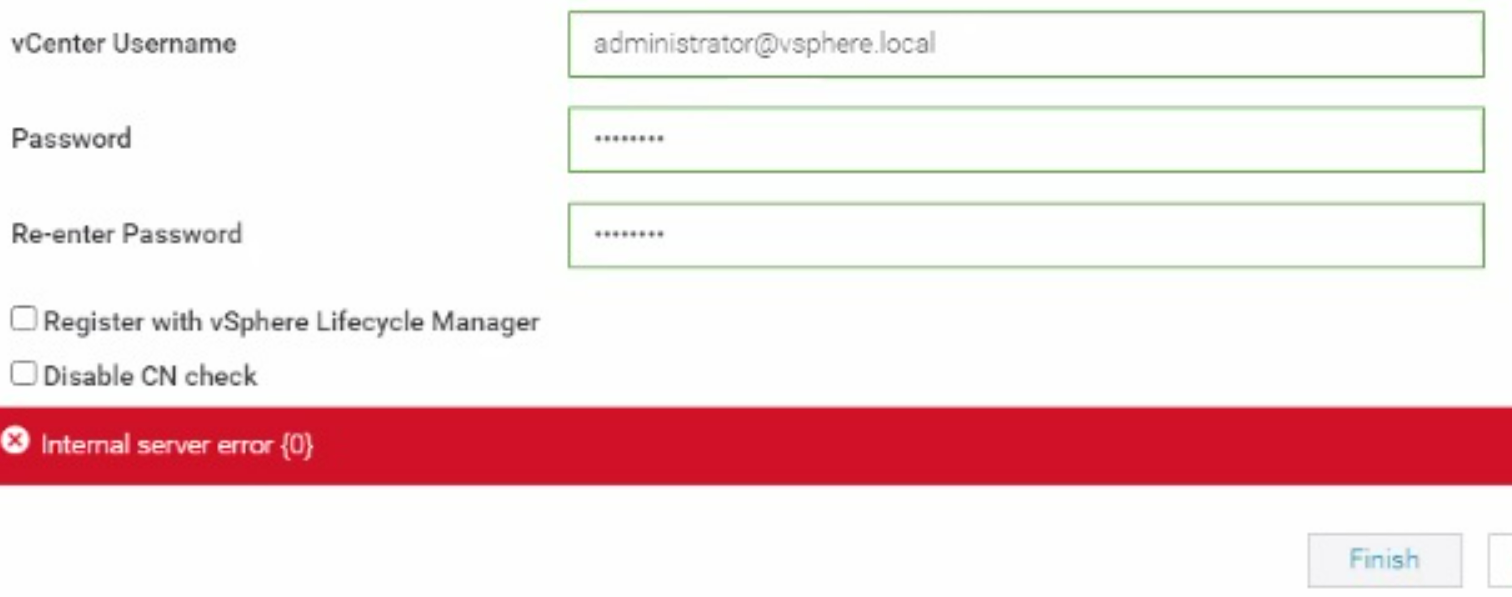
When registration is reattempted, the following error may appear.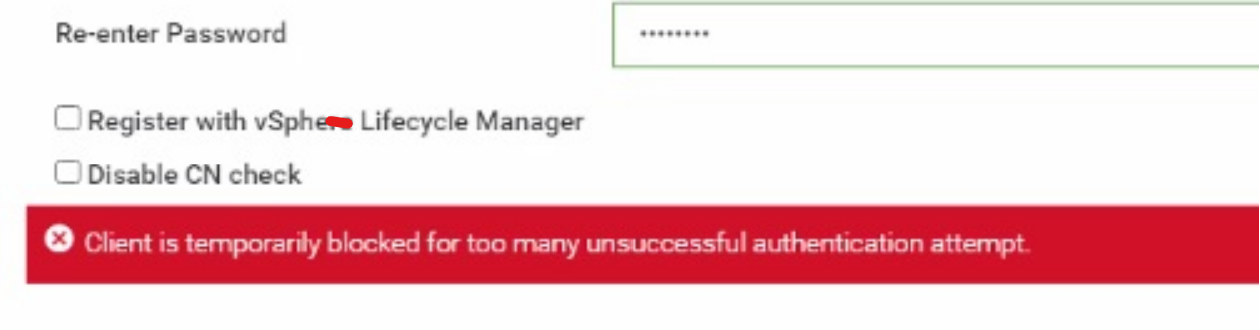
The issue is also observed when VMware vCenter has a certificate with SHA1 in the certificate chain.
The following command can be used to get certificate details from OpenManage Enterprise (OME) appliance or VMware vCenter.
openssl s_client -showcerts -connect vcenter_IP:443 > vCenter_certificate.txt
openssl s_client -showcerts -connect OME_IP:443 > OME_certificate
Ensure that OpenSSL is installed on the client where the command is run.
Cause
The SHA1 Algorithm is considered weak and being blocked for all certificates including root CA.
Resolution
Workaround:
If the SHA1 Algorithm is part of the root CA or a cross-signed certificate of a public CA and is needed to complete OME migration, perform the following steps:
Solution:
It is recommended that SHA1 certificates are not used in OpenManage Enterprise. Try to use a certificate chain without the SHA1 algorithm in the certificate, then attempt registration. The next release of OMEVV will have an enhancement to support SHA1 in root CA.
If the SHA1 Algorithm is part of the root CA or a cross-signed certificate of a public CA and is needed to complete OME migration, perform the following steps:
- To migrate from OpenManage Enterprise 3.10.x to 4.0.x, a certificate chain is required.
- After migration is complete, a Leaf certificate (OME end certificate) with the SHA2 algorithm can be uploaded to OpenManage Enterprise as a certificate and not a chain.
- After the new leaf certificate without chain is loaded, restart the appliance and attempt vCenter registration.
Solution:
It is recommended that SHA1 certificates are not used in OpenManage Enterprise. Try to use a certificate chain without the SHA1 algorithm in the certificate, then attempt registration. The next release of OMEVV will have an enhancement to support SHA1 in root CA.
Affected Products
OpenManage Enterprise Integration for VMware vCenter, VMware ESXi 7.x, VMware ESXi 8.xProducts
C Series, Modular Infrastructure, Rack Servers, Tower Servers, XR Servers, Dell EMC OpenManage EnterpriseArticle Properties
Article Number: 000223404
Article Type: Solution
Last Modified: 01 May 2025
Version: 2
Find answers to your questions from other Dell users
Support Services
Check if your device is covered by Support Services.