NVP vProxy: Virtual Machine Recovery in NMC Reports "Waiting before reattempting to get Hypervisor environment, because last attempt was failed"
Summary: The NetWorker Management Console (NMC) is used to perform a Virtual Machine (VM) restores in a Disaster Recovery (DR) NetWorker server environment to an alternate vCenter. The NMC recovery wizard's "Configure the Virtual Machine Recovery" window Errors out with "Waiting before reattempting to get Hypervisor environment, because last attempt was failed." ...
This article applies to
This article does not apply to
This article is not tied to any specific product.
Not all product versions are identified in this article.
Symptoms
- VMware Virtual Machines (VM) are protected using the NetWorker VMware Protection (NVP) vProxy solution.
- A VM restore is performed from the NetWorker Management Console (NMC) recover wizard.
- The "Configure the Virtual Machine Recovery" window Errors out with "Waiting before reattempting to get Hypervisor environment, because last attempt was failed."
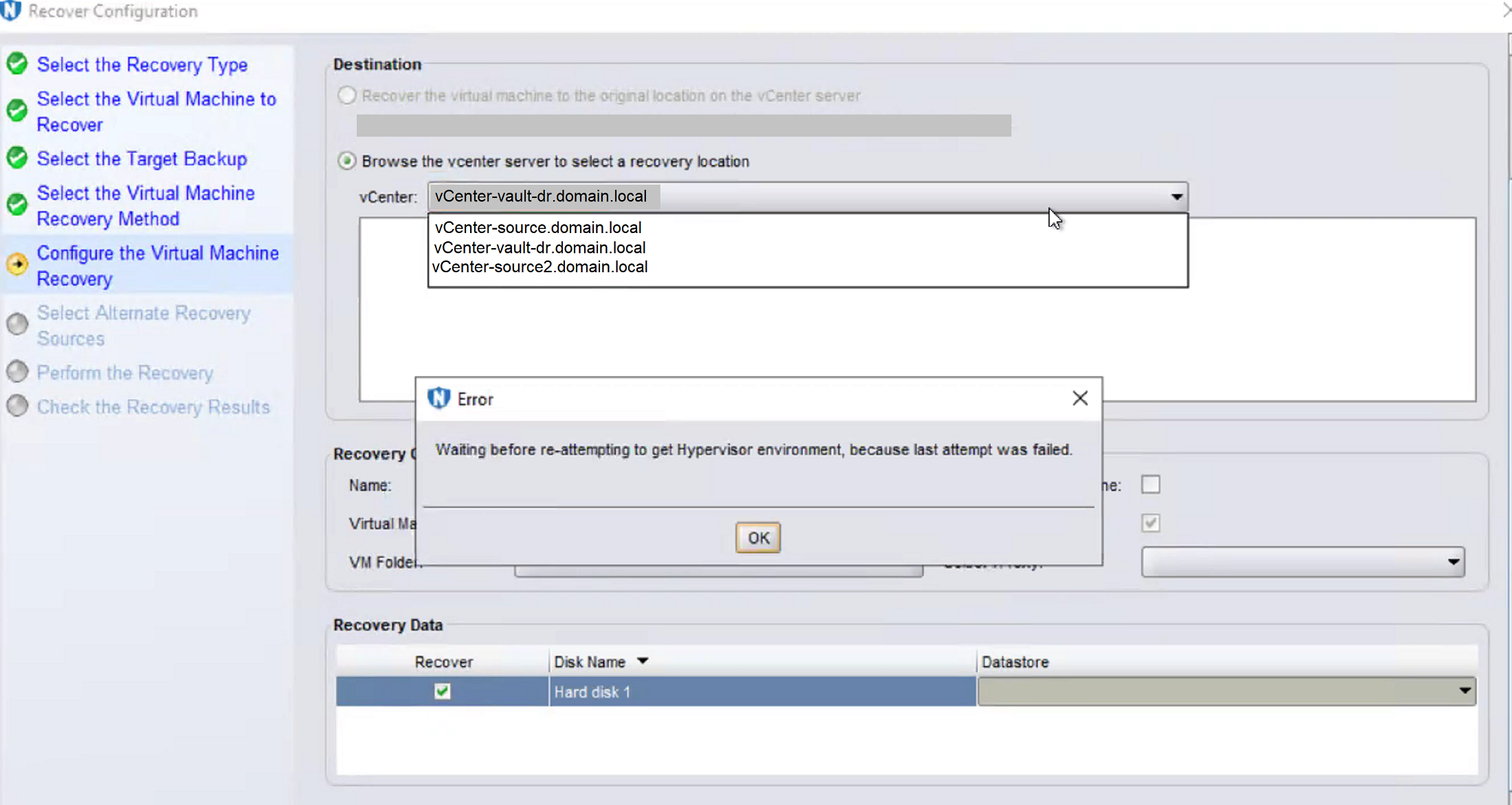
Figure 1: Waiting before reattempting to get Hypervisor environment, because last attempt was failed.
Cause
The NetWorker server has "NSR Hypervisor" (vCenter/ESXi) resources that it cannot communicate with. There are two scenarios where this would be expected:
- The NetWorker server contains an "offline vCenter." The offline vCenter has valid VM backups, and the vCenter is retained in NetWorker so that VM backups are recoverable to another (online) vCenter. During recovery operation, the NMC fails to inventory the offline vCenter. See: NVP vProxy: How To Restore VMs From Offline vCenter to An Alternate vCenter.
- The NetWorker server resides in a vault (for example Cyber Recover Vault). The vaulted environment is created from a production NetWorker server. The configuration includes the production vCenter server. The vault is air-gapped, and NetWorker is unable to communicate with the production VMware environment. The production VMware environments must be retained in the configuration so that VMs can be recovered from them to the vault hypervisor.
In the above scenarios, this is expected behavior.
When you land on the "Configure the Virtual Machine Recovery" page, the NetWorker Management Console (NMC) has the source vCenter selected. This process sends a request to get the "vCenter View" to populate the datastores/folders for display. Since the vCenter is not reachable, this error is expected. The source vCenter must be retained as a NetWorker resource. Otherwise, it would not be available as a "source hypervisor" for selecting the VMs you want to recover.
Resolution
Use the HTML based NetWorker Web User Interface (NWUI). This issue is not observed while performing VM restores using the NWUI. NWUI uses RESTAPI and does not invoke the same processes used by the NMC.
This requires that the NWUI server package be installed and pointed to the NetWorker server performing this restore. The NWUI server package is included on the NetWorker Virtual Edition (NVE). It is included with the standard traditional server package downloads. On Windows servers, the option to install NWUI alongside the NetWorker server is selected by default. On Linux servers the package must be installed separately. NWUI is a standard component in current implementations of NetWorker and the preferred solution to performing VM restores.
Once installed the NWUI interface can be accessed from: https://networker-servername:9090/NWUI
The VM recover can be performed from the "Recover" tab in NWUI:
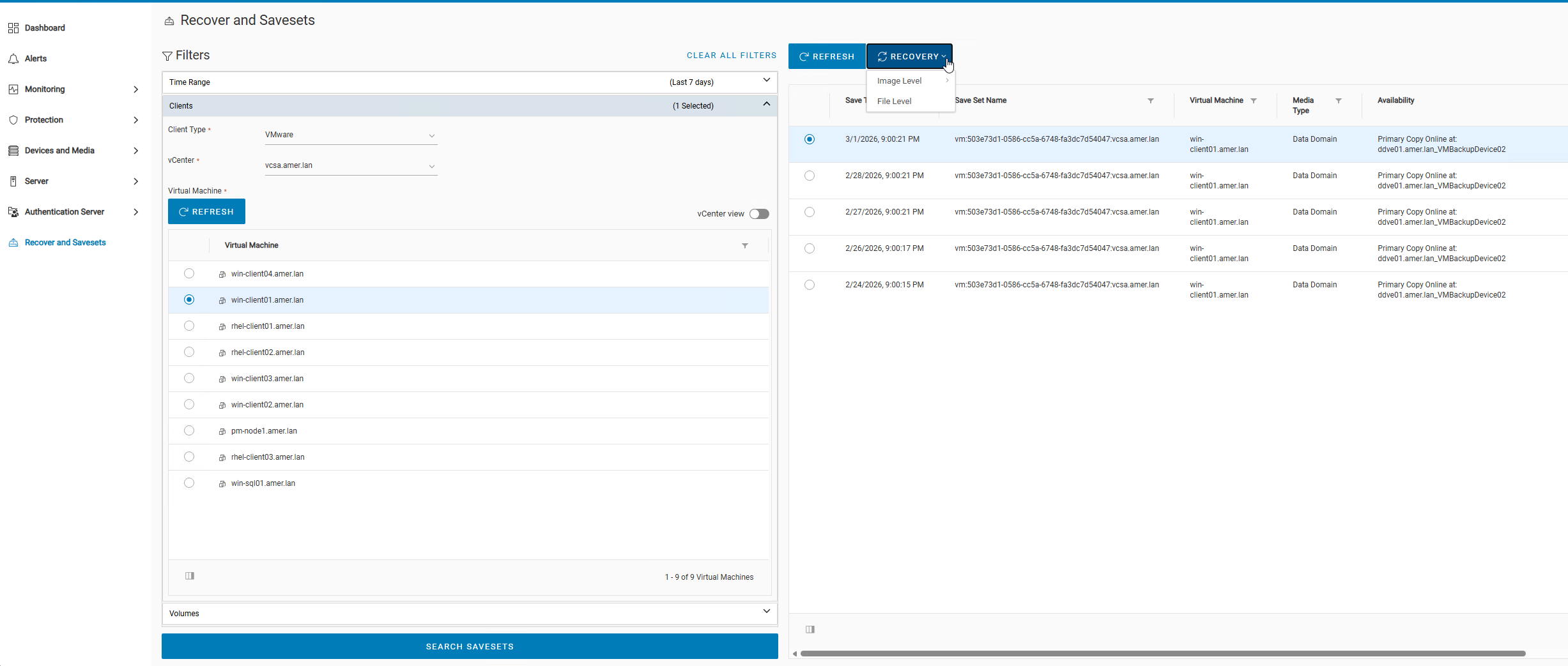
Figure 2: NetWorker Web User Interface showing VM recovery wizard.
During the recovery configuration, you can select the alternate vCenter and file locations:
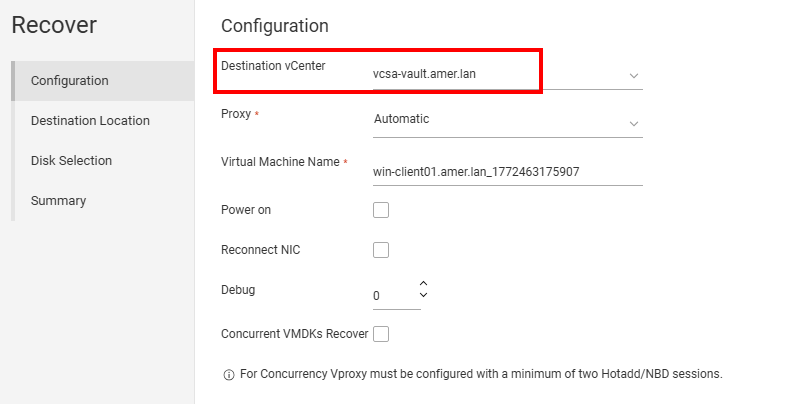
Figure 3: NWUI VM recovery wizard, target vCenter selection.
The Monitoring tab shows the recovery progress:
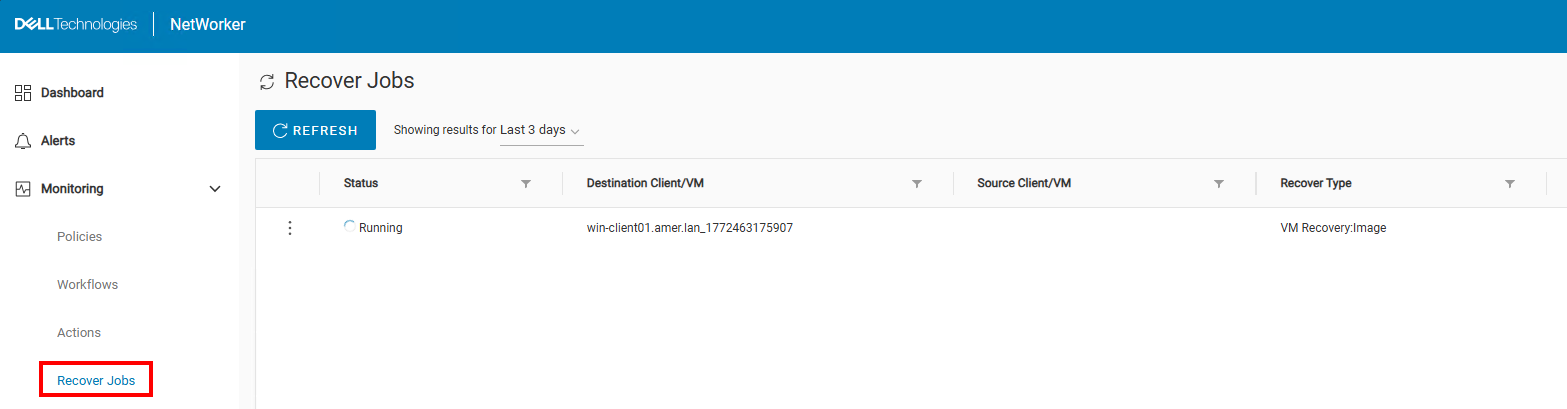
Figure 4: NWUI restore monitoring.
NetWorker Management Console (NMC) Workaround:
Recovery is possible from the NMC; however, you must switch between the hypervisor resources in the "Configure the Virtual Machine Recovery" window. Eventually, the error clears and you can select the correct target vCenter. The number of times this is required can vary depending on the number of hypervisor resources configured in NetWorker.
Additional Information
Affected Products
PowerProtect Cyber Recovery, NetWorkerArticle Properties
Article Number: 000190981
Article Type: Solution
Last Modified: 11 May 2026
Version: 8
Find answers to your questions from other Dell users
Support Services
Check if your device is covered by Support Services.