Avamar - PDM and SnapshotManager not functioning due to Tomcat memory issue
Summary: Avamar - PDM and SnapshotManager not functioning due to Tomcat memory issue.
Symptoms
Avamar 19.7+ has implemented a new feature for checking proxy status. This feature connects to the CIM service on every proxy (with a default polling cycle of 30 minutes) to check the status of services like Jetty, CIM, avagent, FLR, and vmtools.
In some environments, this default proxy status polling cycle can lead to exhaustion of Tomcat memory, resulting in service disruptions such as Snapshot Manager, Deploy Manager (PDM), Client Manager (AAM), and Avamar DTLT homepage. These disruptions will persist until the Tomcat service is restarted.
Snapshot Manager Impact:
When attempting to use the Snapshot Manager, the Snapshot Manager reports a timeout error (curl 28) after 60 minutes."
08:49:00 avvcbimage Info <42650>: Creating snapshot 'Avamar-1668329340b6216cd5819bac4f61bece141dc1f5035c2c07c6', quiesceFS=1
08:49:00 avvcbimage Info <41136>: SnapshotManager: createSnapshot for vmMoref = vm-161785
08:49:00 avvcbimage Info <0000>: SnapshotManager: POST to /snapshotmanager/vm/vm-161785/action/createSnapshot
09:49:00 avvcbimage Info <44024>: POST: curl_easy_perform failed. Path:/snapshotmanager/vm/vm-161785/action/createSnapshot Curl Error: 28
09:49:00 avvcbimage Info <41137>: SnapshotManager: failed to create snapshot
09:49:00 avvcbimage FATAL <0000>: [IMG0009] failed to create snapshot, possible timeout
Then the mark vm annotation will take takes another 60 mins.
09:49:00 avvcbimage Info <43003>: backup Failed, only set annotation to LastBackupStatus
09:49:00 avvcbimage Info <43109>: AvSnapMgr::addSetAnnotation, vm-161785
09:49:00 avvcbimage Info <0000>: SnapshotManager: POST to /snapshotmanager/vm/vm-161785/action/markAnnotations
09:49:00 avvcbimage Info <42146>: Login by loginWS test is OK.
09:49:00 avvcbimage Info <0000>: Entering the 'final' phase of termination, timer trigger
10:49:00 avvcbimage Info <44024>: POST: curl_easy_perform failed. Path:/snapshotmanager/vm/vm-161785/action/markAnnotations Curl Error: 28
Tomcat:
When the issue occurs, the following error message 'java.lang.OutOfMemoryError' can be found in the Tomcat logs located at '/usr/local/avamar/var/dtlt/webapp_log' on the Avamar server:root@ave198:/usr/local/avamar/var/log/vcs/#: grep 'java.lang.OutOfMemoryError' /usr/local/avamar-tomcat/logs/* /usr/local/avamar-tomcat/logs/catalina.2022-12-31.log: java.lang.OutOfMemoryError: Java heap space /usr/local/avamar-tomcat/logs/catalina.2022-12-31.log: java.lang.OutOfMemoryError: Java heap space /usr/local/avamar-tomcat/logs/catalina.2022-12-31.log: java.lang.OutOfMemoryError: Java heap spaceProxy Deployment Manager:
During this issue, users will be unable to create proxy recommendations. They may encounter errors such as HTTP 404 or HTTP 500 when trying to use the Proxy Deployment Manager (PDM), or they may not receive any errors.
Cause
Avamar Primary Bug 337410 that in some environments, the default proxy status polling cycle of 30 minutes can lead to exhaustion of Tomcat memory.
Resolution
Avamar 19.7: This issue has been resolved in cumulative hotfix 337464
Avamar 19.8: The issue has been resolved in cumulative hotfix 337920
Manual Install Instruction:
To prevent this memory exhaustion issue from happening again, you can disable the automatic polling of the proxy status check feature.
1. Edit the dm.properties file on the Avamar server located at /etc/vcs/dm.properties.
2. Find the option "enable_status_check_schedule" and change its value to "false".
Before
# Is enable status check schedule, default value is true
enable_status_check_schedule=true
After
# Is enable status check schedule, default value is true
enable_status_check_schedule=false
3. Restart Tomcat as the root user using the following command: emwebapp.sh --restart
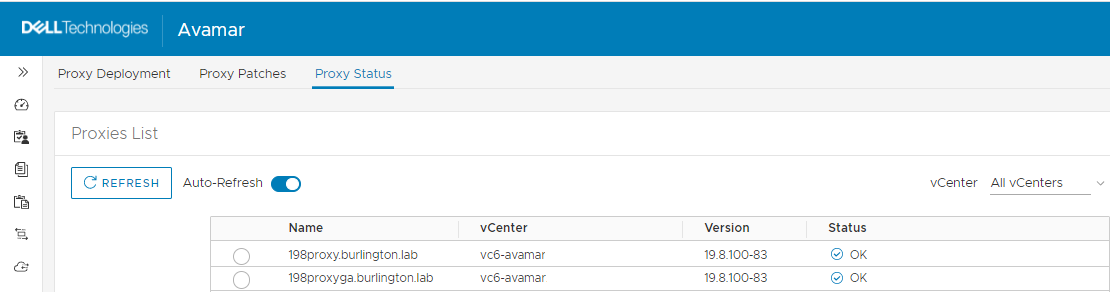
Impact on Proxy Management Status Feature: There will be no impact on this feature. The proxy status will still be fetched when the user enters the 'Proxy Management > Proxy Status' menu in the Avamar Web UI (AUI)."
Additional Information
Short-term workaround for backup failures:
To resolve backup failures without restarting Tomcat or making changes to the dm.properties server file, you can disable the Snapshot Manager on the Avamar proxy.
For further guidance, please refer to the following Knowledge Base article: KB 000181611 'How to Disable Snapshot Manager on the Avamar Proxy.'"