Deployment KB: Datadobi DobiMigrate proxy does not have access to source shares/exports
Summary: Datadobi DobiMigrate proxy does not have access to source shares/exports.
This article applies to
This article does not apply to
This article is not tied to any specific product.
Not all product versions are identified in this article.
Symptoms
During the first copy and the next of couple of iterations of Access Denied issues on files and directories, many of them are recurring.
Strange behavior is that the same file could get copied in one iteration, but the next iteration reports Access Denied errors in the logs.
The same path is checked every time and randomly files are reporting Access Denied, and the same files do not report in the next iterations and then reports back.
For example:
For Directories:
error: AccessDeniedException: /IT/transcore/src2/org
error: AccessDeniedException: /IT/transcore/src
After re-migrate turns to:
DirectoryIteratorException: java.nio.file.AccessDeniedException: /IT/transcore/src2
DirectoryIteratorException: java.nio.file.AccessDeniedException: /IT/transcore/src
- When comparing the source and the destination, you find that the directory has not copied to the target.
- Try to click them and do a remigrate force metadata + data Copy, or try to start another iteration with recopy metadata, the result is failure
- If you try to compare all the permissions from the NFS and CIFS side, both have exactly the same permissions, the parent directory /IT/transcore, and the subdirectory IT/transcore/src2.
For File:
AccessDeniedException: /Marketing/fvb_test/SCR.pdf
- When comparing the source and the destination, you might find that the PDF file is copied, have the same permission, size, and everything is exactly the same except for the owner which is a root Linux user while in the source it was a normal user.
- Try to open the file on the destination, it might be corrupted and not opening like the source which is totally normal.
- Try to remigrate metadata but did not work.
- However after pushing a normal iteration on the total path for 2 or 3 times, you may find this error for this specific file is not recurring, and on the destination array, it is opening normally and working fine.
Cause
The cause for the issue was that one out of the NFS proxies was on a different network, and was not able to explore the source data. It did not have access.
Resolution
Removed the NFS export that was on a different network and did not have access.
In order to identify which NFS proxy has or does not have access.
Go to Datadobi Management UI (Core) > Tools > File Browser > Select the Storage > Select the Proxy > Explore the Files, and ensure that you can access using this proxy all files.
Do the above using all the proxies to identify which file does not have access, then you can confirm if the proxies have access or not.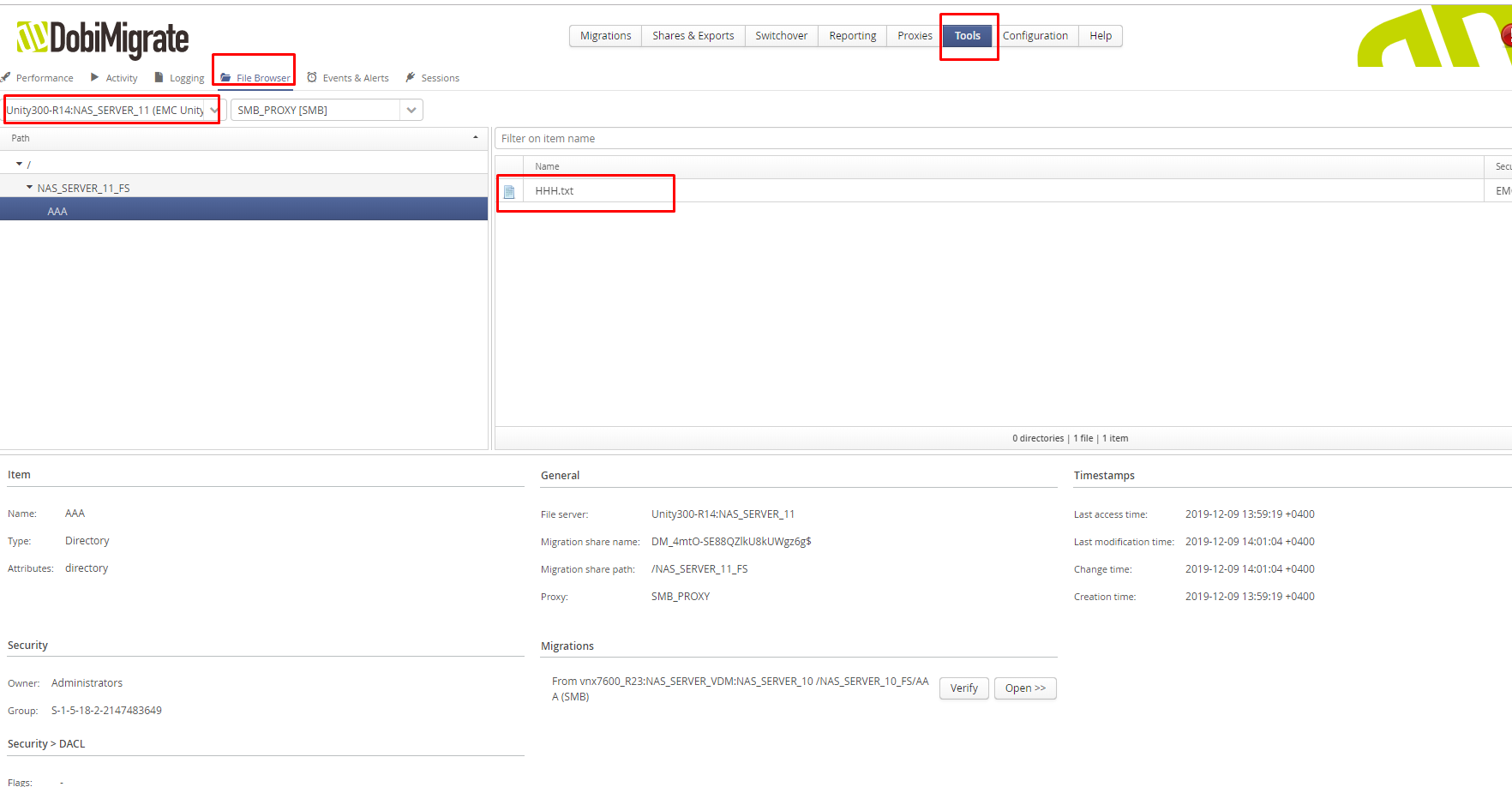
Affected Products
Data Migration for Isilon with Select Software: DobiMiner and StorageXProducts
Data Migration for Isilon with Select Software: DobiMiner and StorageXArticle Properties
Article Number: 000053726
Article Type: Solution
Last Modified: 18 Nov 2025
Version: 5
Find answers to your questions from other Dell users
Support Services
Check if your device is covered by Support Services.