The Latest Version of ePSA Diagnostics on Latitude Notebooks Does Not Use Audible Beeps or Test Audio
Summary: The following article provides information about a change to the Enhanced Pre-boot System Assessment (ePSA) diagnostics on the latest series of Latitude laptops.
This article applies to
This article does not apply to
This article is not tied to any specific product.
Not all product versions are identified in this article.
Symptoms
There is no audio test or beeps when using the ePSA diagnostics.
Cause
Audio is not available in ePSA diagnostics.
Resolution
I am not hearing any audible beeps, and I cannot see the speaker-test in the ePSA diagnostics
Note: This only applies to XX0X Latitude models and does not apply to XX10 or XX20 Latitude models. View Table.1 below for Latitude models with no audio beeps or test.
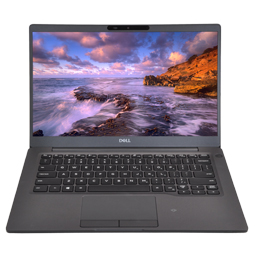
(Figure.1 Latitude XX0X Notebooks)
There is no speaker-test listed in the SupportAssist ePSA diagnostics on the latest series of Latitude Notebook systems. All test prompts are now visual on-screen prompts.
Table.1 Applicable Systems (shipped in 2019):
| Latitude 3400/3500 | Latitude 5300/5400/5500 | Latitude 7300/7400 |
| Latitude 5300 2-in-1 | Latitude 7200 2-in-1 | Latitude 7400 2-in-1 |
| Latitude 3301 | Latitude 5401 | Latitude 5501 |
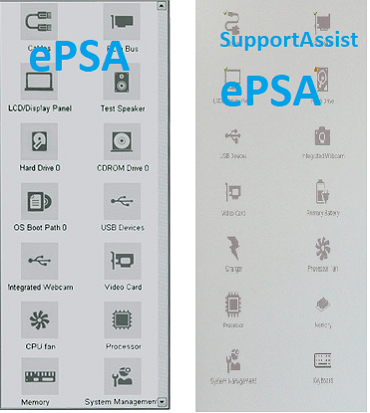
(Figure.2 Old and New versions of the Dell ePSA)
However, you can still run speaker and sound tests by running the further online SupportAssist diagnostics.
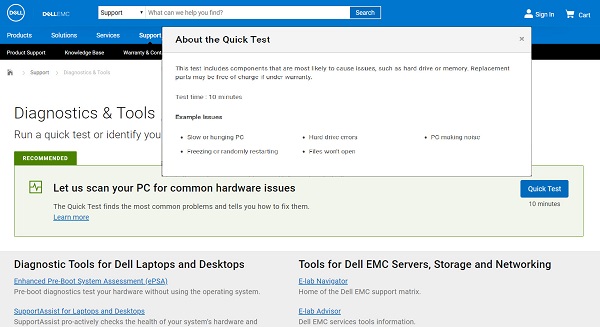
(Figure.3 Online Diagnostics)
Here is a link to the online quick test diagnostics:
The following article takes you through running our online diagnostics:
If you are looking for other ways in which to rule out audio issues, here are some articles that may be useful:
- How to Troubleshoot No Sound on Computer or Audio Playback Issues - Deals with troubleshooting the MaxxAudio Software
- Microsoft Store Installation Requirement & Universal Windows Platform (UWP) - Deals with older driver versions being not compatible with the latest Win 10 OS
- How to Install Ubuntu on a USB Drive to Troubleshoot Issues - Lets you test a different OS from a USB drive and rule out issues with Software
If however you are still having issues, contact Dell support.
 Go to our Audio and Speakers site for more information and support.
Affected Products
SupportAssist for Home PCs, Latitude 7200 2-in-1, Latitude 3301, Latitude 5300 2-in-1, Latitude 5300, Latitude 7300, Latitude 3400, Latitude 5400, Latitude 5401, Latitude 7400 2-in-1, Latitude 7400, Latitude 3500, Latitude 5500, Latitude 5501Article Properties
Article Number: 000128124
Article Type: Solution
Last Modified: 22 Apr 2025
Version: 9
Find answers to your questions from other Dell users
Support Services
Check if your device is covered by Support Services.