VxRail: How to Test Secure Remote Services or Secure Connect Gateway Dial-home Functionality
Summary: This is an informative article describing how to test Secure Remote Services or Secure Connect Gateway dial-home functionality available on VxRail 4.7.520 and later versions' plug-in UI. ...
This article applies to
This article does not apply to
This article is not tied to any specific product.
Not all product versions are identified in this article.
Instructions
Starting from VxRail 4.7.520, the test dial-home function can be done using the VxRail plug-in UI.
For Secure Remote Services, select VxRail Cluster > Configure > Support, click TEST CONNECTION.
- If the connection is active, there is a blue displayed message like the following:
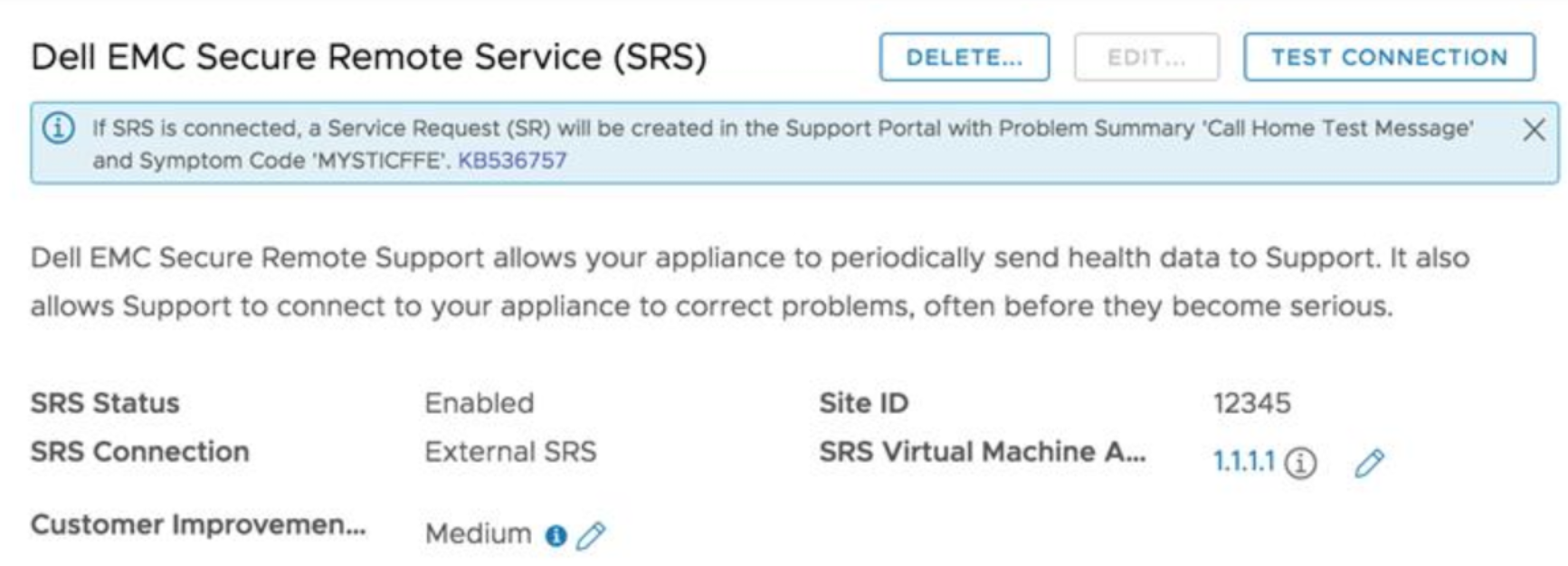
- If there is a connectivity issue, there is a red displayed message like the following:
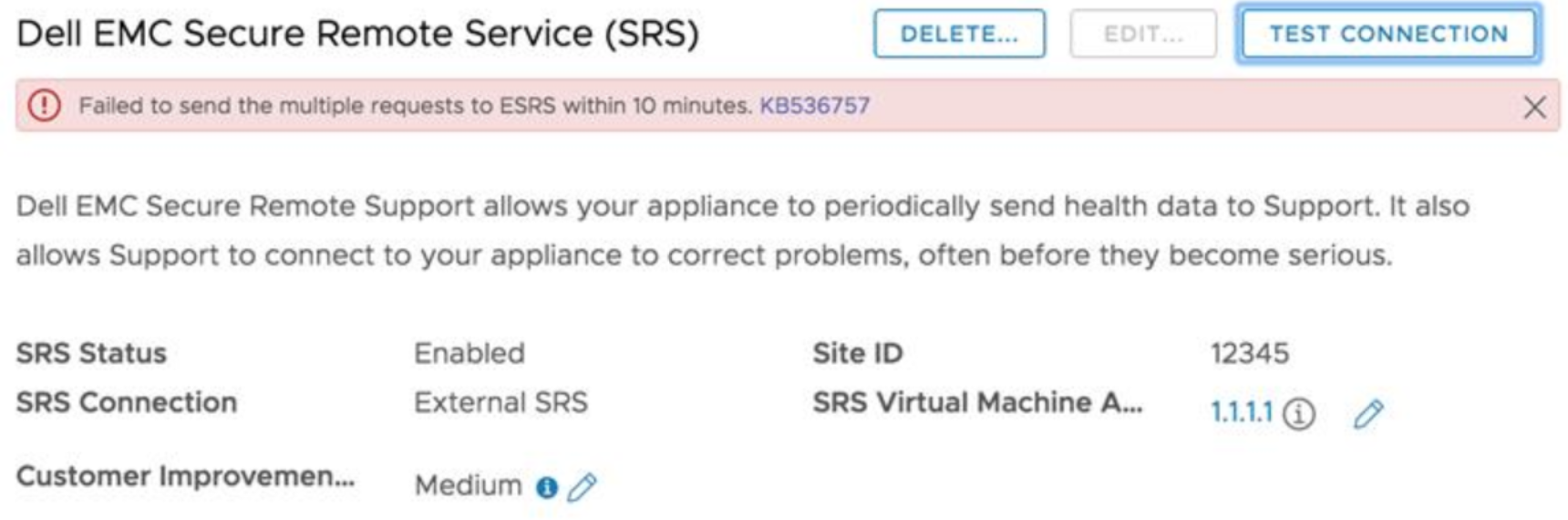
- Check for network issues between VxRail Manager and Secure Remote Services gateway.
- Log in to the Secure Remote Services gateway machine that VxRail Manager disconnected from at
https://<SRS-GATEWAY-IP>:9443. Check if there is an ESXi host from the current VxRail cluster that is listed as a managed device. - If no host is listed, delete the Secure Remote Services from the VxRail Manager plug-in UI, and reconfigure it.
- Restart runjars to fix the issue:
- Log in to VxRail Manager.
- Run below command in the command line.
service runjars restart
Start from 7.0.350 release, select VxRail Cluster > Configure > Support, click TEST CONNECTION.
- If the connection is active, there is a blue displayed message like the following:
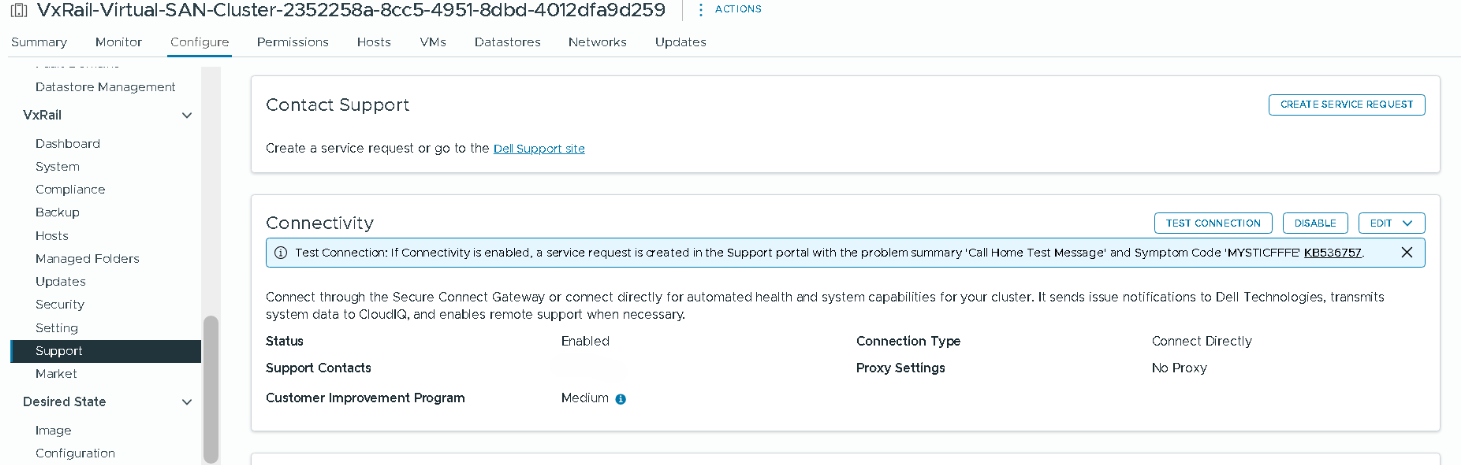
- If there is a connectivity issue, there is a red displayed message like the following:
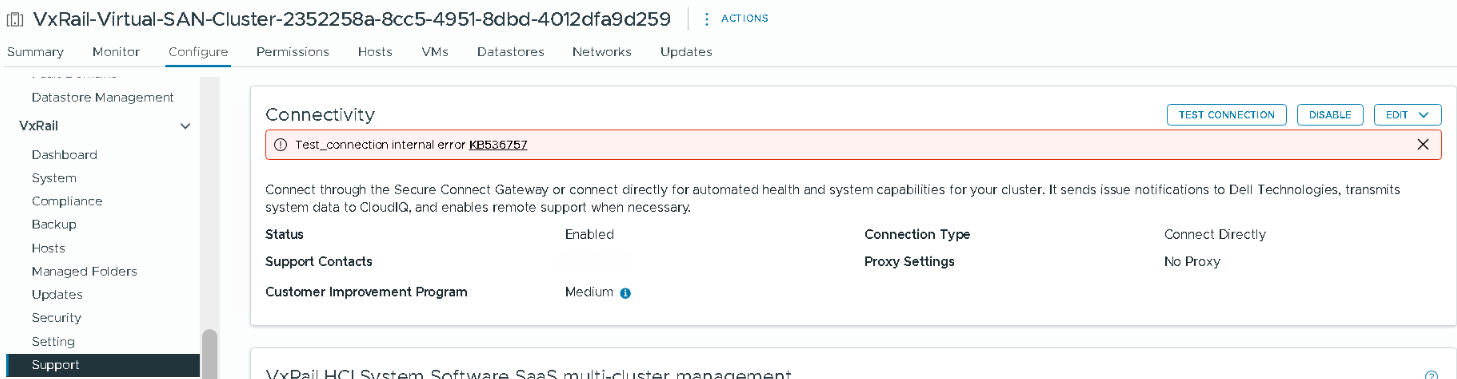
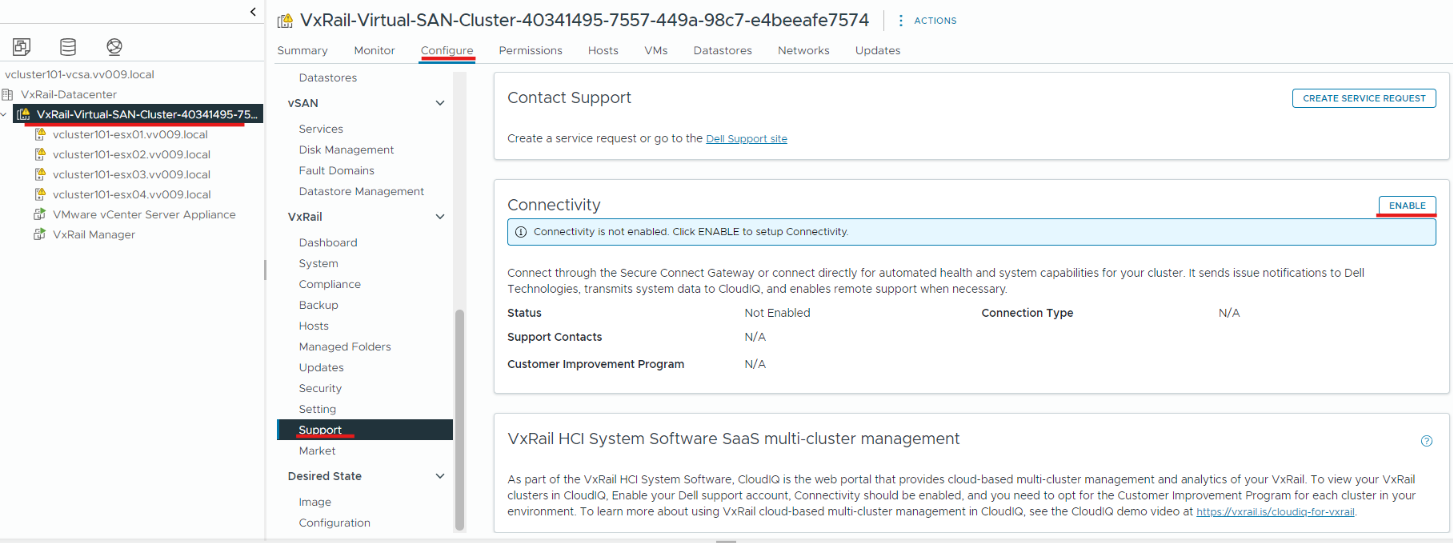
You can also test connection during Connectivity enablement process, select VxRail Cluster > Configure > Support > Connectivity Enable, click TEST CONNECTION in NETWORK CONNECTION step.
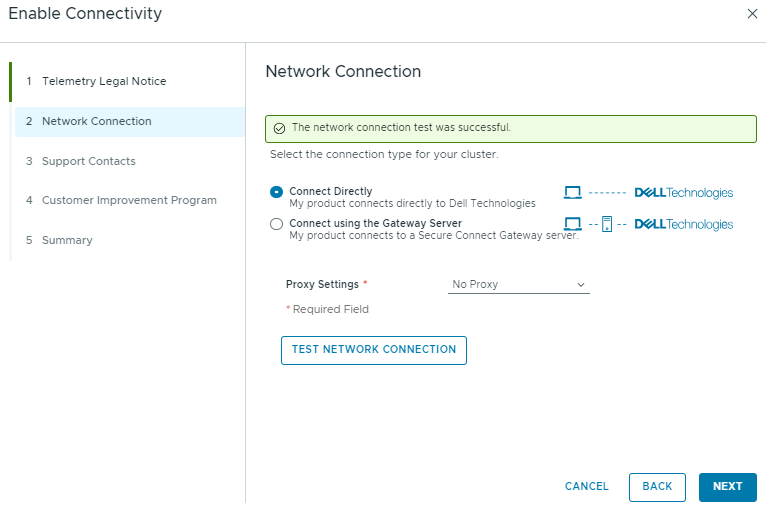
- If the test connection is success, there is a green displayed message like the following:
- If the test connection is failed, there is a red displayed message like the following:
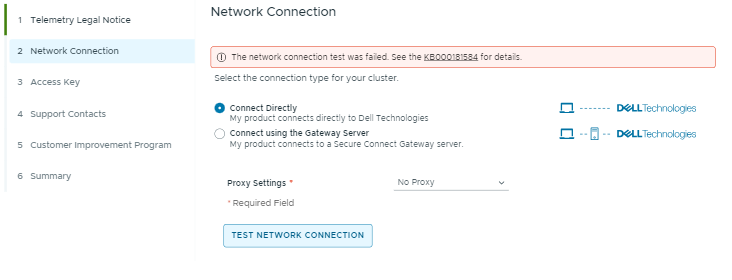
- Check for network issues between VxRail Manager and Secure Remote Services gateway, for more details, see the Secure Connect Gateway 5.x — Virtual Edition Support Matrix.
- For IPv6, ensure that VxRail Manager can reach https://srs-1-v6.dell.com
- For IPv4, ensure that VxRail Manager can reach https://esrs3-core.emc.com and https://www.dell.com
Additional Information
This may occur sometimes:
- Network issue between VxRail Manager and Secure Remote Services gateway.
- The device (ESXi host) is removed from the Secure Remote Services gateway.
- Connectivity issues will occur after VxRail 7.0.120 releases. When the Secure Remote Services connector failed to mark Secure Remote Services as initialized due to no appliance data fetched from DO on runjars startup. In this case, you get below error message in the connectors-esrs.log:
ESRSService initialization partially done
There are two approaches to verify if Secure Remote Services dial-home functionality works:
- Check Service Request for event MYSTICFFFE using support website: https://www.dell.com/support
- Contact Dell Technologies support to check if the Service Request for event MYSTICFFFE was generated.
There is a minimum interval of 3 minutes between tests. If the "TEST CONNECTION" button is clicked for the second time in less than 3 minutes after the first time, there will be an error.
Affected Products
VxRail SoftwareArticle Properties
Article Number: 000181584
Article Type: How To
Last Modified: 25 Jun 2026
Version: 12
Find answers to your questions from other Dell users
Support Services
Check if your device is covered by Support Services.