VxRail: Deployment failed with Failed to configure non-vSAN disks on host
Summary: Failed to configure non-vSAN or unmanaged disks on the host.
This article applies to
This article does not apply to
This article is not tied to any specific product.
Not all product versions are identified in this article.
Symptoms
VxRail Deployment failed with error: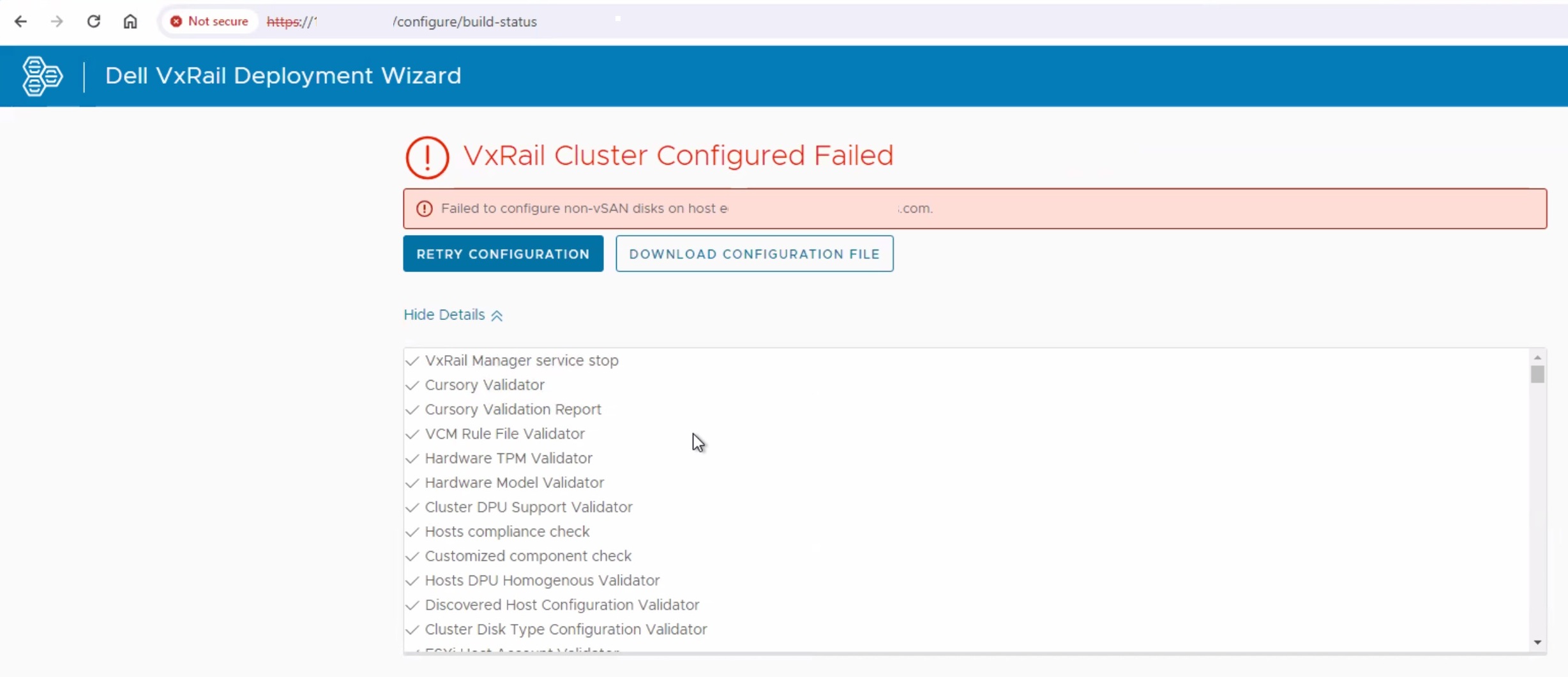
Dayone.log:
"2024-06-04 04:57:43,992" microservice.do-host "2024-06-04T04:57:43.306854319Z stderr F 2024-06-04 04:57:43,306 [ERROR] <Dummy-9:139912387842120> http_client.py get() (53): failed to GET https://0.0.144.80:9090/rest/ps/private/v1/hwinventory with error: ('Connection aborted.', ConnectionResetError(104, 'Connection reset by peer'))"
"2024-06-04 04:57:43,992" microservice.do-host "2024-06-04T04:57:43.306960272Z stderr F 2024-06-04 04:57:43,306 [WARNING] <Dummy-9:139912387842120> utils.py call() (213): Retryed 57 times, spending 285.3580 seconds, raise ConnectionError(ProtocolError('Connection aborted.', ConnectionResetError(104, 'Connection reset by peer')),) error"

"2024-06-04 04:57:58,981" microservice.storage-service "2024-06-04T04:57:58.323242867Z stdout F common.nano_exception.NanoException: {""code"": ""E3100_Storage_10"", ""params"": [""servervxr001.domain""], ""message"": ""Failed to configure non-vSAN or unmanaged disks on host servervxr001.domain""}"
The host had no IP address when running the below command:
esxcli network ip connection list | grep 9090

example output:
tcp         0       0  :: 9090                 0.0.0.0:0            LISTEN        2103568  newreno  python
Tried modifying the file below and adding the IP of vmk2 and then restarting the platform service.
/etc/config/vxrail/platform.conf
Restart the service "vxrail-pservice" and it should now be listening on the IP address and port.
From the VxRail Manager, run the command:
curl -vk --user root:Passw0rd! https://IPADDRESS:9090/rest/ps/private/v1/hwinventory | jq
Could see similar response "Connection reset by peer" messages.
Cause
Port 9090 is being blocked by an internal customer firewall.
Resolution
To resolve this issue, unblock the port 9090 on the firewall.
The first node in the cluster may need to be RASR to start the deployment again.
Affected Products
VxRail Appliance Family, VxRail Appliance Series, VxRail SoftwareArticle Properties
Article Number: 000226490
Article Type: Solution
Last Modified: 08 Sep 2025
Version: 3
Find answers to your questions from other Dell users
Support Services
Check if your device is covered by Support Services.