OpenManage Enterprise: Cannot View Attributes When Editing Deployment Or Configuration Compliance Template
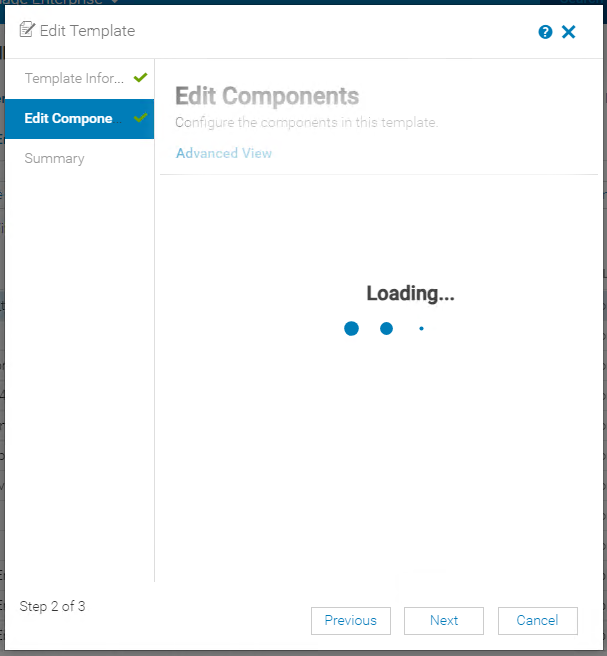
Summary: When editing a deployment template the 'Edit Components' screen is stuck with the 'Loading' animation. Also, when editing a compliance template the 'Template Details' screen is blank.
This article applies to
This article does not apply to
This article is not tied to any specific product.
Not all product versions are identified in this article.
Symptoms
During the process of editing a deployment template, the 'Edit Components' screen is stuck with the 'Loading' animation.
While editing a compliance template, the Template Details screen is blank and shows no attributes.

Reviewing the tomcat application log (./tomcat/application.log) from the console log bundle (Monitor -> Troubleshoot -> Logs - Generate Log) shows a Number Format Exception error for the Templates Controller.
TemplatesController - com.google.gson.JsonSyntaxException: java.lang.NumberFormatException: Expected an int but was 2711473376 at line 1 column 1316 path $.AttributeGroups[0].SubAttributeGroups[0].SubAttributeGroups[0].Attributes[0].AttributeId
com.google.gson.JsonSyntaxException: java.lang.NumberFormatException: Expected an int but was 2711473376 at line 1 column 1316 path $.AttributeGroups[0].SubAttributeGroups[0].SubAttributeGroups[0].Attributes[0].AttributeId
Cause
Each configuration attribute is stored individually in the database, and their IDs are called as standard integers. Standard integers use 32-bits of data, so they can only hold numbers up to 2 billion (-2.31 to +2.31). For any version of an OpenManage Enterprise instance that heavily uses deployment or configuration compliance templates, the attribute ID can exceed the standard integer dataset over time.
Resolution
A fix is in OpenManage Enterprise version 4.2.0 with a scheduled release date of October 2024.
Within this release the attribute ID calls is changed to a long integer.
Affected Products
Dell EMC OpenManage Enterprise, PowerEdge R450, PowerEdge R540, PowerEdge R550, PowerEdge R570, PowerEdge R640, PowerEdge R6415, PowerEdge R650, PowerEdge R650xs, PowerEdge R6515, PowerEdge R6525, PowerEdge R660, PowerEdge R660xs, PowerEdge R6615
, PowerEdge R6625, PowerEdge R670, PowerEdge R6715, PowerEdge R6725, PowerEdge R740, PowerEdge R740XD, PowerEdge R740XD2, PowerEdge R7415, PowerEdge R7425, PowerEdge R750, PowerEdge R750XA, PowerEdge R750xs, PowerEdge R7515, PowerEdge R7525, PowerEdge R760, PowerEdge R760XA, PowerEdge R760xd2, PowerEdge R760xs, PowerEdge R7615, PowerEdge R7625, PowerEdge R770, PowerEdge R7715, PowerEdge R7725, PowerEdge R7725xd, PowerEdge R840, PowerEdge R860, PowerEdge R940, PowerEdge R940xa, PowerEdge R960, PowerEdge T340, PowerEdge T350, PowerEdge T360, PowerEdge T440, PowerEdge T550, PowerEdge T560, PowerEdge T640
...
Article Properties
Article Number: 000228133
Article Type: Solution
Last Modified: 08 Jul 2025
Version: 3
Find answers to your questions from other Dell users
Support Services
Check if your device is covered by Support Services.