Headset Does Not Pair in Dell Display and Peripheral Manager 2.0
Summary: Learn about what to do when auto-paring a headset with a dongle does not work in Dell Display and Peripheral Manager 2.0.
This article applies to
This article does not apply to
This article is not tied to any specific product.
Not all product versions are identified in this article.
Symptoms
Auto-pairing may occur in Dell Display and Peripheral Manager 2.0 for a headset that is connected using a dongle. This happens when the headset dongle is connected to the computer, but it is not paired to the headset. This is seen when Dell Display and Peripheral Manager is launched with the headset turned on. From there, go to Add Device, Headset, and then Wireless Receiver. The pairing interface is seen without a headset model. The on-screen instructions say, "Power OFF headset. Hold the mic mute button and power ON again. Pairing will automatically begin after a few seconds."
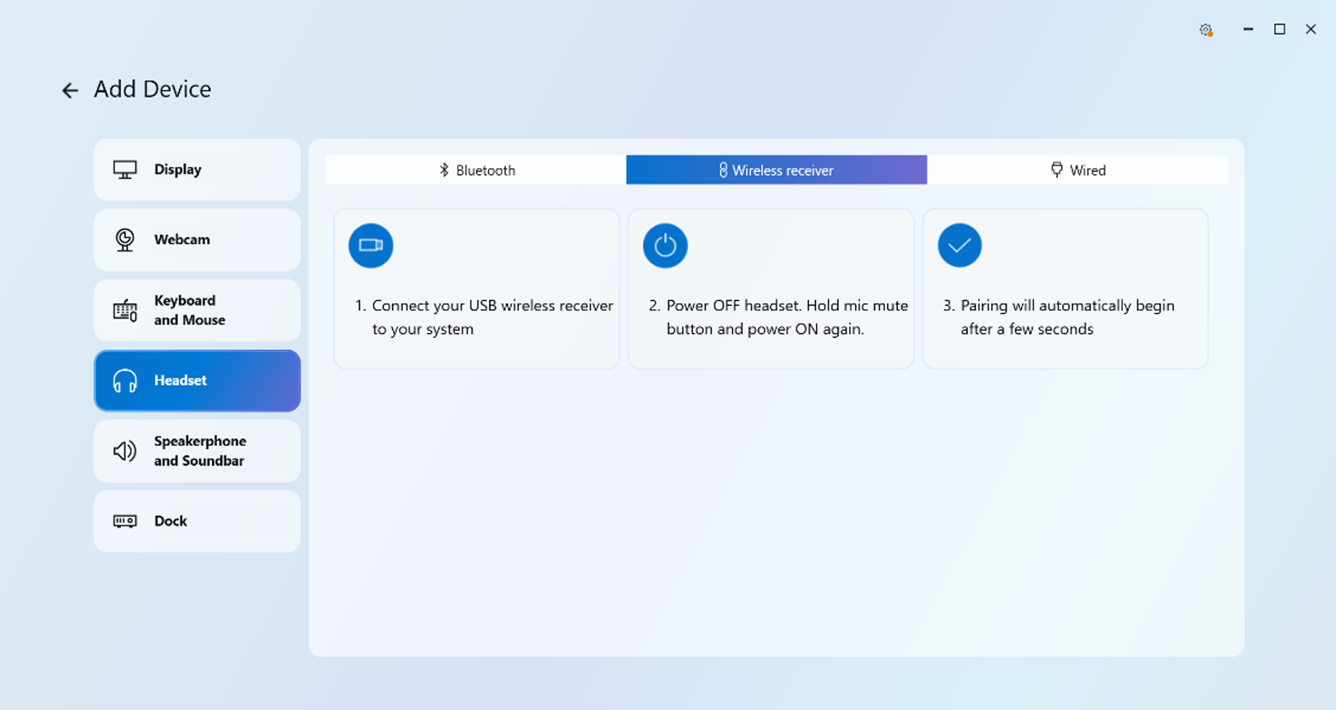
Holding the mic mute button without turning off the headset is when the problem occurs and pairing does not work.
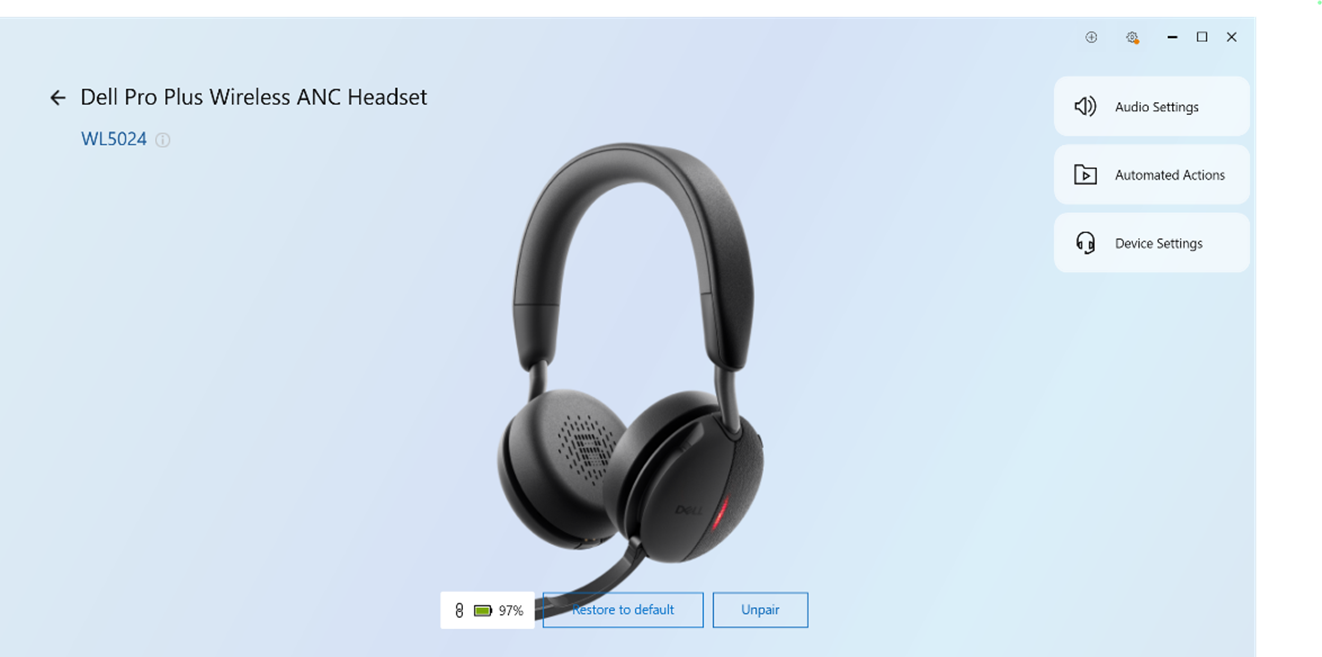
Affected Software:
- Dell Display and Peripheral Manager
Affected Version:
- 2.0
Affected Peripherals:
- Dell Pro Premium Wireless ANC Headset WL7024
- Dell Pro Plus Wireless ANC Headset WL5024
Affected Operating System:
- Windows
Cause
Pairing the dongle and headset previously causes this issue.
Resolution
- Turn off the headset if it is already on.
- Activate dongle pairing mode on the headset.
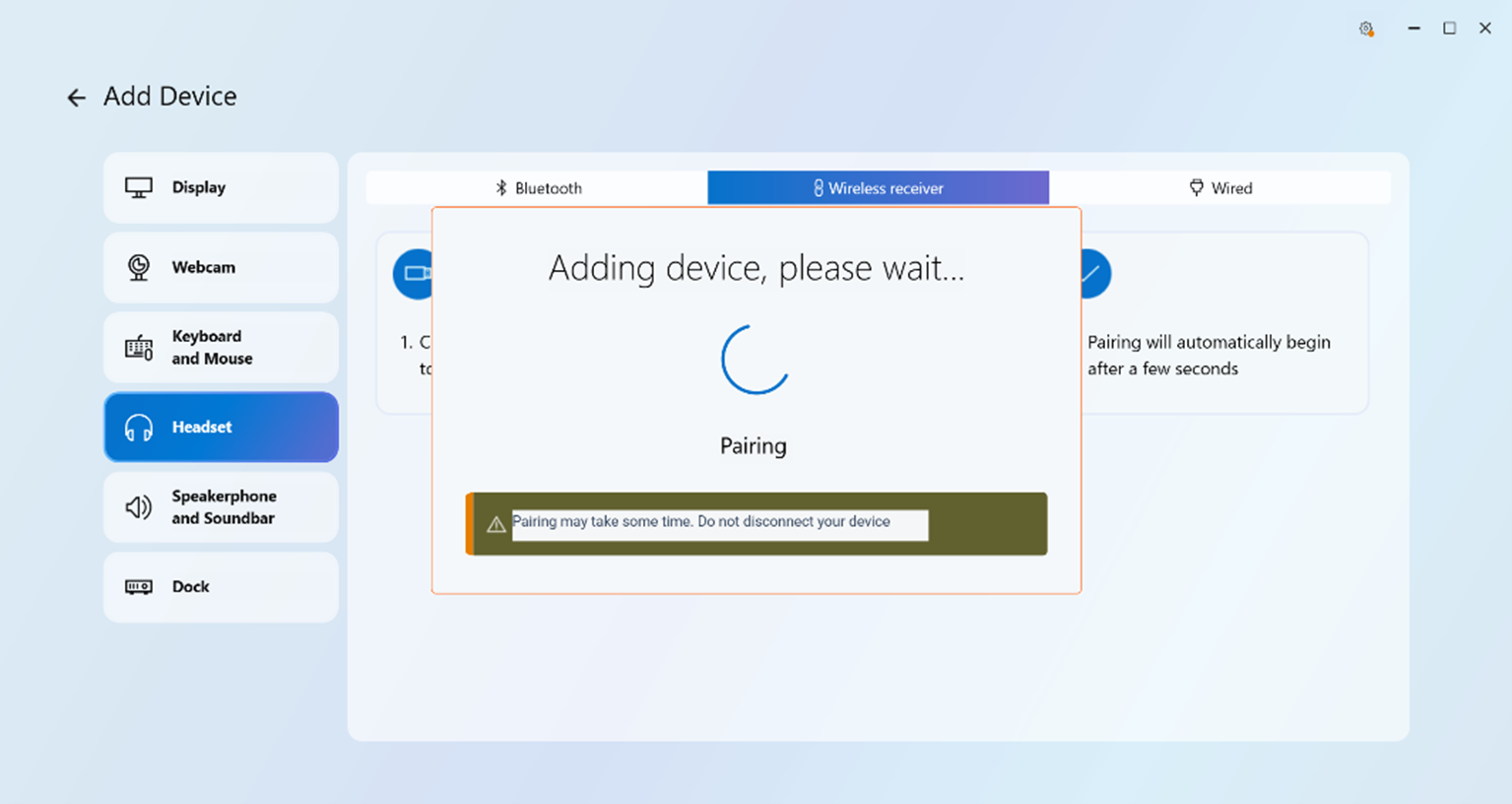
- Pair the headset by going to Add New Device, Headset, and then Add Now.
Affected Products
Dell Display and Peripheral Manager, Dell Pro Plus Wireless ANC Headset WL5024, Dell Pro Premium Wireless ANC Headset WL7024Article Properties
Article Number: 000285191
Article Type: Solution
Last Modified: 22 May 2026
Version: 4
Find answers to your questions from other Dell users
Support Services
Check if your device is covered by Support Services.