Dell Pro Smart Dock Zero-Touch Provisioning (ZTP) Process Fails During the First Dell Cloud Registration
Summary: Information about encountering an error when setting up the Zero-Touch Provisioning (ZTP) and registering to the Cloud for the first time on a Dell Pro Smart Dock.
This article applies to
This article does not apply to
This article is not tied to any specific product.
Not all product versions are identified in this article.
Symptoms
The Dell Pro Smart Dock is unable to connect to the cloud and the "Remote Management" LED blinks for more than 15 minutes.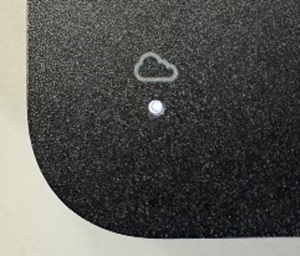
Cause
This happens because the registration of the wireless and cloud credentials is not recorded correctly for the device.
Resolution
Dell has released a firmware update to resolve this problem for docking stations which have not yet been activated through the ZTP Process.
Update the firmware to version 01.01.04.01 or newer: Dell Pro Thunderbolt 4 Smart Dock SD25TB4 Drivers & Downloads
If the docking station has already attempted the activation process, you are required to complete the following steps to resume normal operation.
Workaround:
Pre-Checks
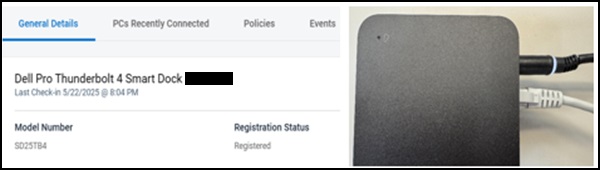
- Confirm that the dock is correctly registered and the WiFi policy settings are properly configured in the Dell Device Management Console (DDMC.)
- Ensure both the power cable and LAN cable are connected, and the dock is powered on.
Resolution Steps:
- Wait for the Dell Device Management Console (DDMC) Server Data Sync:
Wait at least one hour after the dock begins blinking. During this time, the Dell Device Management Console (DDMC) collects the dock’s Service Tag and related data, with the LED blinking (blinks for ~2 minutes, then blinks twice every 5 minutes) to indicate active synchronization. - Power Cycle the Dock:
Disconnect and reconnect the power cable.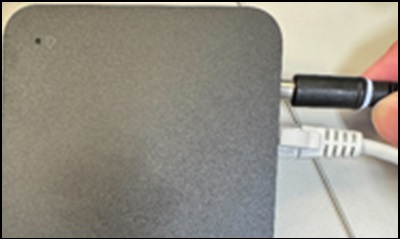
- Reconnect to the Cloud:
Allow up to 10 minutes for the dock to reestablish a cloud connection.- The Remote Management LED turns solid white once connected.
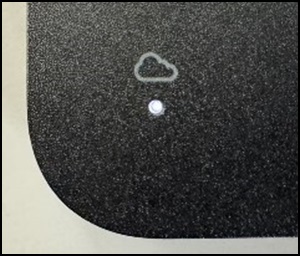
- If the LED does not turn solid white, return to Step 1 and repeat the process.
- The Remote Management LED turns solid white once connected.
Additional Information
For more information, use the links below:
Affected Products
Dell Pro Smart Dock SD25, Dell Pro Thunderbolt 4 Smart Dock SD25TB4, Dell Pro Thunderbolt 5 Smart Dock SD25TB5, Dell Device Management ConsoleArticle Properties
Article Number: 000323587
Article Type: Solution
Last Modified: 15 Sep 2025
Version: 7
Find answers to your questions from other Dell users
Support Services
Check if your device is covered by Support Services.