OptiPlex 7070 Ultra: Visual guide to your computer
Sommaire: This article is a visual guide to the external ports and features on the various form factors of the Dell OptiPlex 7070 Ultra desktop.
Cet article s’applique à
Cet article ne s’applique pas à
Cet article n’est lié à aucun produit spécifique.
Toutes les versions de produits ne sont pas identifiées dans cet article.
Symptômes
The following article provides a visual guide to your OptiPlex 7070 Ultra Computer and lists the external ports and features of your PC.
 Note: For a more detailed description of each location, please go to the system manuals at www.dell.com/support
Table of Contents:
Front View

(Figure.1 Front View)
Rear View
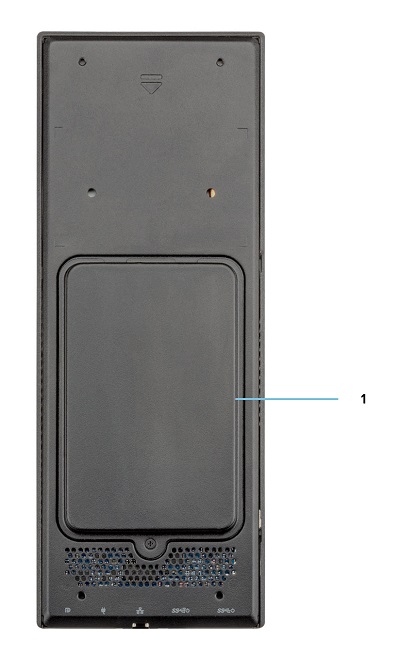
(Figure.2 Rear View)
| 1 | Hard Drive Bay |
Top View
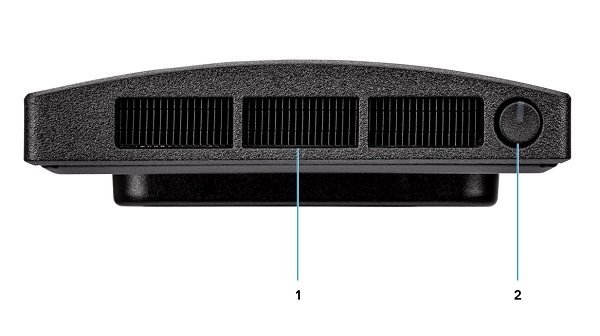
(Figure.3 Top View)
| 1 | Fan Vent | 2 | Power Button and Power LED |
Bottom View

(Figure.4 Bottom View)
| 1 | USB 3.1 Gen1 Type-A Connector w/SmartPower | 2 | USB 3.1 Gen2 Type-A Connector w/SmartPower |
| 3 | Network Ethernet (NIC) Connector | 4 | Power Adapter Connector |
| 5 | USB 3.1 Gen2 Type-C Connector w/DisplayPort Alt Mode/PowerDelivery |
Left-Hand Side View

(Figure.5 Left-Hand Side View)
| 1 | Service Tag Location | 2 | Universal Audio Connector |
| 3 | Vent | 4 | Hard Drive Status LED |
| 5 | USB 3.1 Gen2 Type-C Connector w/DisplayPort Alt Mode | 6 | USB 3.1 Gen2 Type-A w/PowerShare |
Right-Hand Side View
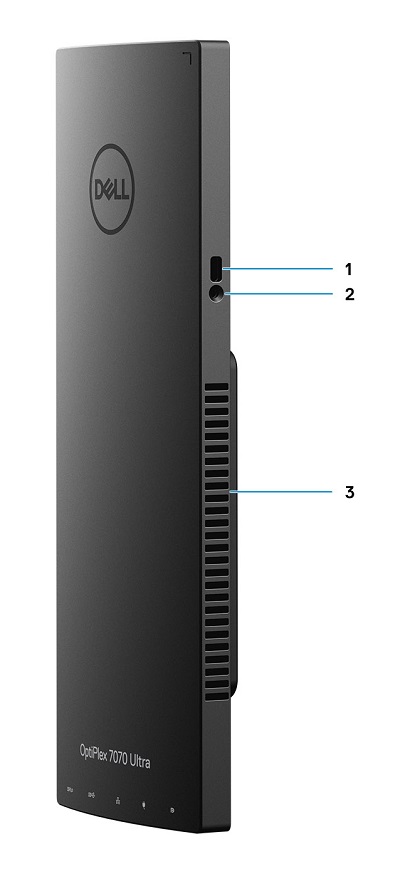
(Figure.6 Right-Hand Side View)
| 1 | Kensington Lock Slot | 2 | Security Screw Hole |
| 3 | Vent |
Additional Info:
- OptiPlex 7070 Ultra Online Manuals and Documents
- OptiPlex 7070 Ultra Customer replaceable unit (CRU) teardown guide
Cause
N/A
Résolution
N/A
Produits touchés
OptiPlex 7070 UltraPropriétés de l’article
Numéro d’article: 000138519
Type d’article: Solution
Dernière modification: 29 sept. 2023
Version: 7
Obtenez des réponses à vos questions auprès d’autre utilisateurs de Dell
Services de soutien
Vérifiez si votre appareil est couvert par les services de soutien.