NetWorker: NMC Login window stops responding after clicking the 'Log In' button
Riepilogo: After entering credentials in the NetWorker Management Console (NMC) Login window and clicking the 'Log In' button, the window stops responding. The Management Console window never appears. ...
Questo articolo si applica a
Questo articolo non si applica a
Questo articolo non è legato a un prodotto specifico.
Non tutte le versioni del prodotto sono identificate in questo articolo.
Sintomi
- NMC login window stops responding after clicking Log In.
- Management Console window does not appear.
- Java application hosting the login window hangs (Java Console stops responding).
- Multiple PostgreSQL services appear stale.
- Restarting gstd service only works intermittently.
- Reinstalling NetWorker does not resolve the issue.
- Antivirus is enabled on the NetWorker server; excluding NetWorker folders does not help.
*Log in button remains grayed out.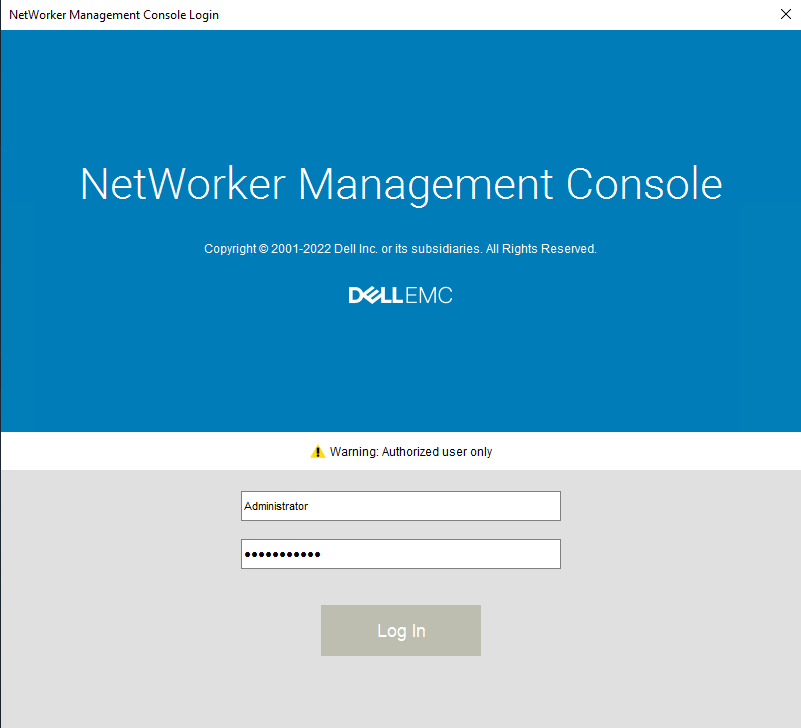
Causa
The issue is caused by the Threat Prevention feature in McAfee antivirus software, specifically the Access Protection setting.
Risoluzione
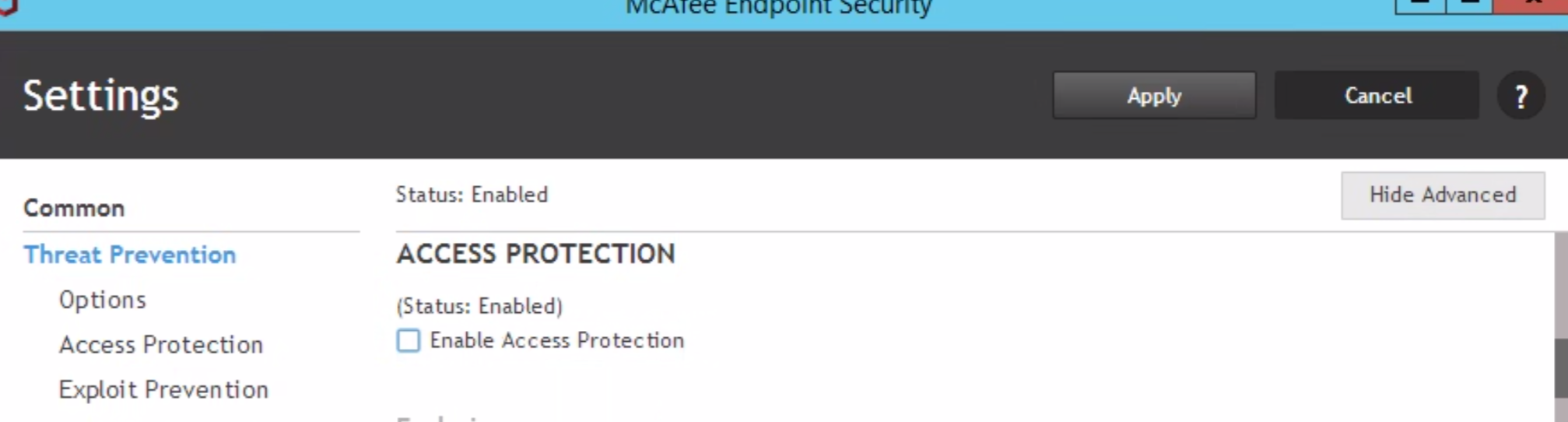
Disable Access Protection in McAfee:
- Open the McAfee application.
- Navigate to Threat Prevention settings.
- Disable Access Protection.
Restart GST Services:
- Stop the GST Service.
- Ensure GST Web Service and GST Database Service (and related processes such as
httpd.exeandpostgres.exe) are fully stopped.- If any processes remain, terminate them manually.
- Start the GST Service.
Prodotti interessati
NetWorker, NetWorker Management ConsoleProprietà dell'articolo
Numero articolo: 000217025
Tipo di articolo: Solution
Ultima modifica: 12 gen 2026
Versione: 3
Trova risposta alle tue domande dagli altri utenti Dell
Support Services
Verifica che il dispositivo sia coperto dai Servizi di supporto.