Decrypting a Dell Data Protected Drive Without Uninstalling Dell Data Protection Personal Edition
요약: This article provides a walkthrough of the decryption process without uninstalling Dell Data Protection | Personal Edition.
이 문서는 다음에 적용됩니다.
이 문서는 다음에 적용되지 않습니다.
이 문서는 특정 제품과 관련이 없습니다.
모든 제품 버전이 이 문서에 나와 있는 것은 아닙니다.
지침
Affected Products:
- Dell Data Protection | Personal Edition
Affected Versions:
- v8.0 - 8.13
Affected Operating Systems:
- Windows
Users may want to remove encryption from the computer for various reasons. Should the user want to decrypt a drive without uninstalling the Dell Data Protection software, this guide demonstrates how to remove the software for Windows 7, 8.1, and 10.
How to Remove Encryption in Windows:
- Launch the Dell Data Protection | Encryption software.
Windows 10
- Go to the Start icon on the task bar.

- Go to All Apps.

- Go to Dell.

- Go to Dell Data Protection Encryption.
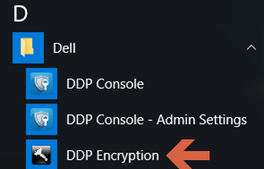
Windows 8.1
- Go to the Start Icon.

- Select the arrow to see the Applications.

- Go to the Dell folder and select Dell Data Protection | Encryption.
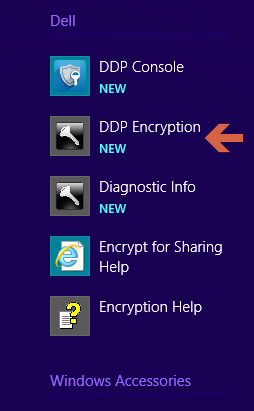
Windows 7
- Go to the Start Icon.

- Go to All Programs.

- Go to Dell.
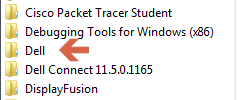
- Go to Dell Data Protection | Encryption.
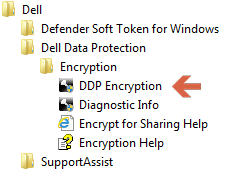
- Go to the Start icon on the task bar.
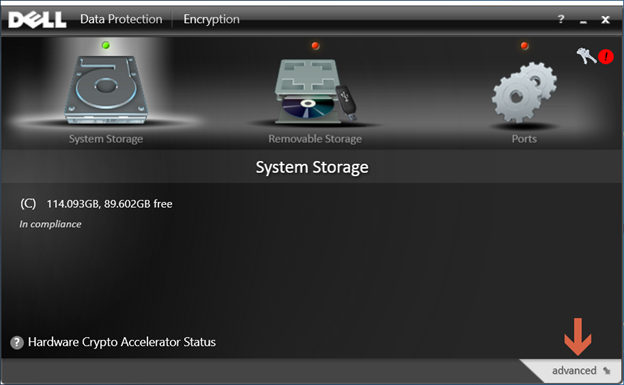
- Select advanced in the bottom-right corner.
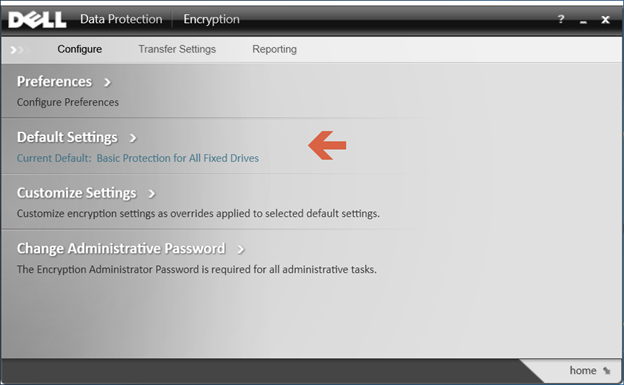
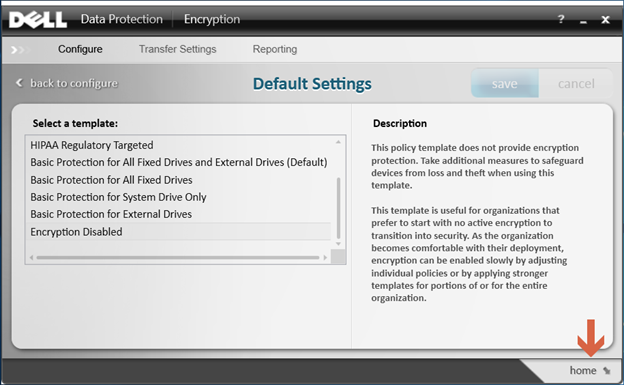
- Choose Default Settings.
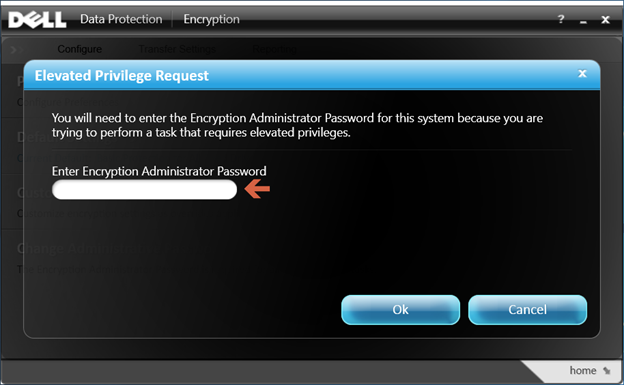
- Enter the Encryption Administrator Password that is created upon setup of the Dell Data Protection software.
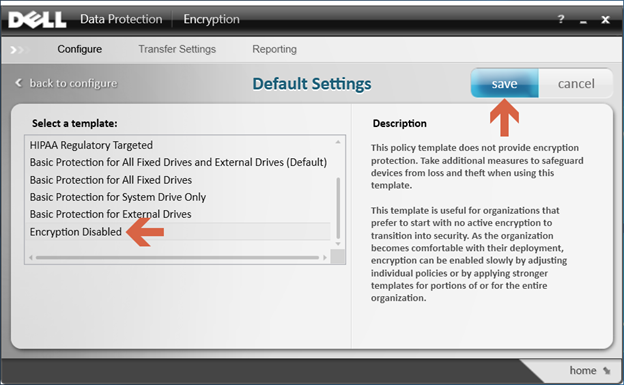
- Under Select a Template, use the scroll options to go to the option for Encryption Disabled and then select save.
- Select the option to go home in the bottom-right corner.
- The decryption process begins.
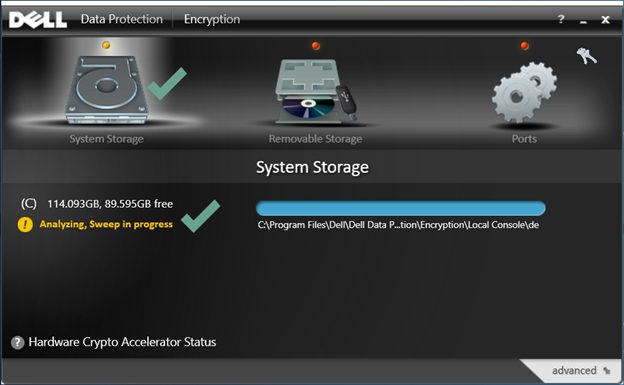 Note: This may take several hours to complete depending on the computer and the number of files encrypted.
To contact support, reference Dell Data Security International Support Phone Numbers.
Go to TechDirect to generate a technical support request online.
For additional insights and resources, join the Dell Security Community Forum.
해당 제품
Dell Encryption문서 속성
문서 번호: 000125212
문서 유형: How To
마지막 수정 시간: 19 4월 2026
버전: 15
다른 Dell 사용자에게 질문에 대한 답변 찾기
지원 서비스
디바이스에 지원 서비스가 적용되는지 확인하십시오.