SupportAssist Warning "Invalid Configuration Information - Please Run SETUP Program" When Powering On
Zhrnutie: Information about two warning messages for time and configuration settings appearing in SupportAssist after powering on.
Tento článok sa vzťahuje na
Tento článok sa nevzťahuje na
Tento článok nie je viazaný na žiadny konkrétny produkt.
V tomto článku nie sú uvedené všetky verzie produktov.
Symptómy
Powering on your computer boots to a SupportAssist screen and display the following warning messages:
- Time-of-day not set - please run SETUP program.
- Invalid configuration information - please run SETUP program.
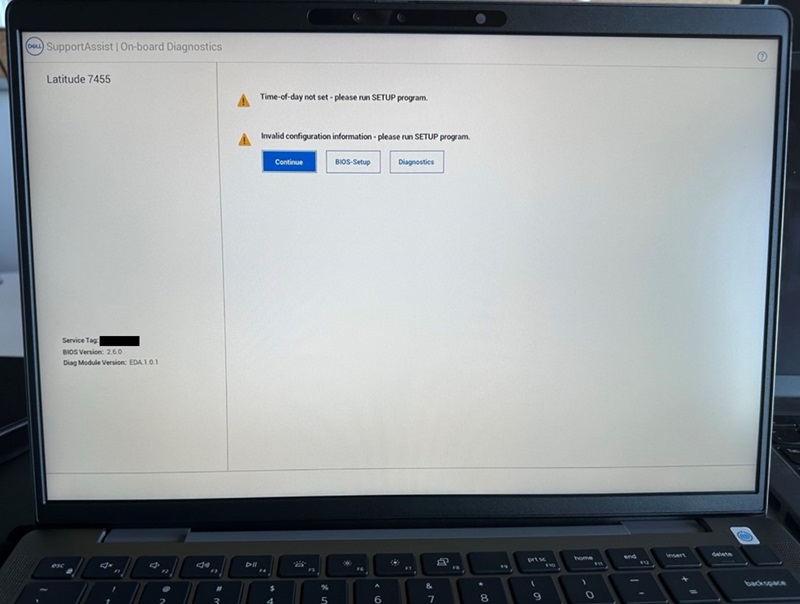
If you click the "Continue" button and boot to the BIOS, you see the "Secure Boot" option is turned off.
Affected Computers:
- Inspiron 14 5441
- Inspiron 14 Plus 7441
- Latitude 5455
- Latitude 7455
Príčina
This happens due to a system BIOS reset.
Riešenie
Default BIOS Settings and Enable Secure Boot
To fix this issue, restore the BIOS to "Default" and enable "Secure Boot."
- Connect the AC adapter to ensure that the computer has power to turn on.
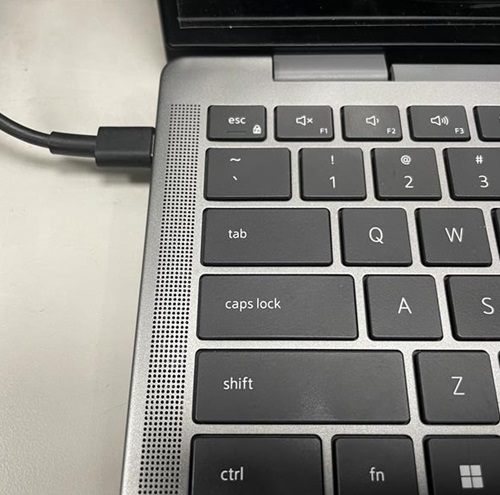
- Power the computer on and press the F2 key when the DELL logo appears to enter the BIOS menu.

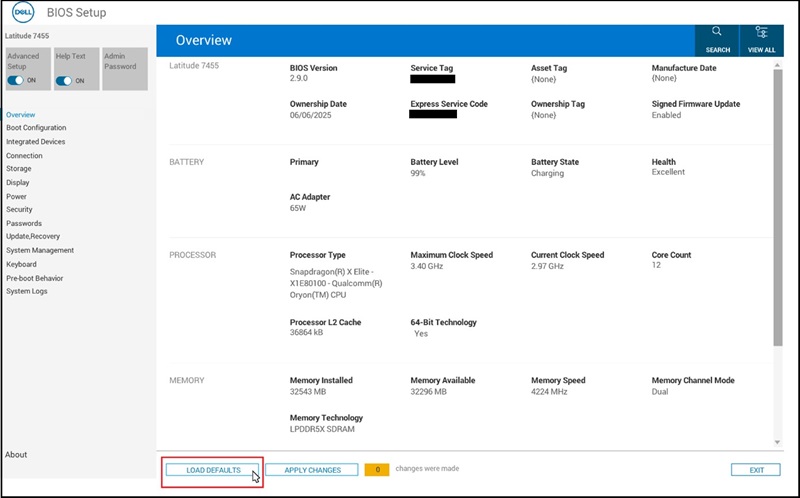
- Click the "LOAD DEFAULTS" button at the bottom of the screen.
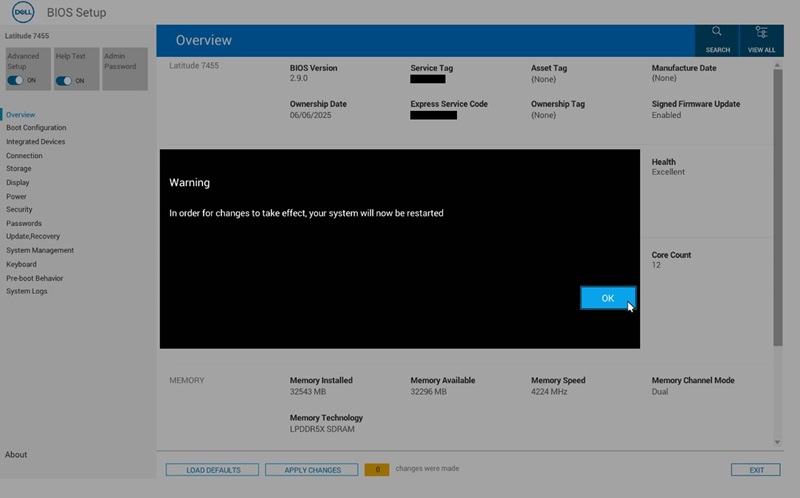
- Click "OK" when "Restore Settings" and the "Warning" dialog appears, then the computer restarts.
- Follow Step 2 to enter the BIOS menu again.
- Select the "Boot Configuration" page.
Find "Secure Boot"and turn it "ON."
Click "APPLY CHANGES."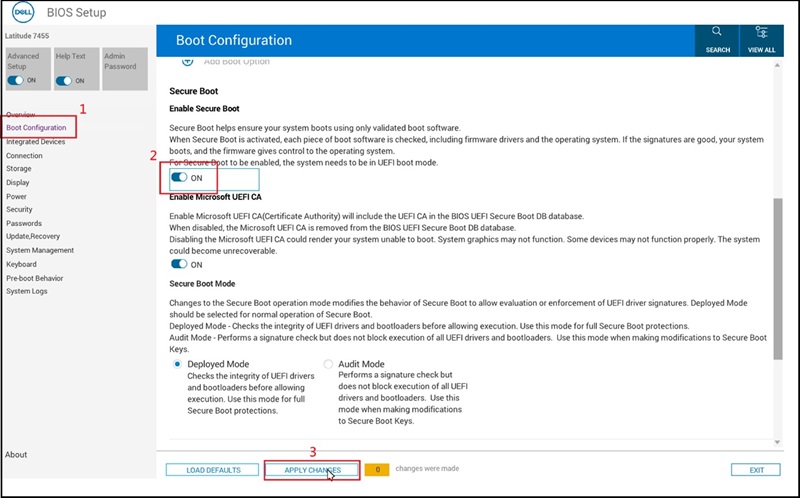
- Click "OK" when the "Apply Settings Confirmation" dialog appears.
- Update to BIOS version 2.12.2 or later to avoid this issue in the future.
Dotknuté produkty
Inspiron 14 5441, Inspiron 14 Plus 7441, Latitude 5455, Latitude 7455Vlastnosti článku
Číslo článku: 000353653
Typ článku: Solution
Dátum poslednej úpravy: 04 dec 2025
Verzia: 2
Nájdite odpovede na svoje otázky od ostatných používateľov spoločnosti Dell
Služby podpory
Skontrolujte, či sa na vaše zariadenie vzťahujú služby podpory.