What are the best customizable desktop PCs for business?

Configure your own desktop PC with the exact GPU, RAM, and storage you need with no assembly required. Choose from pre-built, customizable configurations designed for business productivity, creative work, and AI development with room to upgrade as your needs grow.

Filters

$1295.00

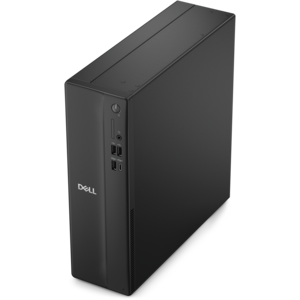
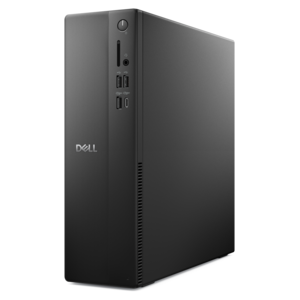
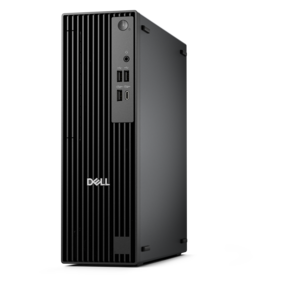
A compact, high-performance business desktop designed for heavy workloads, tight spaces, security, manageability, and AI-enhanced productivity.
$1295
$1431.00

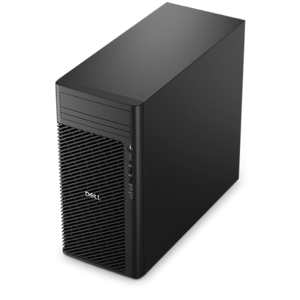
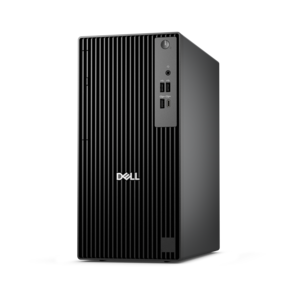
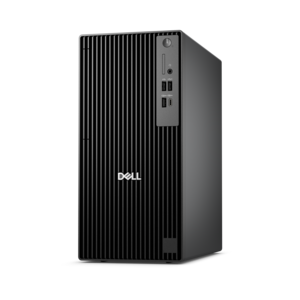
A business-ready tower desktop with AI-enhanced productivity, robust security, seamless manageability, and expandable performance.

$1431
$1789.00

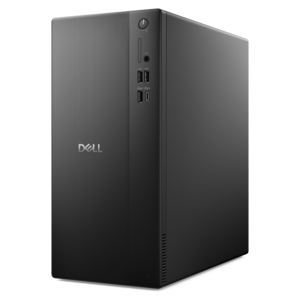
A high-performance AI-ready business desktop with security, seamless manageability, and expandable capabilities for demanding tasks.

$1789
$1508.00

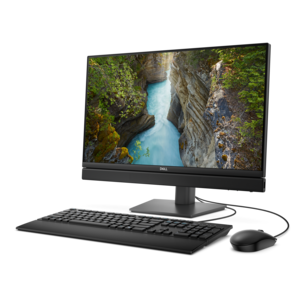
A space-saving all-in-one desktop with AI options, enhanced productivity, robust security, and simplified manageability.

$1508
$4124.00

A high-performance desktop combining Intel Xeon 6 processors and advanced graphics for demanding professional workloads.

$4124
$829.99

A compact desktop designed for everyday productivity and creative tasks.

$829.99
$1299.99

A powerful, space-saving desktop designed for everyday productivity.

$1299.99
$1575.00

A slim desktop delivering exceptionally fast CPU and GPU performance for demanding professional workloads.

$1575
$1079.99

A compact desktop for everyday productivity and creative tasks.

$1079.99
$848.00

A business-ready tower desktop delivering reliable everyday performance with essential security features for productive workflows.

$848
$729.99

A powerful desktop designed to boost everyday productivity in a streamlined setup.

$729.99
$899.00

A space-saving business desktop delivering reliable everyday performance with essential security features for productive work.

$899

What are the best customizable desktop PCs for business?

The best customizable desktop PCs for business are the ones configured around the work that actually happens at each desk, from a receptionist moving between scheduling and video calls to an analyst working through large spreadsheets. Customization can mean selecting components before purchase, choosing an enclosure that fits the workspace, or leaving room for compatible upgrades later. Those are different needs, and a useful configuration brings them together without adding complexity employees will not use. For email, browser-based applications, document preparation, and routine bookkeeping, a balanced processor, sufficient memory, and a responsive solid-state drive can help keep everyday work moving. Someone who regularly keeps dozens of browser tabs open alongside presentations and reporting tools may benefit more from additional memory than from a graphics upgrade. By contrast, design work, detailed modeling, and certain video tasks may call for a dedicated graphics card and more sustained processing capability. Application requirements are a practical starting point, especially when specialized software specifies particular hardware or certification. Drive capacity matters as well: a desk used mainly for online applications has different needs from one handling large project folders, high-resolution images, or locally installed software libraries. Memory capacity, the number of memory slots, and supported drive connections help define how far a desktop can evolve, but a configurable system is not necessarily upgradeable in every respect. Compact enclosures may use different components from larger towers, and changes to graphics hardware can depend on clearance, cooling, and power requirements. For an employee who moves from basic reporting into more demanding analysis, a compatible memory upgrade might extend the usefulness of an existing setup. For a creative team expecting heavier workloads, choosing the appropriate chassis and power configuration at the outset may be more practical than assuming every component can be changed later. The strongest fit comes from matching present tasks with realistic next steps, not simply choosing the highest specification in every category.

Physical fit deserves as much attention as processing performance, particularly in offices where desktops share space with paperwork, phones, and customer-facing equipment. A compact desktop can leave more room on a reception counter, while a tower may provide additional space for compatible expansion cards and easier access to internal components. A small enclosure mounted behind a monitor can create a tidy workstation, provided the mounting hardware, display, and computer are compatible and ventilation remains unobstructed. Measure the intended location with cables connected in mind; a machine that fits neatly into a narrow cubby may still need more space around its vents and rear connectors. Sturdy chassis construction, secure panels, and accessible service points are worth considering for equipment expected to remain in daily use for years. Metal panels can provide rigidity, but materials alone do not determine durability; thoughtful placement, careful handling, and routine maintenance matter too. Desktops should sit on stable surfaces away from spills and excessive dust, with cables routed so a passing chair or foot cannot tug at a connector. Follow the manufacturer’s cleaning instructions, shut down and disconnect equipment before appropriate maintenance, and avoid spraying cleaning liquid directly onto the enclosure. Connection choices also shape the daily experience. A workstation used for invoices may need convenient ports for a keyboard, mouse, scanner, and occasional removable drive, while a designer may need compatible display outputs for multiple high-resolution monitors. Port shape does not always establish its full capability, so display support, data transfer requirements, and adapter compatibility deserve a closer look. Front-facing connections can make frequently attached accessories easier to reach. Cooling and acoustics matter in shared spaces as well: a desktop running demanding applications may behave differently from one handling light administrative work. Adequate airflow helps components operate as intended, while a well-positioned system keeps warm exhaust away from nearby seating. These practical details can make the difference between a workstation that merely fits on paper and one that feels comfortable throughout a full workday.

Business customization also extends to operating systems, security features, service arrangements, and the consistency of the employee experience. A suitable operating system needs to support essential applications and any organization-specific management requirements, rather than simply matching a familiar screen layout. Hardware-backed security capabilities, firmware protections, and supported drive encryption can contribute to protecting business information when properly configured, but no single feature replaces strong account practices, timely updates, and a separate backup routine. Where several people share a workstation across shifts, individual accounts and clear access permissions can help keep responsibilities distinct. For organizations with an IT administrator, compatible management capabilities may simplify setup, troubleshooting, and updates across multiple desktops; those capabilities should be checked against the tools already in use. A smaller office without dedicated technical staff may place greater emphasis on straightforward maintenance, clear documentation, and support options that match its working hours. Warranty terms, service scope, and procedures for replacing components are important to understand before a desktop becomes central to daily operations. Consistency can also be useful: equipping employees with a common foundation while adjusting memory, graphics, and connected displays by role can make training and troubleshooting less complicated. An accounting desk may prioritize comfortable access to several applications at once, while a content-production station may need stronger graphics performance and room for larger working files. Neither configuration is automatically better; each serves a different working day. Growing teams considering everyday office needs can also explore What Are the Best Dell Desktops for Small Business Use?. Ultimately, a well-matched customizable business desktop combines dependable everyday performance, a practical physical footprint, appropriate connectivity, and a clearly understood path for maintenance or expansion. Choosing those elements together helps create workstations that suit the people using them, whether the setting is a quiet home office, a busy front desk, or a department handling demanding projects.

FAQs:

Add the products you would like to compare, and quickly determine which is best for your needs.

Add the products you would like to compare, and quickly determine which is best for your needs.