$1249.99
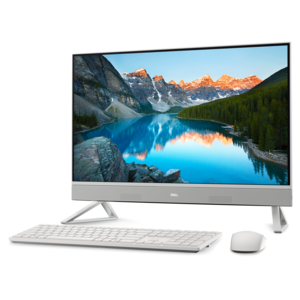
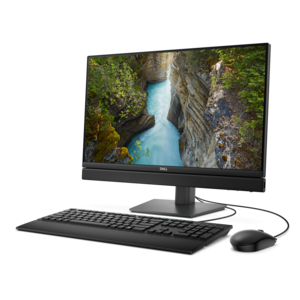
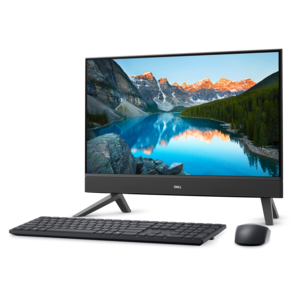
A compact all-in-one desktop designed for productive work and everyday entertainment.
Discover the perfect blend of performance and convenience with all in one desktops with touch screen. Designed to streamline your workspace, these innovative systems combine sleek design and intuitive touch technology for a seamless computing experience. Whether you’re working, learning, or enjoying entertainment, all in one desktops with touch screen offer an efficient solution to meet a variety of needs. Explore options that help you stay productive and connected while enhancing the look of any home or office environment.
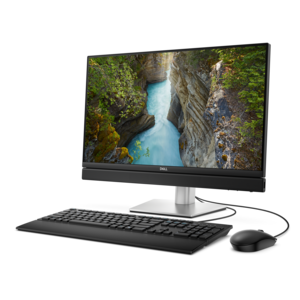
A compact all-in-one desktop designed for productive work and everyday entertainment.
A sleek all-in-one desktop featuring a spacious display for an immersive computing experience.
A space-saving all-in-one desktop designed for productive work and immersive entertainment.
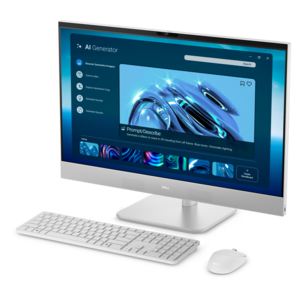
A space-saving all-in-one desktop with AI options, enhanced productivity, and robust security and manageability features.
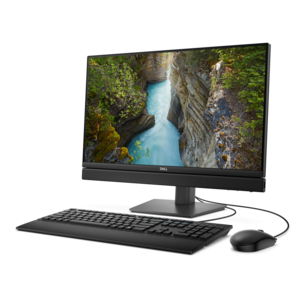
A space-saving all-in-one desktop designed for productive work and entertaining.
A space-saving, AI-ready all-in-one desktop with a 24-inch display and streamlined security and manageability features.
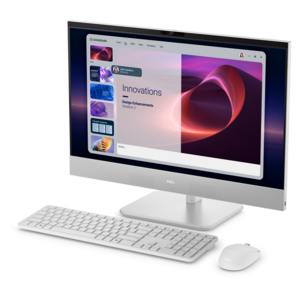
An AI-ready all-in-one desktop with an optional 5MP IR camera and streamlined security and manageability features.
All-in-one desktops with touch screens combine the main computer components and an interactive display in one enclosure, creating a desktop setup without a separate tower. A keyboard and mouse remain useful for typing and precise work, while the touch screen adds a direct way to select menus, scroll through documents, and move between supported applications. This combination suits everyday tasks that alternate between longer stretches of focused work and quick interactions, such as writing a report, joining a video call, or tapping through a recipe before preparing dinner. The integrated design also helps keep a desk visually uncluttered, although power cords and cables for connected accessories may still be necessary. On a small home office desk, a bedroom workspace, or a shared household workstation, the reduced number of separate components can leave more room for notebooks, school papers, and other essentials. Screen size influences both the viewing experience and the space the computer occupies. A larger display can make side-by-side documents and spreadsheets more comfortable to view, while a smaller enclosure may fit more naturally on a shallow desk or beneath shelving. The stand’s footprint matters as much as the screen’s diagonal measurement, particularly when the surface also needs to accommodate a keyboard and enough room for a mouse. Touch interaction adds another consideration: the screen should sit within comfortable reach without requiring repeated leaning or stretching. An adjustable stand, where included, can help position the display for different users and reduce awkward viewing angles. These computers can suit students working on assignments, adults managing household paperwork, and professionals whose daily routines center on documents, communication, and browser-based applications. They can also make thoughtful gifts for someone establishing a permanent workspace, provided the screen dimensions, software compatibility, and input options match that person’s needs. Unlike a laptop, an all-in-one desktop is generally intended to stay in a designated location, offering a consistent place to sit down, sign in, and get things done.
The display is central to the experience of using a touch-screen all-in-one computer, but touch capability is only one part of its usefulness. Resolution affects how clearly text, photographs, and fine details appear, especially as screen size increases. Brightness, viewing angles, and surface reflections also influence everyday comfort. A display facing a bright window may show distracting reflections, while thoughtful placement away from direct glare can make reading and video calls easier. Some screens have surface treatments that reduce reflections, though their effectiveness varies. Touch input is particularly convenient for tapping large controls, enlarging a photograph with a supported gesture, or moving through a presentation while standing beside the desk. It does not automatically replace every other input method. Selecting a small spreadsheet cell, editing a detailed image, or writing several pages may still feel more natural with a mouse and keyboard. Application support matters, too: software designed around small desktop controls may be less comfortable to operate by touch than software with larger buttons and gesture support. A touch screen also does not necessarily support an active pen, pressure sensitivity, or the drawing experience of a dedicated pen display. For creative uses, those capabilities need to be explicitly supported by the computer and compatible accessories. Behind the display, processor capability and memory affect how well the system handles the intended workload. Routine email and document editing place different demands on a computer than large creative projects, complex spreadsheets, or frequent multitasking across several demanding applications. Graphics capability becomes more important for certain games, video projects, and visual applications; a large touch display alone does not establish suitability for those activities. Built-in cameras, microphones, and speakers can simplify remote meetings and online learning, but their specifications and performance differ. Camera placement, privacy features, and convenient volume controls can be especially useful on a shared computer. Connections for external devices deserve similar attention, including accessible ports for frequently used accessories and confirmed support for any additional display.
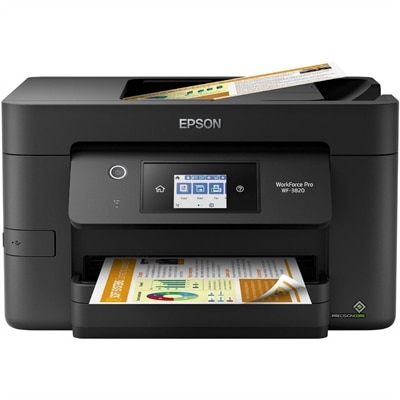
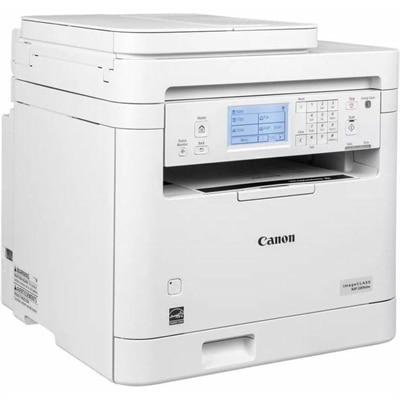
Materials, construction, and care help determine how comfortably an all-in-one touch-screen desktop fits into daily life over time. Enclosures may combine plastic and metal, while the display typically has a glass surface that needs protection from impacts and abrasive cleaning. A stable stand is particularly important for touch use, since tapping and swiping apply pressure to the screen. The computer belongs on a level, sturdy surface with enough clearance around its ventilation openings, rather than squeezed tightly against papers or placed where fabric can block airflow. In a kitchen-adjacent workspace, a position away from steam, grease, splashes, and food preparation is more suitable than an exposed countertop beside the sink. Fingerprints are a normal part of touch-screen use, especially on a computer shared by several people. A clean, soft microfiber cloth can help remove light marks; for more persistent smudges, the manufacturer’s cleaning instructions should determine which methods and liquids are appropriate. Spraying liquid directly onto the display, scrubbing with rough towels, or applying excessive pressure can damage surfaces or allow moisture into openings. Regular attention to dust around accessible vents can also help maintain airflow without opening the enclosure. Long-term practicality includes more than keeping the screen clean. Because the computer and display share a housing, access for repairs or upgrades may be more limited than with a separate desktop tower, and service options vary by design. The integrated format is therefore especially well suited to people who value a consolidated workspace and whose expected tasks align with the system’s capabilities. Comfortable accessories can round out that workspace: a full-size keyboard for lengthy assignments, a mouse for detailed editing, or a headset for conversations in a busy room. For paperwork that moves between digital files and physical pages, Desktop All In One Printers can complement the computer with printing, copying, and scanning functions, depending on the device. With suitable positioning and compatible peripherals, a touch-screen all-in-one can serve as a practical everyday workstation that feels at home in a dedicated office or a carefully arranged corner of a shared room.
All in one desktops with touch screens provide a highly interactive platform for creative tasks such as graphic design, photo editing, and digital illustration. The direct touch interface allows users to draw, annotate, and manipulate images with greater precision and immediacy compared to traditional mouse and keyboard inputs. This hands-on approach can enhance workflow efficiency and make creative processes more intuitive, especially when paired with stylus support.
A touch screen all in one desktop streamlines multitasking by allowing users to quickly switch between applications, organize files, and navigate documents with simple gestures. Features like drag-and-drop, pinch-to-zoom, and on-screen note-taking can make managing daily tasks more efficient. The integrated design also helps keep workspaces uncluttered, contributing to a more organized and focused environment.
Yes, all in one desktops with touch screens are ideal for collaborative settings such as classrooms, meeting rooms, and creative studios. The touch interface enables multiple users to interact with the screen simultaneously, facilitating group brainstorming, interactive presentations, and real-time editing of shared documents. This fosters engagement and teamwork, making these systems a popular choice for collaborative work.
When selecting a dell touchscreen desktop, consider connectivity options such as USB-C, HDMI, multiple USB ports, SD card readers, and built-in Wi-Fi and Bluetooth. These features ensure compatibility with a wide range of peripherals and external devices, making it easier to expand your setup with printers, external drives, or additional monitors as needed.
The all in one form factor combines the computer and monitor into a single, streamlined device, saving space and reducing cable clutter. This makes it an excellent choice for family rooms, kitchens, or shared study areas. The intuitive touch screen interface is accessible to users of all ages, making it easy for everyone in the household to browse the web, stream content, video chat, or manage schedules together.
Add the products you would like to compare, and quickly determine which is best for your needs.